

Personal Data Organizer Template

This template is a ready‑to‑use Excel workbook that lets you capture, sort, and visualise any kind of information you need to manage. It typically contains three sheets: an Input Data sheet where you paste or type raw records, a Lookup & Settings sheet that holds dropdown lists (e.g., categories, status, dates) and any constants, and a Summary Dashboard sheet that automatically aggregates the data into totals, counts, pivot‑style tables, and simple charts. The layout is clean, with column headers that you can rename, conditional formatting that highlights key values, and formulas that update instantly as you add new rows.
The workbook solves the common frustration of starting from a blank spreadsheet every time you need to track something new. Instead of rebuilding tables, formulas, and charts, you simply plug your data into the predefined fields and let the template do the heavy lifting. It’s especially handy for small‑business owners, project coordinators, teachers, or anyone who needs a quick, organized view of information without learning advanced Excel features. By centralising data entry and automatically generating visual summaries, you reduce errors, keep records consistent, and gain immediate insight into trends or gaps.
Anyone who deals with lists—be it inventory items, client contacts, task assignments, event schedules, or simple budgets—can benefit. The template helps you keep track of each entry’s key attributes, produces real‑time totals and percentages, and creates a snapshot view that can be printed or shared. Because the dropdowns are editable, you can tailor categories to your specific context, making the workbook flexible enough for personal use or team collaboration.
How to use
- Open the workbook and go to the Input Data sheet. Enter each record in a new row, filling in the predefined columns (e.g., Date, Category, Description, Amount, Status). Use the dropdowns to ensure consistent entries.
- If you need new categories or status options, edit the lists on the Lookup & Settings sheet; the dropdowns on the Input sheet will update automatically.
- Switch to the Summary Dashboard sheet to see totals, counts, and charts refresh instantly based on your entries.
- Export or print the dashboard for reporting, or share the file with teammates who can continue adding data.
Expected benefits: you’ll spend far less time building tables and charts from scratch, enjoy a tidy, up‑to‑date overview of your data, and reduce manual errors while keeping everything in one place.
Similar Templates Recommendation
Hello Message Log with Charts Template
A versatile template for logging, tracking and summarizing hOLA data in a clear, customizable spreadsheet.
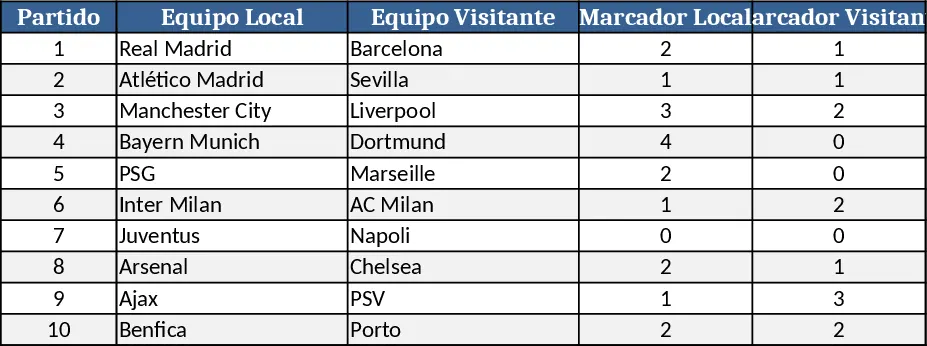
General Purpose Excel with Data Validation Template
A versatile, customizable Excel template that you can adapt to track data, manage projects, or analyze metrics across any business need.
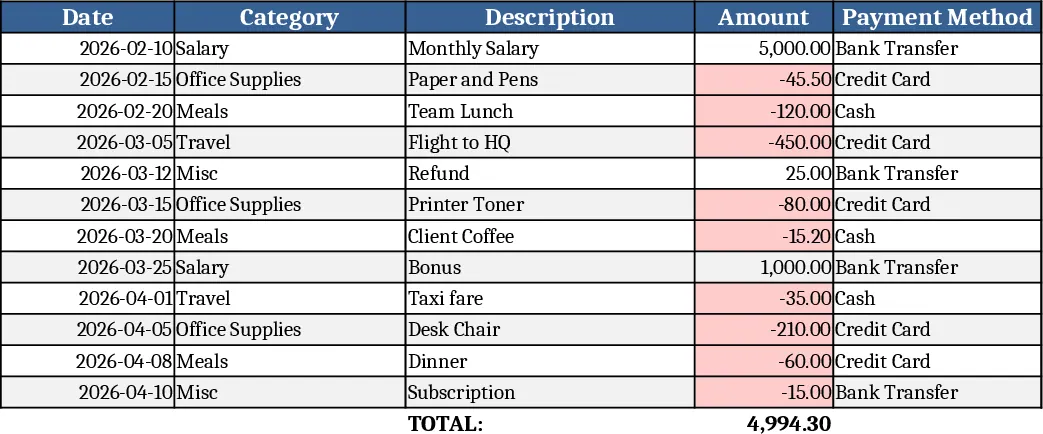
General Purpose Excel with Dashboard Template
A versatile, ready‑to‑use Excel template that lets you organize data, track key metrics, and generate instant summaries and charts for any project or business need.
