Advanced Monthly Business KPI Dashboard with Performance Metrics Template
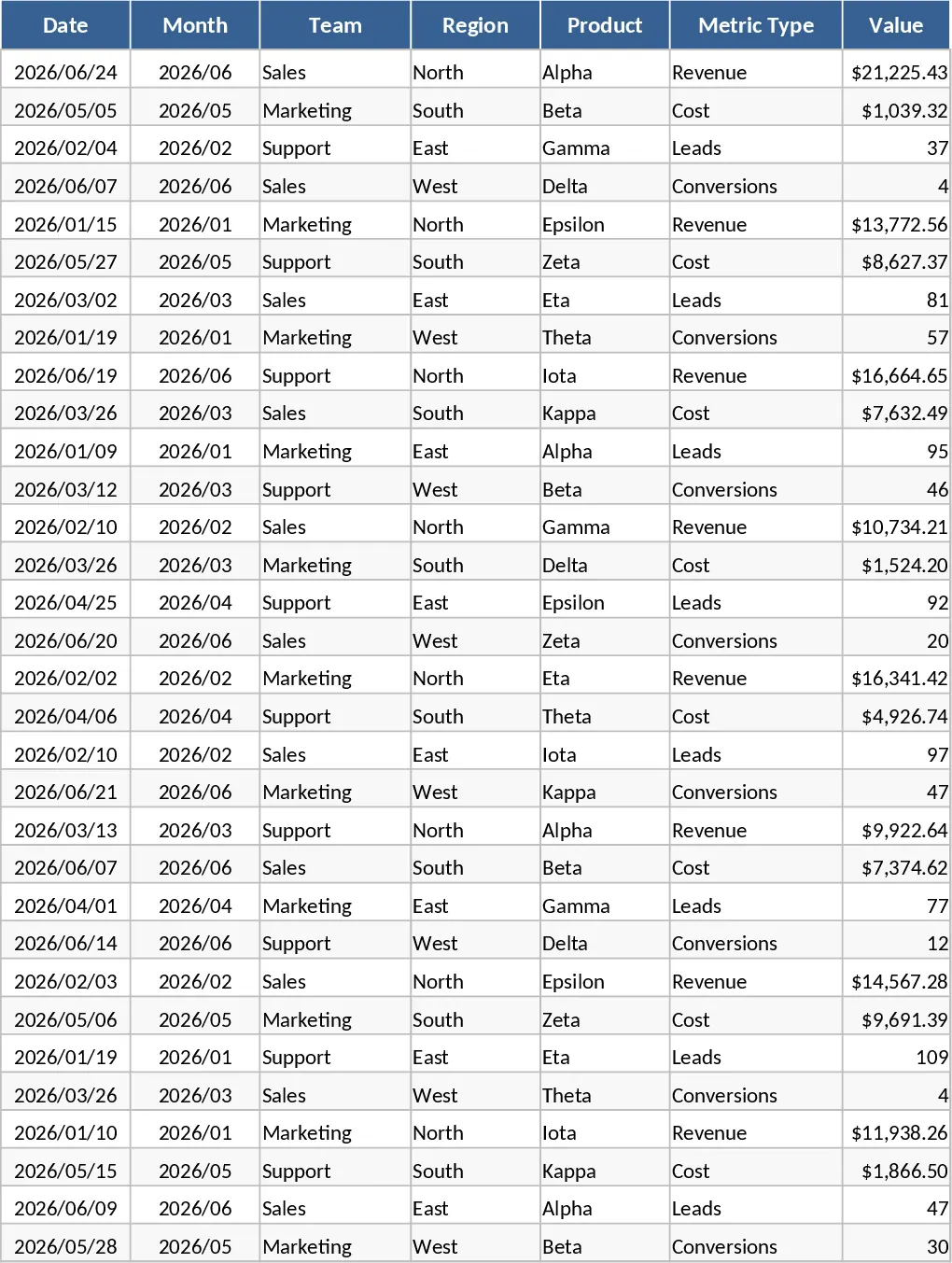
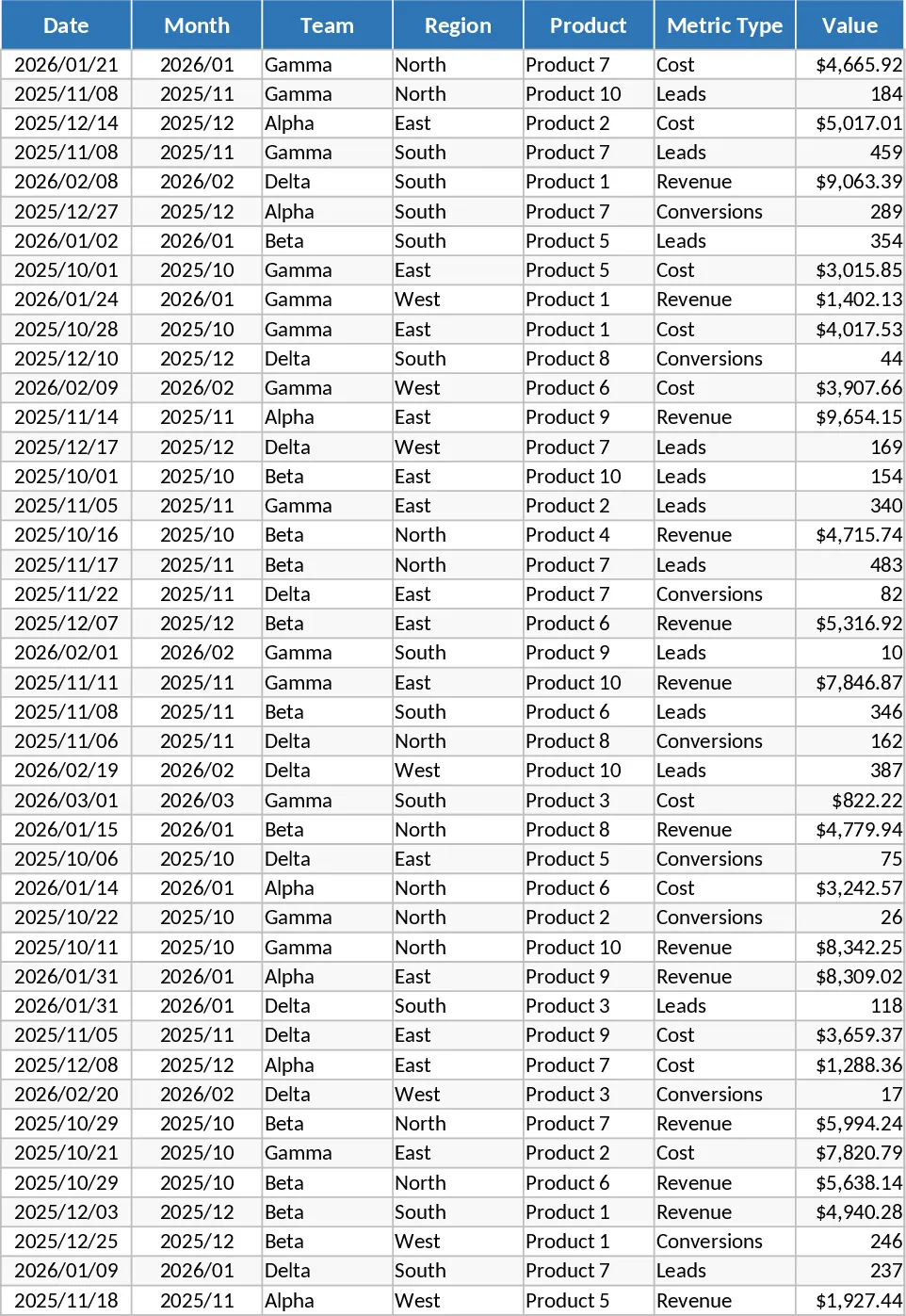
The Advanced Excel Monthly Business KPI Dashboard is a comprehensive tool designed to transform raw operational data into actionable business intelligence. At its core, the template utilizes a structured four-sheet architecture that streamlines the journey from data entry to executive-level visualization. The Raw Data sheet serves as the central repository for your monthly figures, capturing essential dimensions like team performance, regional distribution, and product categories. To ensure consistency across your organization, the KPI Definitions sheet provides a dedicated space to document formulas and logic, such as how conversion rates or profit margins are calculated, making it an ideal single source of truth for your team.
This template is particularly useful for business owners and department heads who need to monitor multi-faceted performance metrics without spending hours manually building charts. By centralizing revenue, costs, leads, and conversion data, it eliminates the need for fragmented spreadsheets and provides a holistic view of company health. Whether you are analyzing seasonal trends or comparing regional efficiency, the automated Pivot Summary sheet does the heavy lifting, organizing your data into slicer-friendly tables that power the visual dashboard. It helps you identify high-performing regions and products while keeping a close eye on the relationship between operational costs and total revenue.
The visual Dashboard sheet is the centerpiece of the template, offering a high-level overview of your most critical metrics. It features dynamic line charts for revenue trends, bar charts for regional comparisons, and sophisticated combo charts that contrast costs against income. Additionally, the dashboard tracks lead generation and conversion rates over time, helping you identify where your marketing and sales efforts are most effective. With a built-in Top 10 Products view, you can instantly see which offerings are driving your bottom line and adjust your strategy accordingly.
How to use:
- Start by defining your specific metrics and logic in the KPI Definitions sheet to ensure all stakeholders are aligned on how performance is measured.
- Input your monthly figures into the Raw Data sheet, ensuring you fill out the Date, Team, Region, and Metric Type columns for each entry.
- Navigate to the Pivot Summary sheet and refresh the data connections to update the underlying tables that feed the visuals.
- Use the interactive slicers on the Dashboard sheet to filter by month, region, or product, allowing you to drill down into specific performance areas instantly.
Expected benefits: This template significantly reduces the time spent on monthly reporting cycles and provides a professional, presentation-ready interface that enhances data-driven decision-making across your organization.
Similar Templates Recommendation
Monthly Business KPI Dashboard with Category Breakdown and Charts Template
Track monthly business performance across revenue, costs, and conversions with interactive charts and automated pivot summaries for data-driven decisions.
Monthly Business KPI Dashboard with Performance Metrics Template
Monitor monthly revenue, costs, and conversion rates across regions and teams using dynamic charts and automated pivot table summaries.
Monthly Business KPI Dashboard with Charts Template
Monitor monthly business performance across revenue, costs, and conversions with interactive charts and slicers to optimize growth.