Monthly Business KPI Dashboard with Charts Template
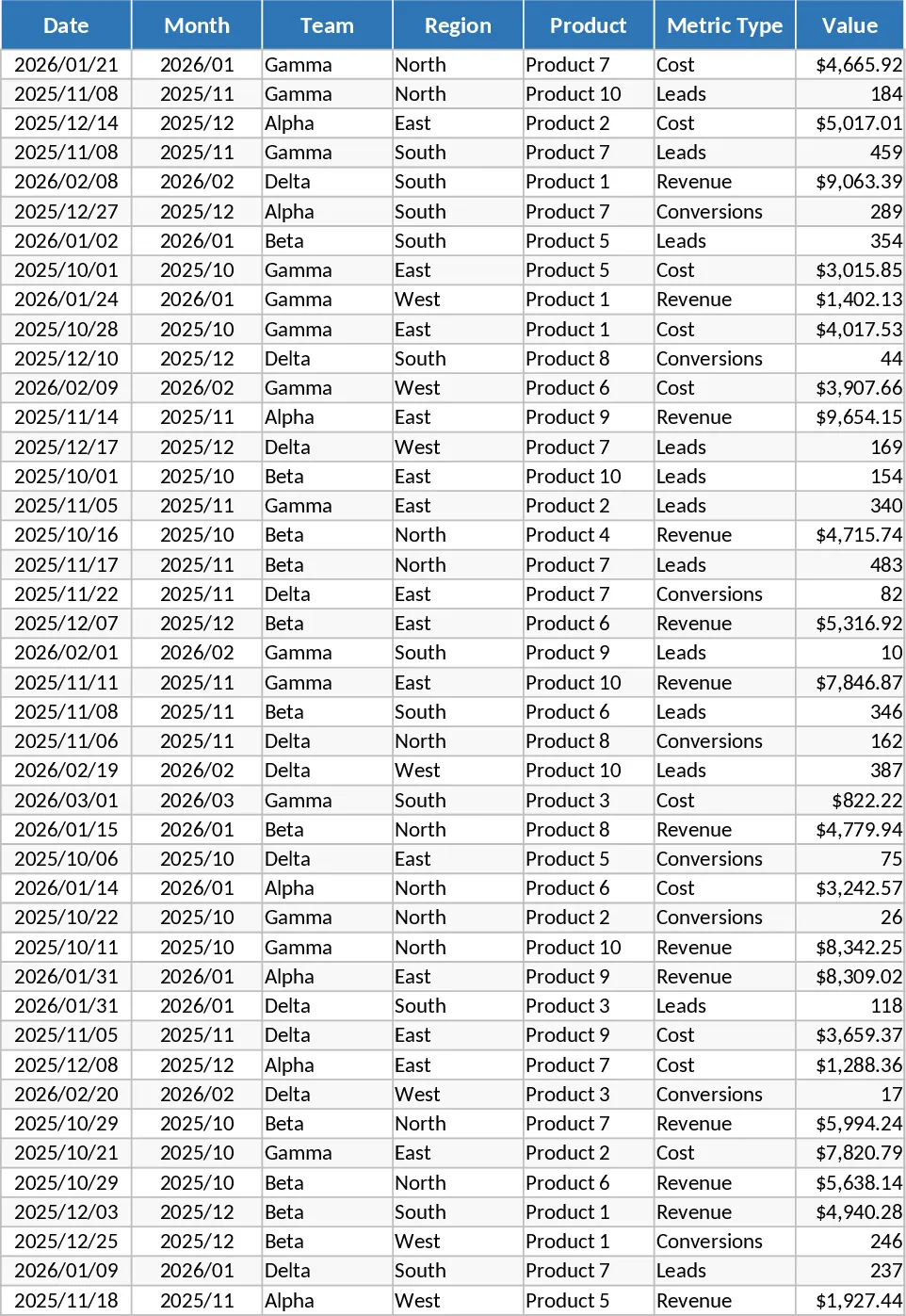
This Advanced Monthly Business KPI Dashboard is a robust analytical tool designed to transform raw operational data into actionable strategic insights. At its core, the template features a structured Raw Data sheet where you can log essential metrics including revenue, costs, leads, and conversions, categorized by team, region, and product. To ensure total transparency in your reporting, a dedicated KPI Definitions sheet allows you to document the logic behind every calculation, such as conversion rates or profit margins, making it easy for stakeholders to understand the underlying math.
The template is particularly useful for business owners, department heads, and data analysts who need to move away from scattered spreadsheets and toward a centralized single source of truth. By consolidating your monthly performance data, you can quickly identify which regions are over-performing, which products are driving the most revenue, and where costs might be scaling faster than income. The automated Pivot Summary sheet acts as the engine of the template, organizing your data into slicer-friendly tables that feed directly into the visual interface.
The visual Dashboard is the centerpiece of this template, offering a high-level view of your business health through dynamic charts. You can track revenue trends over time with a sleek line graph, compare regional performance using bar charts, and analyze the relationship between costs and revenue through a combo chart. Additionally, the dashboard highlights lead generation and conversion rate trends, alongside a Top 10 Products list, ensuring you never lose sight of your primary growth drivers. With built-in slicers for month, region, and product, you can filter the entire dashboard with a single click to perform deep-dive analyses on specific segments of your business.
How to use this template:
- Start by entering your monthly figures into the Raw Data sheet, ensuring each entry has a date, team, and metric type assigned.
- Navigate to the KPI Definitions sheet to customize any formulas or logic notes to match your specific business requirements.
- Go to the Pivot Summary sheet and refresh the data connections to ensure all new entries are captured in the summary tables.
- Open the Dashboard sheet and use the interactive slicers to filter the visuals by time period or region for a customized performance review.
By implementing this dashboard into your monthly workflow, you can expect to significantly reduce the time spent on manual data aggregation and report formatting. It provides a professional, presentation-ready overview that helps you make data-driven decisions with confidence and clarity.
Similar Templates Recommendation
Monthly Business KPI Dashboard with Conditional Formatting Template
Track monthly business performance across revenue, costs, and conversion metrics with an automated dashboard and pivot summaries.
Advanced Monthly Business KPI Dashboard with Performance Metrics Template
Track monthly business performance across revenue, costs, and conversions with an automated dashboard featuring interactive charts and insights.
Monthly Business KPI Dashboard with Category Breakdown and Charts Template
Track monthly business performance across revenue, costs, and conversions with interactive charts and automated pivot summaries for data-driven decisions.