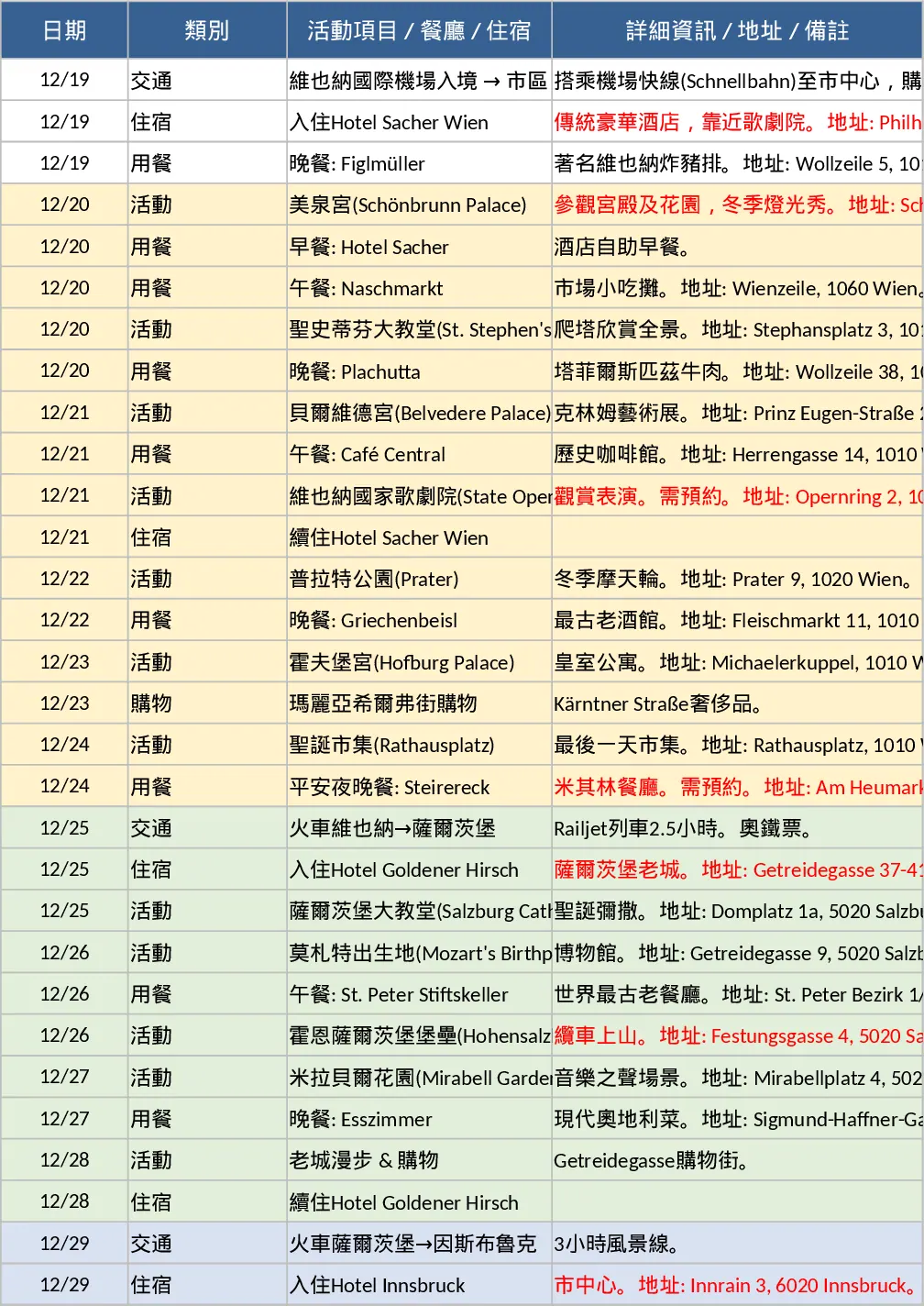
Austria 15‑Day Detailed Itinerary Mobile Excel Template
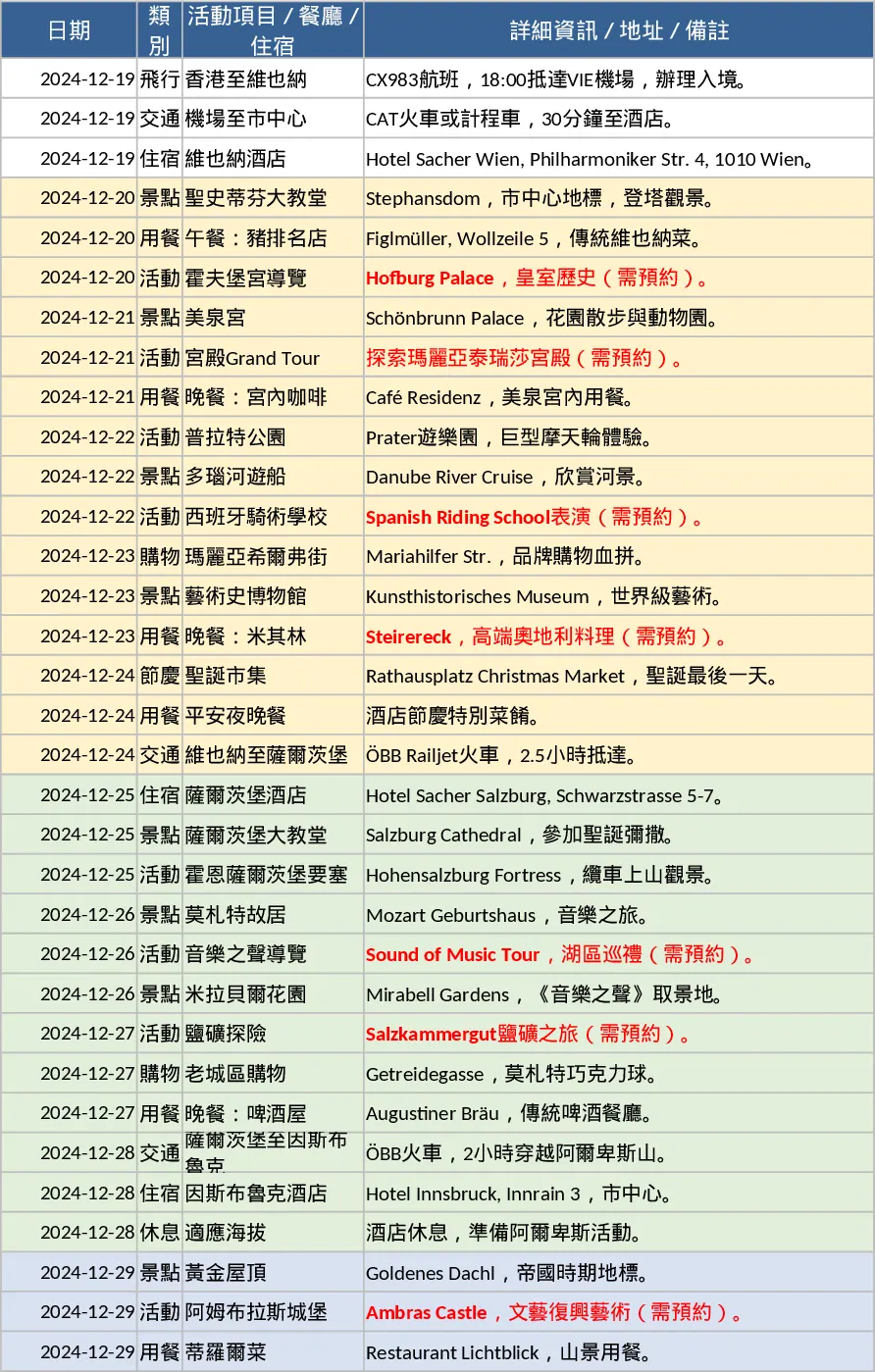
This template is a single‑sheet Excel workbook designed for phone use, where each row represents one element of your 15‑day Austria adventure. Columns are fixed as Date, Category (flight, meal, transport, sight‑seeing, accommodation, etc.), Activity/Location, and Details (address, notes, reservation flags). The first column is frozen so you can scroll horizontally without losing the date reference. Color‑coded groups separate the three main bases – Vienna, Salzburg and Innsbruck – making it easy to spot where you are each day. Important items such as "needs reservation" are highlighted in red, and you can add your own tags or comments directly in the Details column.
The sheet solves the common problem of juggling multiple travel documents, PDFs and notes on a small screen. Instead of flipping between boarding passes, restaurant reservations and map apps, you have a concise, editable list that updates instantly. It helps you avoid double‑booking, missed meals, or forgotten transport connections, and gives a quick visual overview of daily logistics. Whether you’re a solo explorer, a family planner, or a group coordinator, the template keeps everyone on the same page and reduces the mental load of remembering each step of the journey.
Anyone preparing a multi‑city trip can benefit – especially travelers who rely on their phone for on‑the‑fly adjustments. The template tracks flights, train rides, local transfers, dining spots, sightseeing stops, and hotel stays, while also allowing you to note special instructions (e.g., reservation codes, opening hours, or dietary notes). By consolidating all this information, you gain a clear picture of the itinerary, can quickly spot gaps or overlaps, and can share the file with travel companions for collaborative editing.
How to use
- Open the file in the mobile Excel app and freeze the first column (long‑press the header → "Freeze First Column").
- Review each row; edit the Details column to add personal notes, confirmation numbers, or change times as needed.
- Use the built‑in color groups to filter by city – tap a cell, choose "Fill Color" and apply the same shade to all rows of that location for visual grouping.
- Save the workbook and share it via email or cloud storage with fellow travelers; any changes sync automatically.
Expected benefits include smoother daily navigation, fewer missed reservations, and a noticeable reduction in the time spent juggling separate documents. The template turns a complex, multi‑day schedule into a tidy, searchable list that fits comfortably on your phone screen.