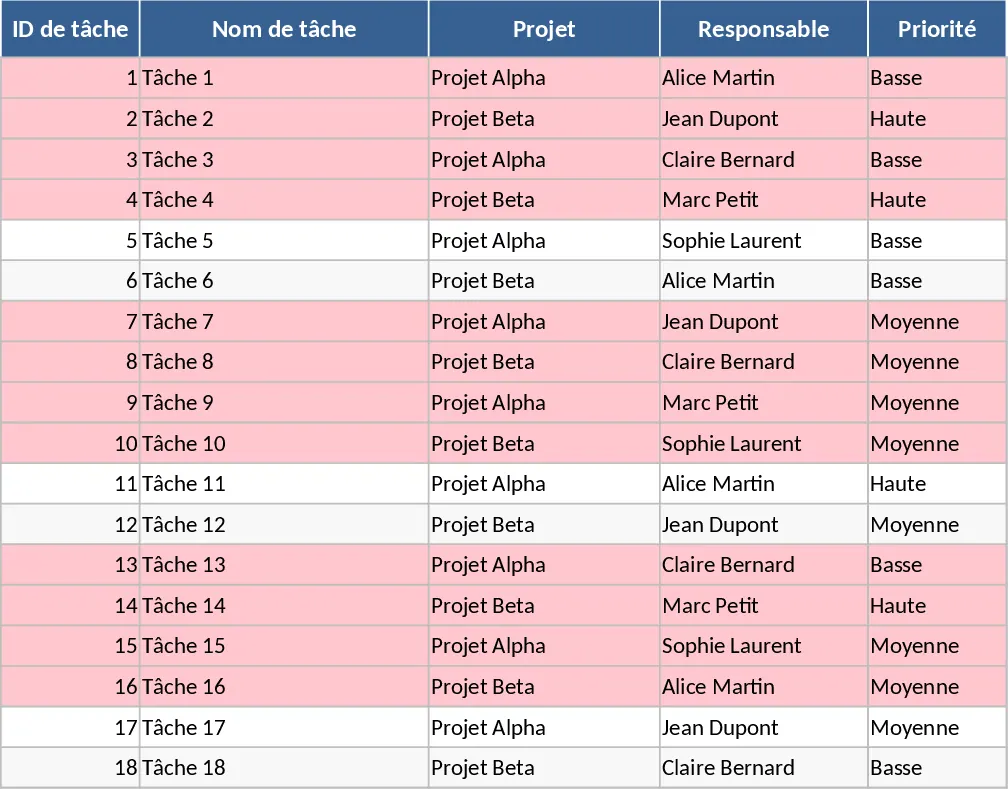
Project Task Tracker with Overview Dashboard and Project Timeline Template
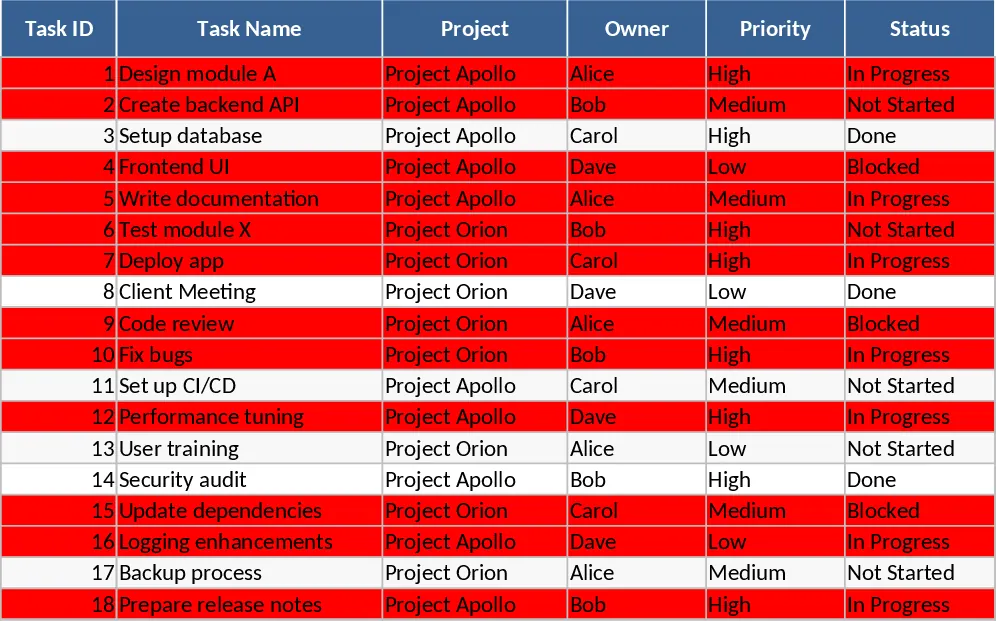
This template provides a robust framework for managing multiple projects simultaneously through two integrated sheets. The Tasks sheet serves as your central database, capturing essential details like task ownership, priority levels, and time estimates. With built-in dropdown menus for status and priority, data entry remains consistent and professional. The Project Overview sheet automatically aggregates this data into actionable insights, showing you exactly where your team stands.
It solves the common problem of fragmented project communication by centralizing all tasks in one place. You can easily identify bottlenecks through the Blocked status or see which team members are over-capacity. The automated red highlighting for overdue tasks ensures that critical deadlines never slip through the cracks, allowing for proactive adjustments to your project timeline. This is ideal for project managers, team leads, and small business owners who need to oversee multiple workstreams. It is particularly useful during weekly syncs or status updates to quickly visualize completion percentages and resource distribution.
How to use:
- Input your project names and team members into the Tasks sheet to set up your dropdown options.
- Enter individual tasks, assigning owners and setting due dates to trigger the automated tracking system.
- Update the Status and Actual Hours columns as work progresses to keep the data current.
- Navigate to the Project Overview sheet to view real-time summaries of completion rates and a dedicated list of overdue items.
Expected benefits: Expect to reduce time spent on manual reporting and gain immediate clarity on project health and team accountability.
Similar Templates Recommendation
Project Task Tracker with Performance Dashboard Template
Track project tasks, monitor deadlines with automated alerts, and visualize progress through a comprehensive summary dashboard.
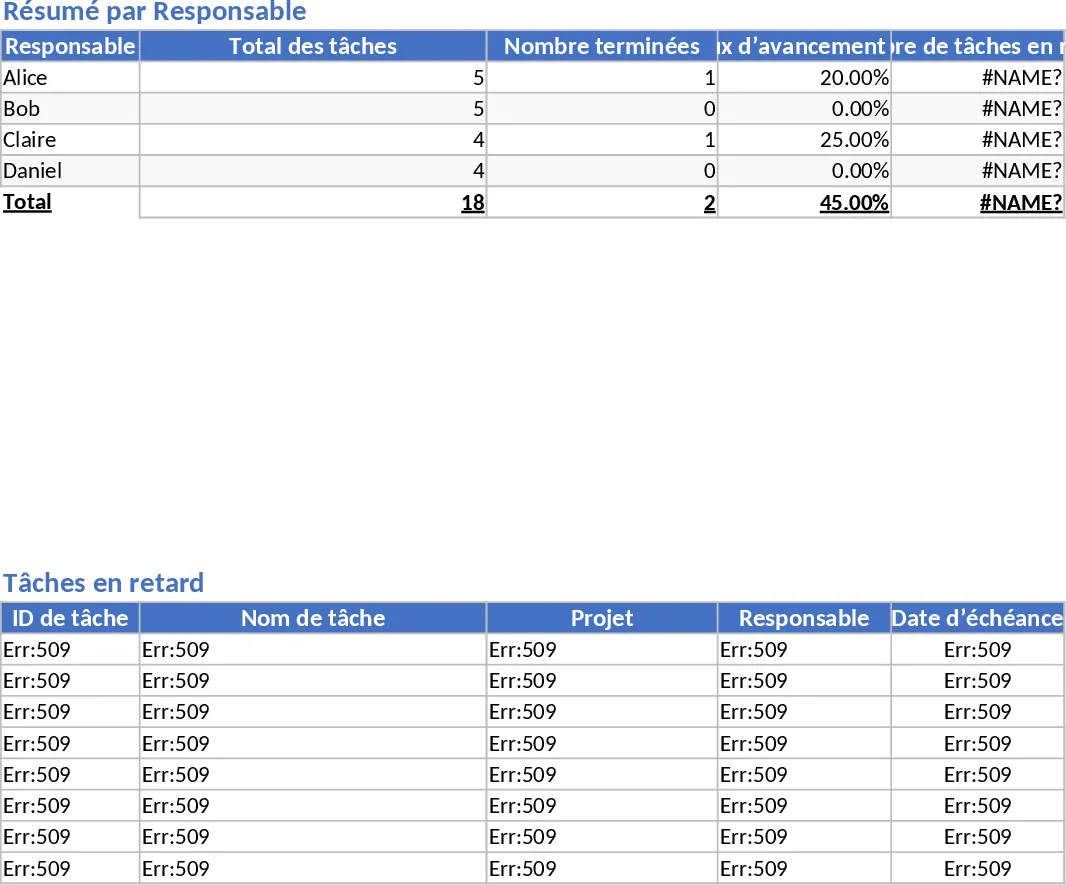
Project Task Tracker with Overview and Project Timeline Template
Manage project timelines and team workloads with a detailed task tracker featuring automated status summaries and overdue task alerts.
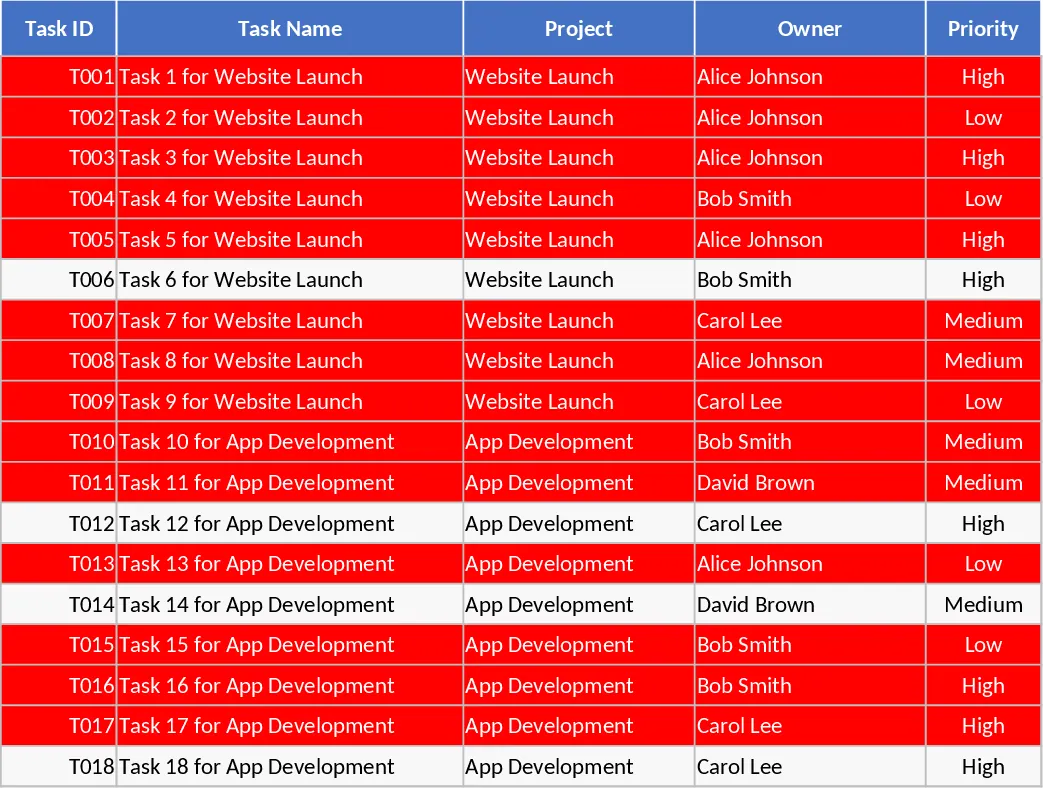
Project Task Tracker and Status Dashboard with Project Timeline Template
Track project tasks, assign responsibilities, and monitor deadlines with automated status summaries and visual alerts for overdue items.