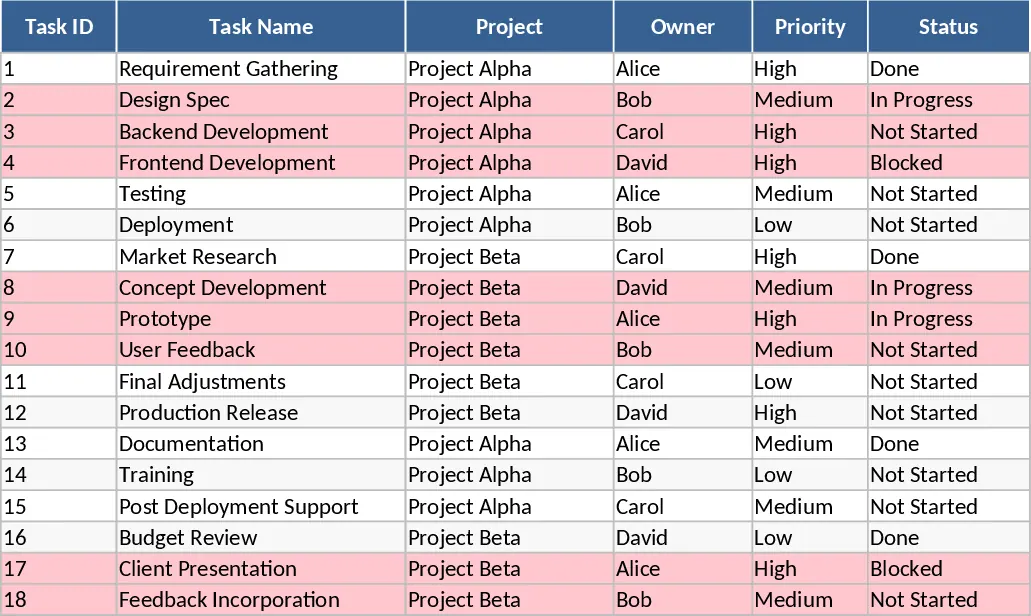
Project Task Tracker with Overview and Project Timeline Template
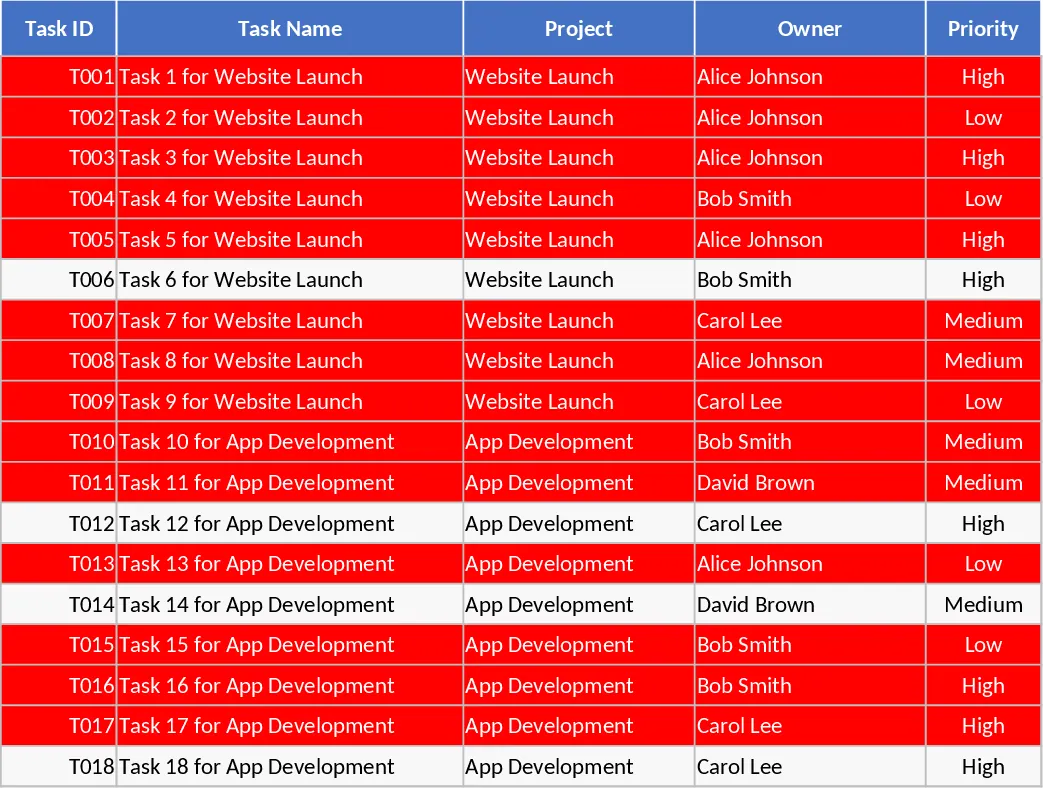
This Project Task Tracker is a robust Excel solution designed to bring order to complex workflows and multi-project environments. The template is structured into two high-impact sheets: a detailed Tasks log and a high-level Project Overview dashboard. In the Tasks sheet, you will find a structured grid featuring columns for Task ID, Project Name, Owner, and critical dates. To ensure data integrity, the template utilizes data validation for Priority and Status fields, while conditional formatting automatically flags overdue tasks in red if they remain unfinished past their due date. This visual cue is essential for maintaining momentum and preventing project slippage. The inclusion of estimated versus actual hours allows for precise tracking of labor costs and time management, making it easier to identify where resources are being over-utilized.
For managers and stakeholders, the Project Overview sheet provides an automated summary of team performance. It breaks down metrics by owner, showing total tasks assigned, completion percentages, and specific overdue counts. It also categorizes tasks by status—Not Started, In Progress, Blocked, or Done—giving you a bird's-eye view of the entire project portfolio. A dedicated table for overdue tasks ensures that high-risk items are always front and center during team meetings or status reviews. The logic behind the completion percentage is calculated by dividing finished tasks by the total tasks assigned to an individual, providing a clear efficiency rating. The Blocked status is a crucial addition, helping you identify external dependencies or internal hurdles that are stalling progress across different departments.
This tool is particularly useful for teams transitioning away from messy email threads or basic lists. It helps solve the challenge of accountability by clearly defining who is responsible for what and when it is due. By tracking both estimated and actual hours, the template also serves as a light resource management tool, helping you identify if certain team members are over-encumbered or if specific tasks consistently take longer than planned. Whether you are a project manager coordinating a product launch, a department head tracking quarterly goals, or a freelancer managing multiple client deliverables, this template provides the structure needed to stay organized. It eliminates the need for expensive project management software while providing the professional-grade tracking capabilities required for successful execution.
How to use:
- Open the Tasks sheet and begin by entering your specific project names and team members into the respective columns to set the foundation for your dropdown menus.
- Fill in your task list, ensuring every entry has a Due Date and an assigned Owner from the dropdown menu to enable the automated reporting features in the overview.
- As work moves forward, update the Status and Actual Hours; the template will automatically highlight overdue tasks in red that require immediate attention.
- Switch to the Project Overview sheet at any time to see a live calculation of project health, team productivity, and a filtered list of delayed tasks without needing to refresh any data.
Expected benefits: Significant reduction in manual reporting time and improved team accountability through clear visual deadlines and automated performance metrics.
Similar Templates Recommendation
Project Task Tracker with Overview Dashboard and Project Timeline Template
Manage project timelines and team workloads with a comprehensive task tracker featuring automated status summaries and overdue task alerts.
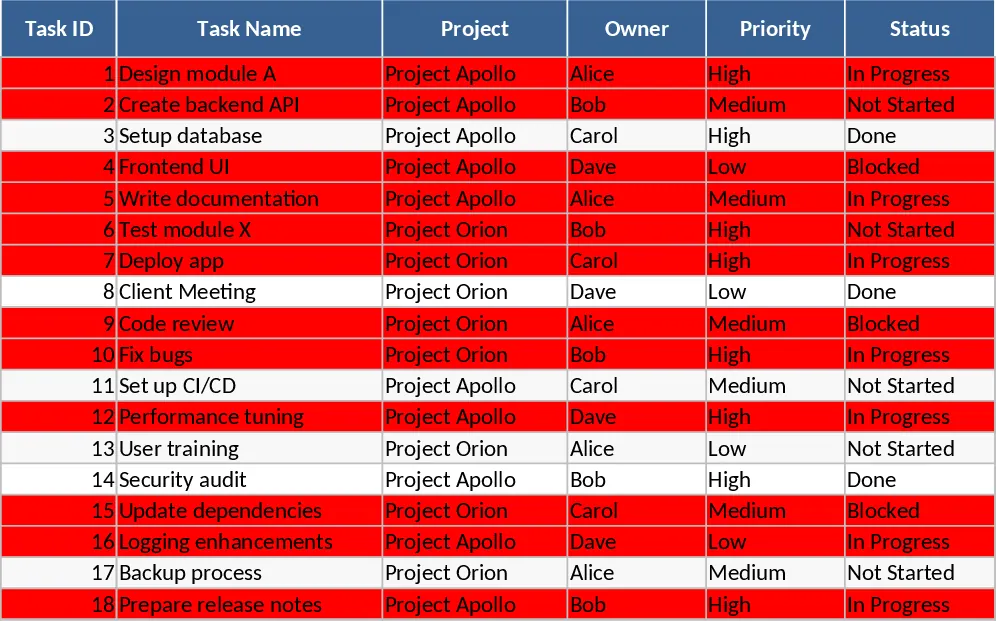
Project Task Tracker and Status Dashboard with Project Timeline Template
Track project tasks, assign responsibilities, and monitor deadlines with automated status summaries and visual alerts for overdue items.
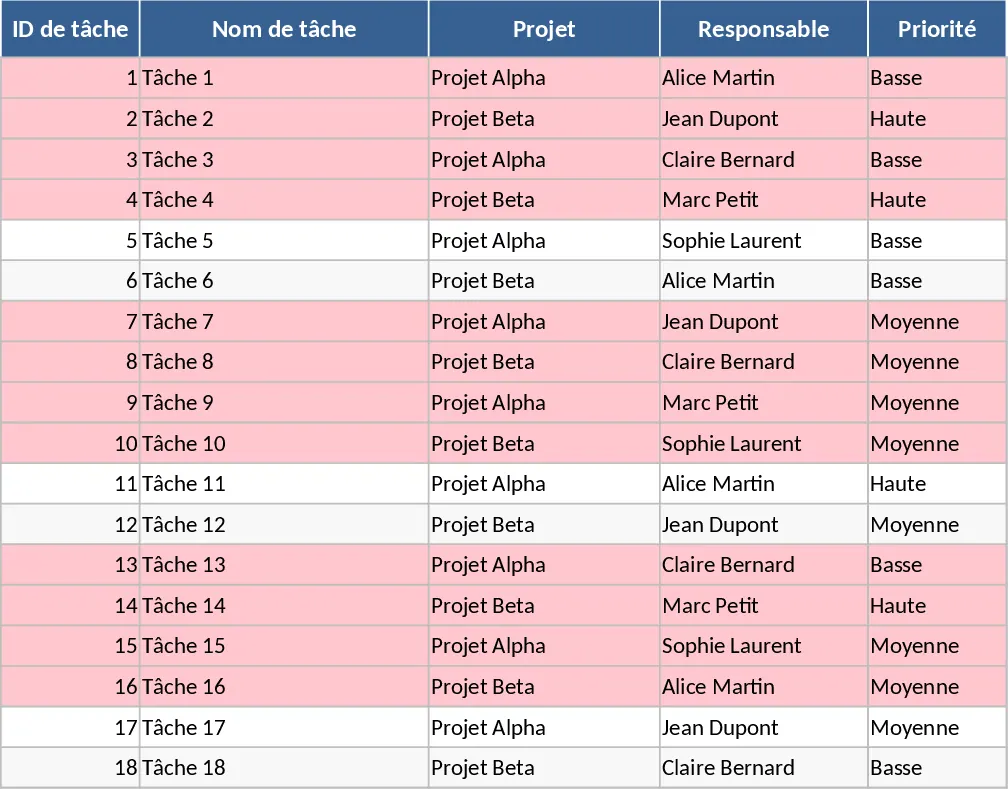
Project Task Tracker with Overview Dashboard and Task Status Template
Streamline your workflow with this comprehensive project tracker featuring automated status summaries, overdue task alerts, and team workload views.