Micro‑Finance Management Dashboard Template
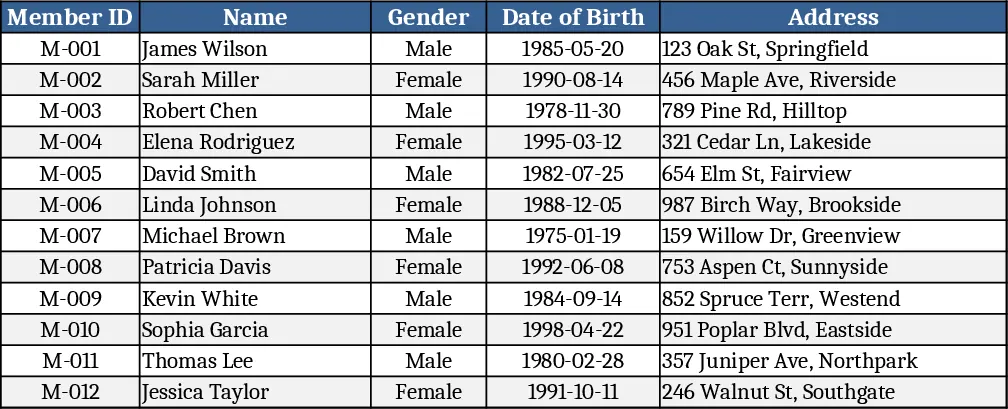
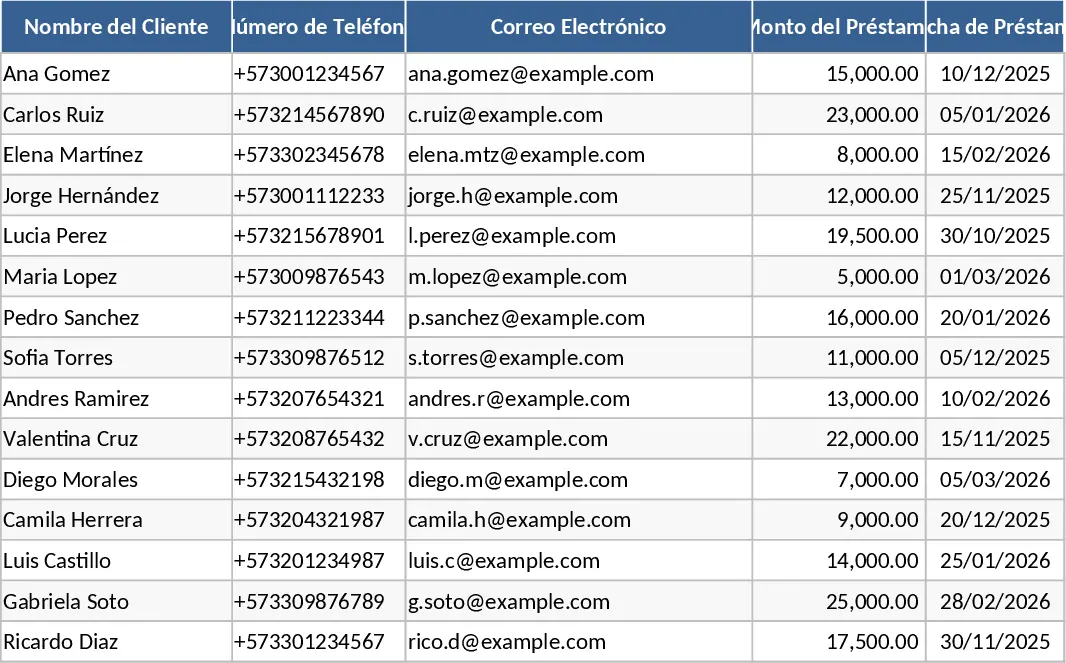
The Microfinance Management Excel Template is organized into several linked sheets that let you store client details, monitor savings activity, manage loan portfolios, record investment performance, and keep a full income‑expense ledger. The Members sheet captures personal data, contact information, and membership status with dropdowns for client type and risk rating. The Savings sheet logs every deposit and withdrawal, automatically updating each member’s balance. In the Loans sheet you enter loan amount, disbursement date, interest rate, and term; the workbook calculates accrued interest, outstanding principal, and next due date. A separate Repayments sheet records each payment, adjusts the loan balance, and flags overdue installments. The Investments tab tracks capital placed in external opportunities, logs return percentages, and shows cumulative gains. All these data feed into a dynamic Dashboard that visualizes total deposits, loan portfolio health, cash flow, and investment returns with charts and key metrics.
This template solves the everyday headache of juggling multiple spreadsheets or manual ledgers. By automating interest accrual, balance updates, and summary charts, it eliminates calculation errors and gives you a real‑time view of the institution’s financial position. It speeds up reporting, supports better decision‑making on loan approvals, and helps maintain regulatory compliance through clear audit trails. The built‑in dashboard turns raw numbers into actionable insights, so managers can quickly spot cash shortages, high‑risk loans, or underperforming investments.
Ideal for microfinance officers, branch managers, and small‑scale credit cooperatives, the workbook fits any organization that serves low‑income borrowers and needs a low‑cost, offline solution. Whether you’re launching a new community lending program or upgrading an existing manual system, this template provides the structure to capture every transaction, monitor client activity, and produce professional‑looking reports without specialized software.
How to use
- Open the workbook and start with the Members sheet: fill in each client’s name, ID, contact details, and select their risk category from the dropdown.
- Record any savings activity in the Savings sheet; the template will instantly update each member’s balance and reflect totals on the dashboard.
- When issuing a loan, enter the loan details in the Loans sheet; the sheet auto‑calculates interest and displays the current outstanding amount.
- Log each repayment in the Repayments sheet; overdue payments are highlighted, and the dashboard refreshes to show updated cash flow.
- Add any external investments in the Investments sheet to track returns; the summary chart will show overall portfolio performance.
Expected benefits: streamlined data entry, reduced manual calculations, faster month‑end closing, and clearer financial visibility, all of which free up staff time for client engagement rather than spreadsheet gymnastics.