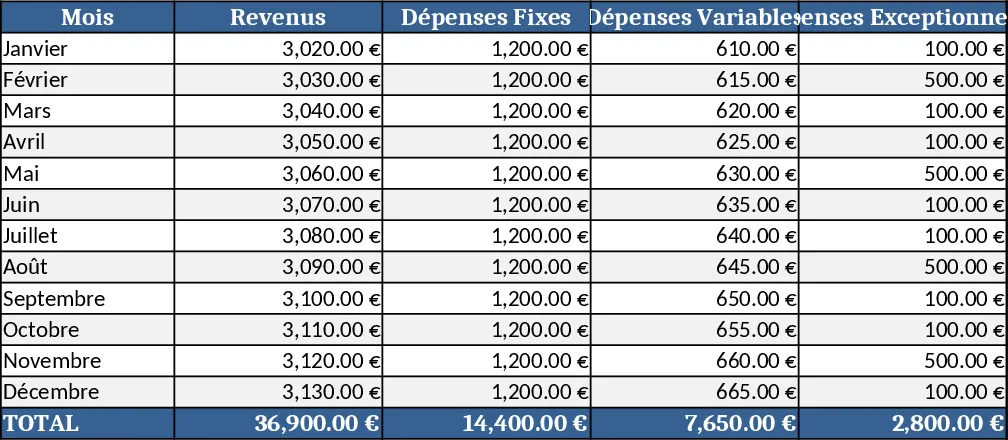
Consolidated Financial Overview with Pending Customs Template
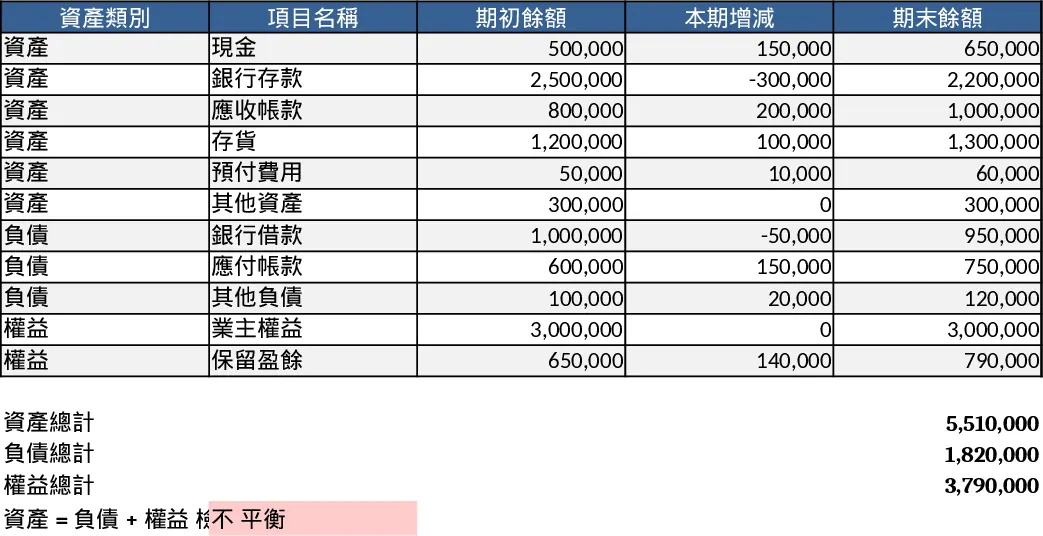
This template brings together all of your core financial numbers – total purchases, total sales, received payments, overdue amounts, pending receivables, and each bank’s transaction ledger – into a single, easy‑to‑read workbook. The file is split into four main sheets:
- Input Data – paste raw figures for purchases, sales, payments received, overdue and pending amounts, plus a table for bank‑statement lines (date, bank, description, debit, credit).
- Container Tracker – list each container batch, its expected customs value, and a dropdown to mark the status ("Reported", "Pending", "Missing").
- Consolidated Summary – automatically calculates net cash flow, outstanding receivables, overdue totals, and highlights the monetary value of containers flagged as "Missing".
- Dashboard – visual cards and a simple bar chart give your boss a one‑glance view of cash position, overdue risk, and unknown liabilities.
The template solves the common headache of juggling multiple spreadsheets and email threads to understand the company’s financial health. By pulling every figure into one place and using conditional formatting to colour‑code missing customs data, you eliminate manual cross‑checks and reduce the risk of overlooking unpaid or unreported shipments. It’s especially useful for finance managers, CFOs, or small‑business owners who need to present a concise financial snapshot to senior leadership on a regular basis.
Who benefits? Anyone responsible for cash‑flow monitoring and shipment accounting – from accountants handling daily bank reconciliations to operations heads tracking container status. The scenario is a mid‑size import‑export business that receives regular shipments, some of which lack customs clearance paperwork, creating unknown liabilities that must be highlighted for decision‑making.
The template helps you track total inflows and outflows, monitor overdue receivables, and instantly see the monetary impact of containers without customs details. The summary sheet aggregates these numbers, while the dashboard visualises them, making it simple to answer questions like “What is our net cash position?” or “How much money is tied up in unreported containers?”.
How to use
- Paste your purchase, sales, received, overdue and pending amounts into the Input Data sheet. Add each bank transaction row under the bank ledger table.
- In the Container Tracker, list each container batch, enter the expected customs value, and select the status from the dropdown. The template will automatically calculate the total value of containers marked "Missing".
- Switch to the Consolidated Summary to see calculated totals for net cash flow, overdue receivables, and unknown liabilities. Adjust any numbers if needed; the formulas update instantly.
- Open the Dashboard to view colour‑coded cards and a bar chart that summarise the key metrics. Use this view in meetings or export it as a PDF for quick reporting.
Expected benefits: a clearer financial picture in minutes, fewer manual reconciliations, and quick identification of hidden liabilities, saving time and reducing reporting errors.
Similar Templates Recommendation
Financial Dashboard Overview with Cash Flow Template
Create a comprehensive financial dashboard to track revenue, expenses, cash flow, and key performance indicators in one view.
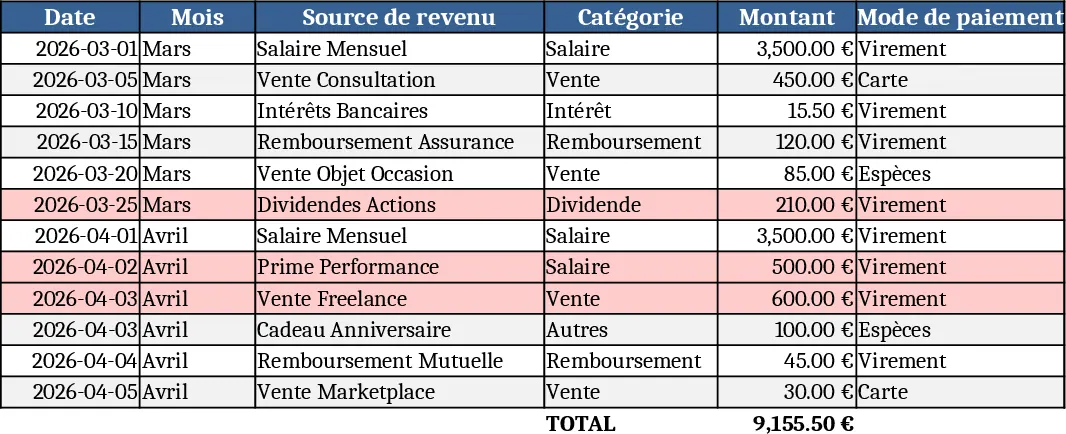
Personal Account Management Dashboard Template
Track income, expenses, savings and monthly balances with an interactive dashboard and automatic monthly statements.