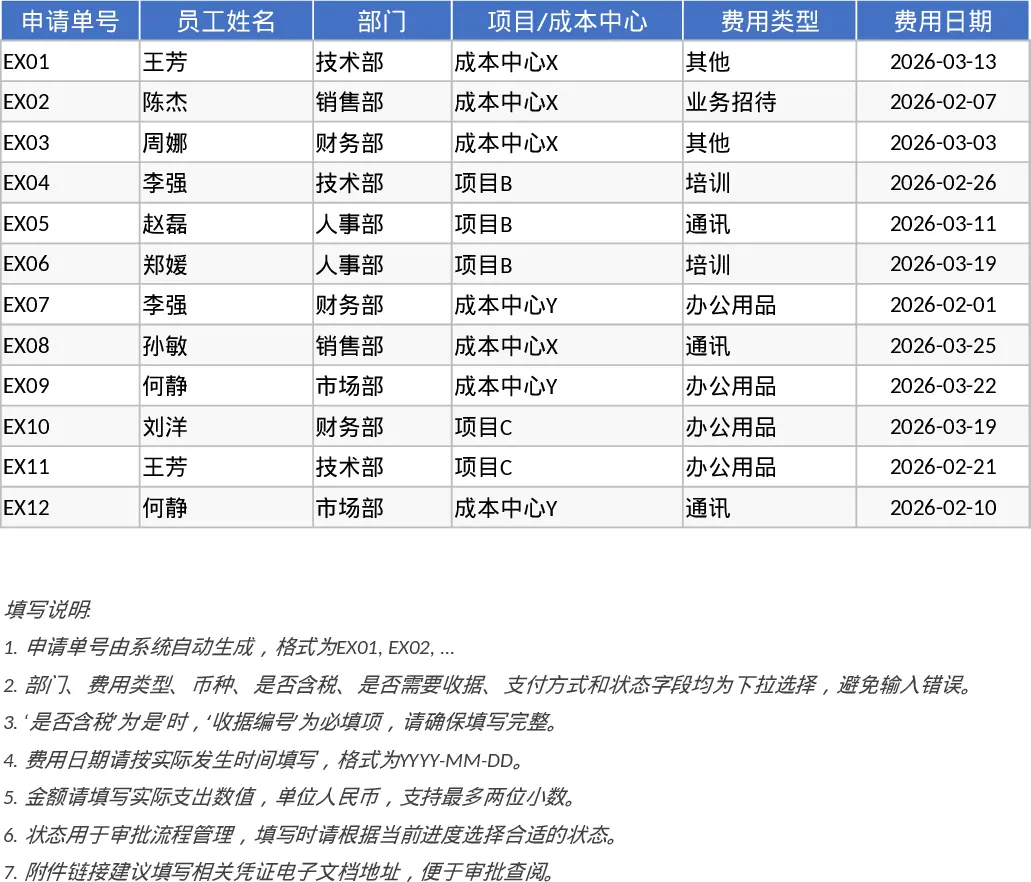
Employee Expense Reimbursement and Approval Tracker with Dashboard Template
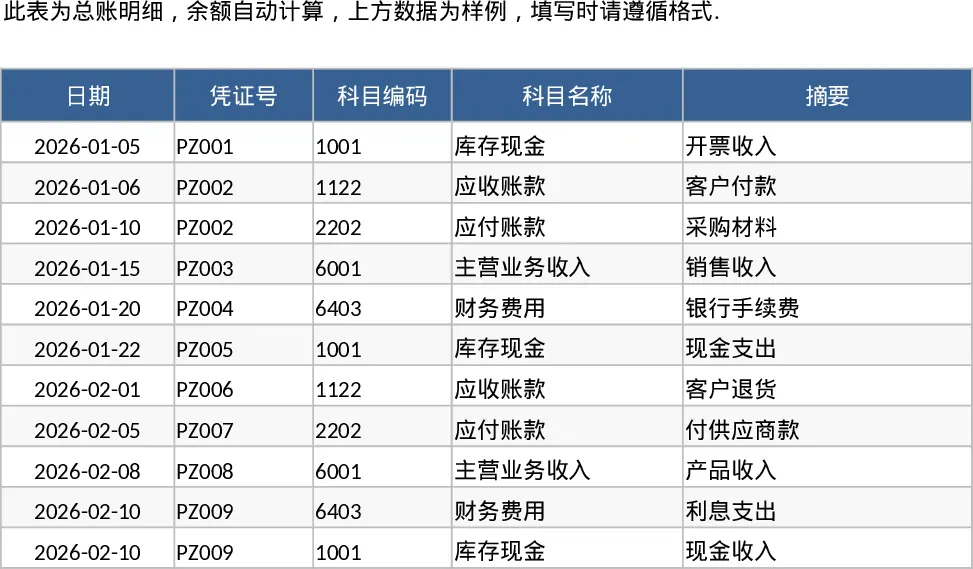
Managing employee expenses can often become a chaotic mix of spreadsheets and email threads. This Employee Expense Reimbursement and Approval template is designed to bring order to that chaos by providing a structured, professional framework for recording and auditing business costs. It serves as a centralized hub where employees can submit their claims and managers can review them with full visibility into the company's spending habits.
The template is built around two core functional areas. The Expense Details sheet is the primary data entry point, featuring a robust set of fields including application IDs, department dropdowns, project codes, and payment methods. To ensure data integrity, it includes built-in logic that requires receipt numbers for taxable items and validates that all amounts are positive. This structured approach prevents common data entry errors before they reach the finance department. The second sheet, the Summary and Approval View, acts as a management dashboard. It utilizes dynamic pivot tables to break down spending by month, department, and individual employee, while high-level KPI cards provide an instant snapshot of total submitted amounts, approval rates, and average claim sizes.
This tool is particularly useful for finance teams and department heads who need to maintain tight control over budgets and cost centers. It eliminates the need for manual calculations and provides a clear audit trail for every transaction. Whether you are tracking travel costs, office supplies, or client entertainment, the template ensures that every expense is accounted for and categorized correctly. By using the status dropdowns, you can easily distinguish between drafts, submitted claims, and finalized approvals, making it an ideal solution for small to medium-sized businesses that require a formal process without the complexity of expensive enterprise software.
How to use this template:
- Enter your expense data into the Expense Details sheet, selecting the appropriate department and expense type from the dropdown menus to ensure reporting accuracy.
- Attach links to digital receipts and update the status to Submitted once the entry is ready for review.
- Navigate to the Summary and Approval View to check the Pending Approval list and refresh the pivot tables to see updated spending metrics across the organization.
Expected benefits include significantly reduced processing time for monthly reimbursements and improved transparency in departmental spending, helping your team stay within budget with minimal effort.
Similar Templates Recommendation
Employee Expense Reimbursement and Approval Tracker with Approval Workflow Template
Streamline company spending by tracking employee claims, managing approval statuses, and analyzing costs by department or project.
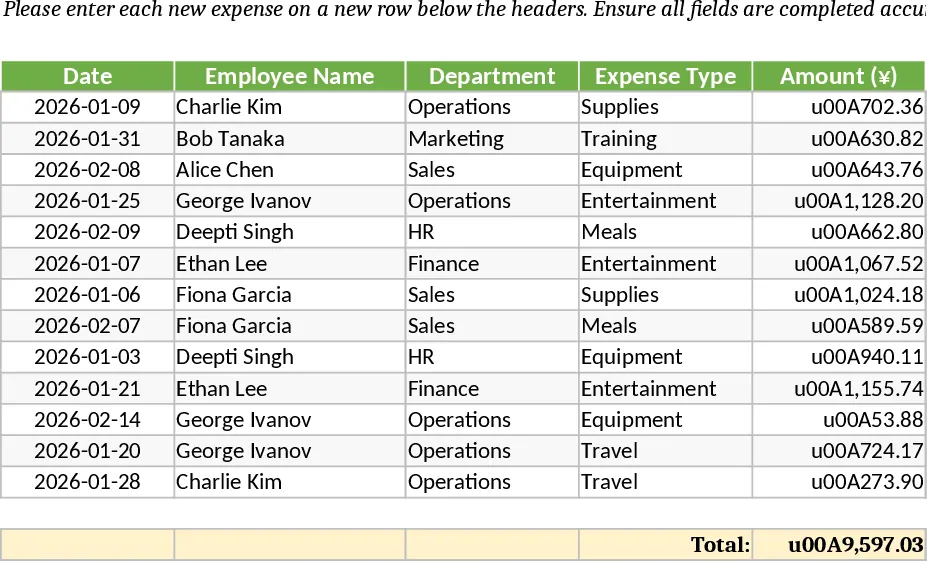
Employee Expense Reimbursement and Approval Tracker with Data Validation Template
Streamline company expense claims with this comprehensive tracker featuring automated status updates, department summaries, and approval workflows.
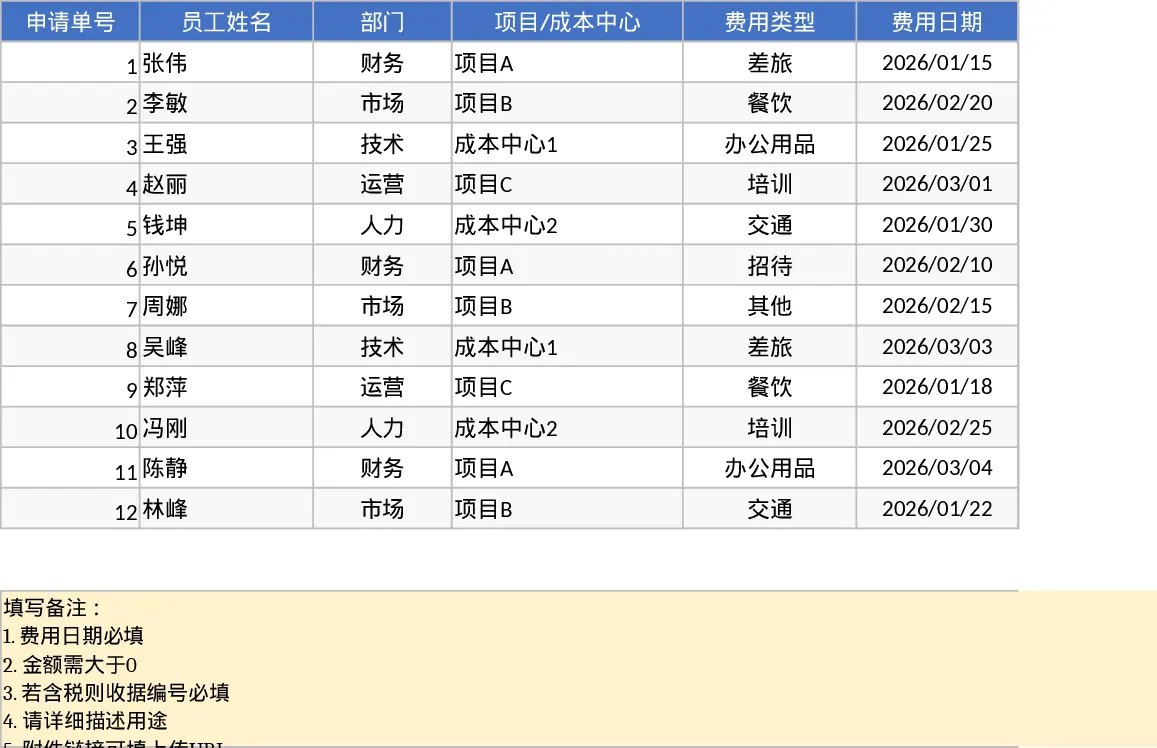
Employee Expense Reimbursement and Approval Tracker with Conditional Formatting Template
Track employee expenses, manage approval workflows, and monitor departmental spending with automated summaries and KPI dashboards.