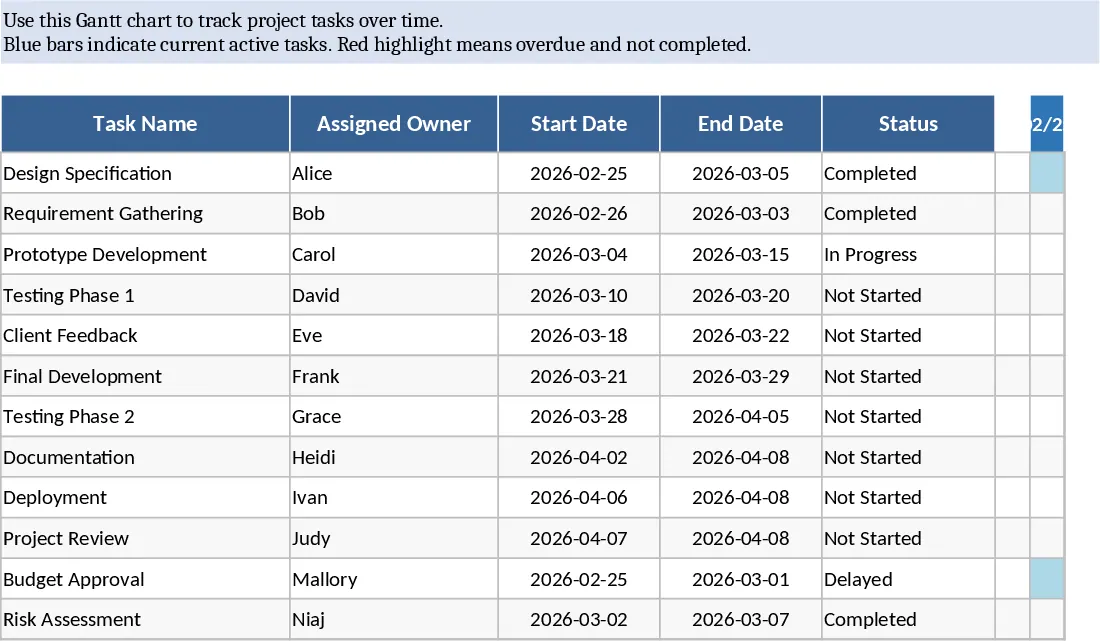
Project Plan with Gantt Chart and Summary Dashboard Template
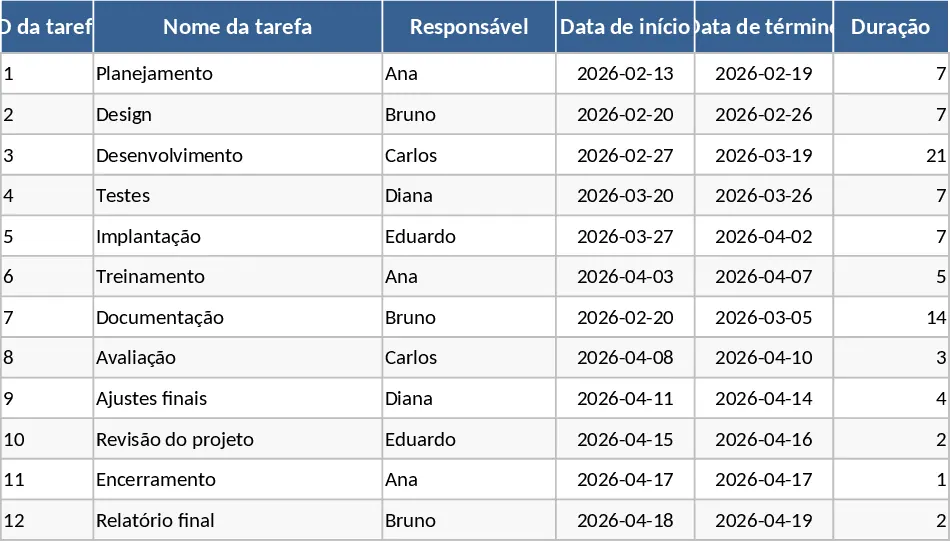
This comprehensive Project Plan template provides a robust and structured environment for managing complex workflows, deadlines, and team responsibilities. The core of the tool is the Tasks sheet, a detailed registry where you can define every individual step of your project. Each entry allows for specific data points including Task ID, Owner, and Status, alongside automated duration calculations that ensure your timeline is mathematically sound. By utilizing the dependency and milestone columns, you can map out the logical flow of your project, ensuring that every team member understands which tasks are prerequisites for others and which dates represent non-negotiable goals.
The visual heart of the template is the Timeline sheet, which transforms your raw data into a dynamic, professional Gantt chart. Using sophisticated conditional formatting, the template automatically maps out your project schedule across a daily or weekly calendar view. This visualization is essential for identifying task overlaps, resource bottlenecks, and potential scheduling conflicts before they impact your delivery date. The Gantt chart also highlights milestones with distinct markers, providing a clear roadmap of your project's most significant achievements.
To ensure you never lose sight of the big picture, the Summary sheet offers a high-level executive dashboard. It provides instant insights through status counts—showing exactly how many tasks are not started, in progress, or completed—and calculates a weighted completion percentage based on task duration. This sheet also features a dedicated section for critical and overdue tasks, acting as an early warning system for items that require immediate intervention. This level of visibility is crucial for maintaining momentum and keeping stakeholders updated without having to manually compile data from multiple sources.
This tool is specifically designed for project managers, department heads, and small business owners who need a professional-grade planning tool without the complexity or cost of specialized software. It is particularly useful in scenarios such as product development cycles, event planning, construction schedules, or marketing campaign rollouts where timing and task sequencing are paramount. By centralizing all project information in one place, it fosters better communication and accountability across the entire team.
How to use this template:
- Begin in the Tasks tab by listing all project activities. Enter the start and end dates for each task, and the duration will calculate automatically. Assign a team member to each task to establish clear ownership.
- Define dependencies by referencing task IDs and mark key deliverables as milestones by selecting Yes in the milestone column. This helps the template prioritize your timeline.
- Navigate to the Timeline tab to see your Gantt chart update in real-time. You can adjust the calendar view settings to focus on specific months or weeks depending on your project's scale.
- Regularly update the % Complete and Status columns in the Tasks tab. Then, check the Summary tab to monitor the overall health of the project and identify any tasks that are currently behind schedule.
By adopting this structured approach to project management, you can expect to save hours of manual tracking time and significantly reduce the risk of missed deadlines through better visibility and proactive planning.
Similar Templates Recommendation
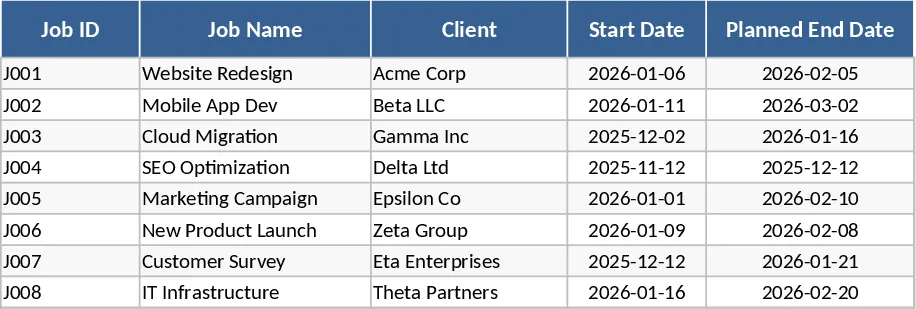
Gantt Chart Project Management and Timeline Template
Manage project timelines effectively with an automated Gantt chart, task tracking, and a summary dashboard to monitor progress and milestones.
Gantt Chart Project Planning with Conditional Formatting Template
Plan and visualize your project schedule with an automated Gantt chart featuring task tracking, timeline visualization, and summary insights.
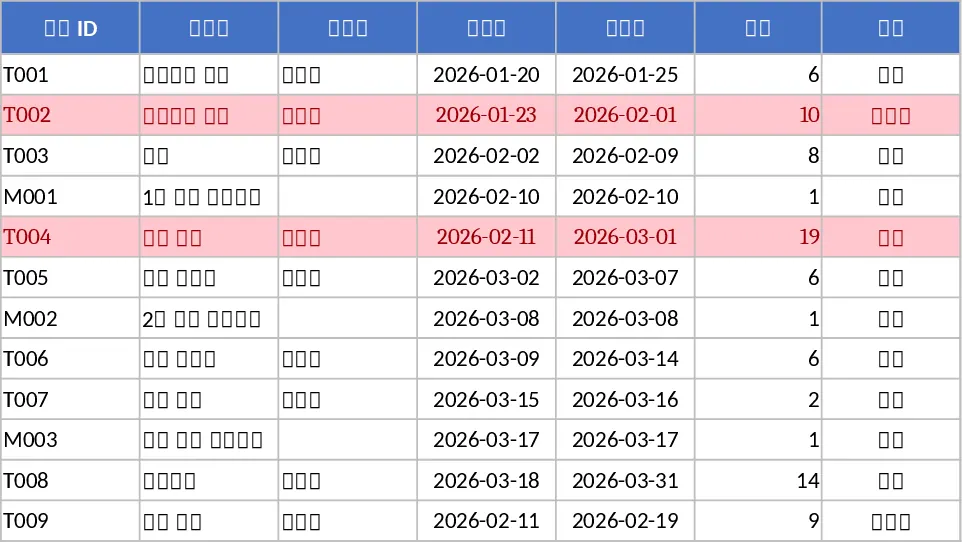
Automated Gantt Chart Project Plan with Overdue Alerts Template
Manage project timelines effectively with this automated Gantt chart featuring task tracking, owner assignments, and instant overdue alerts.