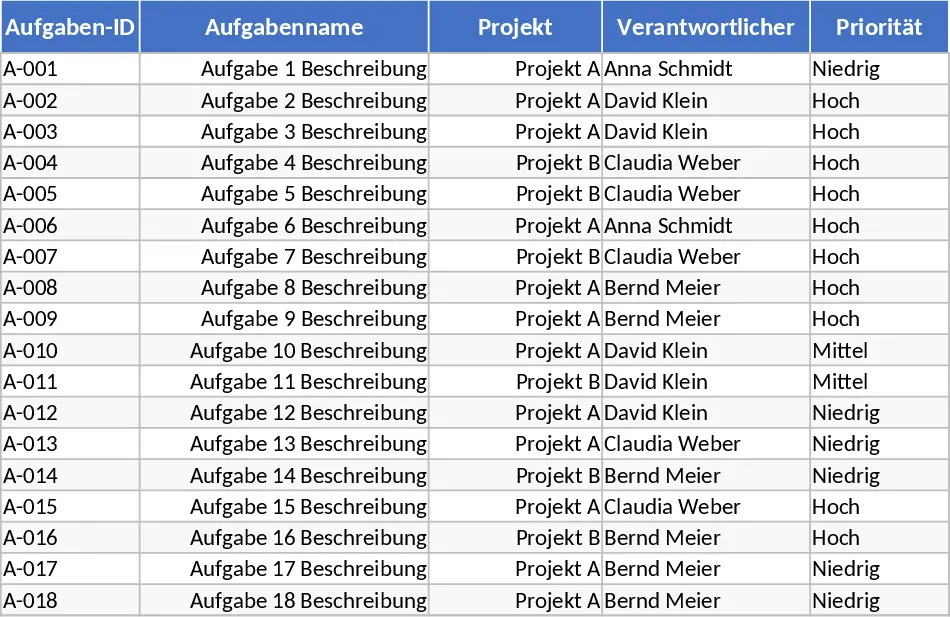
Project Task Tracker with Status Dashboard and Conditional Formatting Template
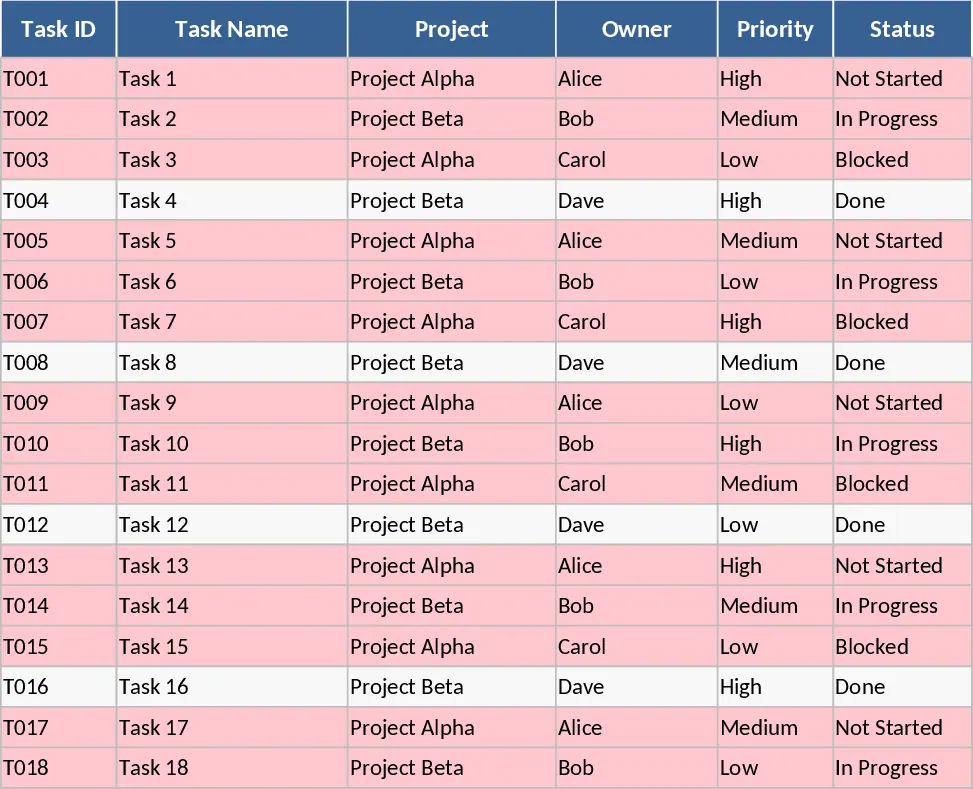
This Project Task Tracker is a comprehensive Excel solution designed to bring clarity and structure to your project management process. By centralizing all task-related data, it eliminates the chaos of scattered notes and endless email threads. The template is structured into two core components: a detailed Tasks sheet for granular data entry and a Project Overview sheet for high-level analysis. The Tasks sheet includes fields for Task ID, Name, Project, Owner, Priority, Status, Start and Due Dates, Estimated and Actual Hours, Dependencies, and Notes. This level of detail ensures that every aspect of a task is documented, from who is responsible to how long it actually took to complete.
The utility of this template lies in its ability to provide real-time visibility into project health. The automated conditional formatting is a standout feature; any task that has passed its due date without being marked as Done will automatically highlight in red. This visual cue acts as an immediate alert for project managers to intervene before minor delays turn into major setbacks. Furthermore, the inclusion of estimated versus actual hours allows for precise performance tracking, helping you understand where time is being spent and where your team might be over-extended. The dropdown menus for Priority (High, Medium, Low) and Status (Not Started, In Progress, Blocked, Done) ensure that data remains consistent across the entire workbook, making the automated summaries highly accurate.
For team leads and project managers, the Project Overview sheet is an invaluable asset. It automatically generates summaries by owner, showing total tasks, completed tasks, completion percentages, and overdue counts. This makes it easy to balance workloads across the team and identify top performers or those who may need additional support. The status summary provides a snapshot of the entire project portfolio, while the dedicated Overdue Tasks table ensures that nothing falls through the cracks. It is particularly useful for weekly status meetings, as it provides all the necessary metrics in a single, clean view without requiring manual calculations or complex pivot table setups.
This template is perfect for small to medium-sized teams, freelancers managing multiple clients, or department heads looking for a lightweight yet powerful tracking tool. It bridges the gap between simple to-do lists and complex project management software, offering the flexibility of Excel with the power of automated reporting. By using this tracker, you can foster a culture of accountability and transparency within your team, ensuring everyone knows exactly what is expected of them and when. The inclusion of 18 sample tasks across two projects allows you to see the logic in action immediately upon opening the file.
How to use:
- Begin by populating the Tasks sheet with your current project list, assigning owners and setting priorities using the convenient dropdown menus provided in the cells.
- As the project moves forward, update the Status and Actual Hours columns; the template will automatically calculate completion percentages and highlight any overdue items in red based on the current date.
- Visit the Project Overview sheet to view the aggregated data; use these insights to adjust deadlines or reallocate tasks during team check-ins based on the workload summaries.
- Review the Overdue Tasks section daily to prioritize your team's focus and ensure that high-priority blockers are resolved quickly to keep the project on schedule.
Expected benefits: Significant reduction in manual reporting time and enhanced project transparency with minimal setup effort.