Automated Inventory Management Tracker Template
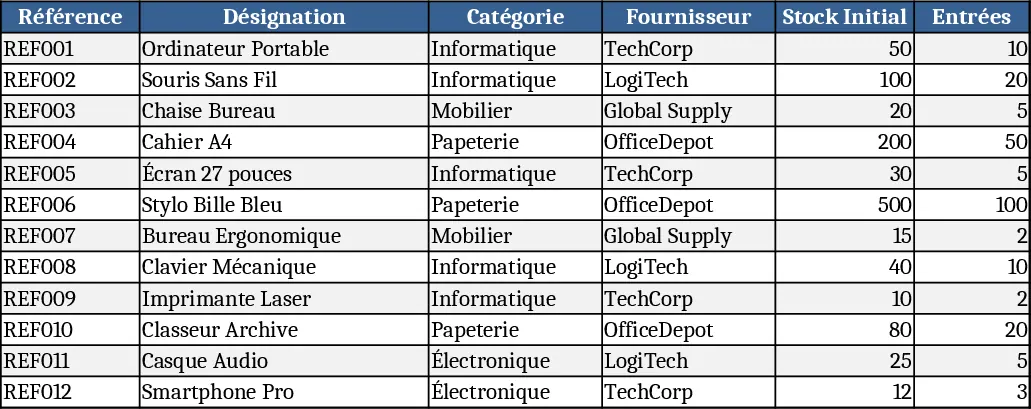
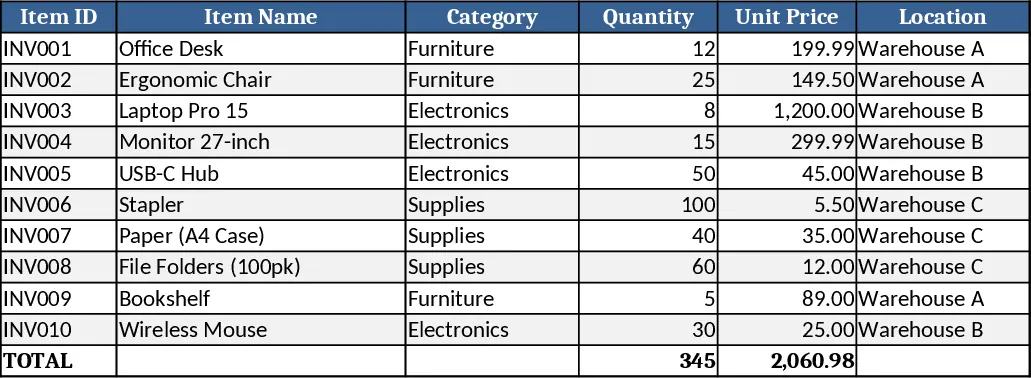
This template is built as a single‑workbook solution with three main sheets: Inventory List, Transactions, and Dashboard. The Inventory List holds master data for each SKU – item name, category, unit cost, safety stock, and current quantity. The Transactions sheet records every inbound and outbound movement, using dropdowns for transaction type, date, and SKU, automatically updating the stock balance via formulas. The Dashboard pulls key metrics such as total stock value, top‑selling items, low‑stock warnings, and a visual heat‑map of inventory health, all refreshed instantly as data is entered.
Designed for small‑to‑medium businesses that need a reliable, low‑cost way to keep their shelves stocked without manual recalculations, the spreadsheet eliminates guesswork around reorder points and prevents stock‑outs or over‑stocking. By centralising all inventory activity, it reduces the time spent consolidating data from emails, paper logs, or disparate systems, and gives managers a clear, up‑to‑date picture of inventory performance at a glance.
Anyone who handles purchasing, warehouse operations, or sales fulfillment will find this template useful – from shop owners and procurement officers to logistics coordinators. It helps you track each product’s quantity, monitor daily inflows and outflows, calculate the monetary value of on‑hand stock, and generate automatic alerts when levels dip below the predefined safety threshold, ensuring you can act before a shortage impacts customers.
How to use
- Open the workbook and fill the Inventory List with your SKUs, categories, unit costs, and desired safety stock levels.
- Record each purchase or sale in the Transactions sheet, selecting the SKU from the dropdown, choosing "In" or "Out", and entering the quantity and date.
- Watch the Dashboard update instantly – low‑stock items will appear in red, total inventory value will recalculate, and a simple chart will show trends over the past weeks.
- Adjust safety stock or reorder quantities as needed; the alert system will adapt automatically.
Expected benefits include faster stock reconciliation, fewer manual errors, and clearer insight into when to reorder, helping you keep operations smooth and customers satisfied.
Similar Templates Recommendation
Inventory Management Tracker with Item Master & Movements Template
A ready‑to‑use Excel template that tracks items, records stock movements, and automatically calculates current inventory with reorder alerts.
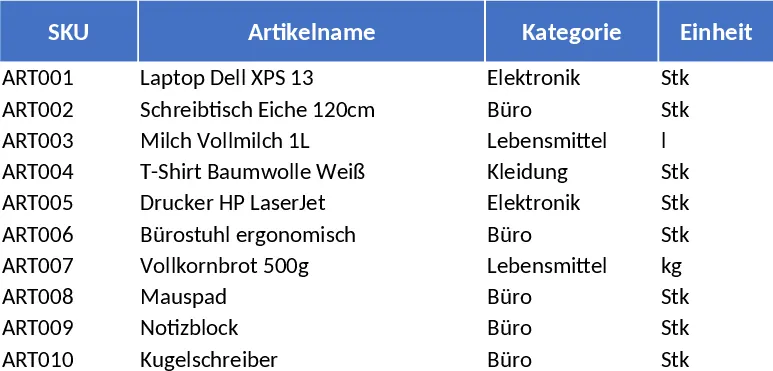
Inventory Management Tracker with Category Breakdown Template
Track product stock levels, movements, and reorder alerts in a three‑sheet Excel template with master data, transaction log, and summary.
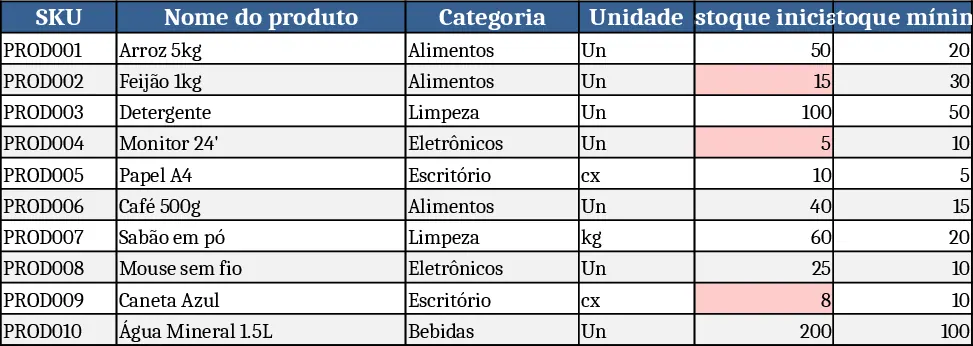
Basic Inventory Tracker Template
Track stock levels, monitor reorder points, and generate inventory reports with a simple, multi‑sheet Excel template.