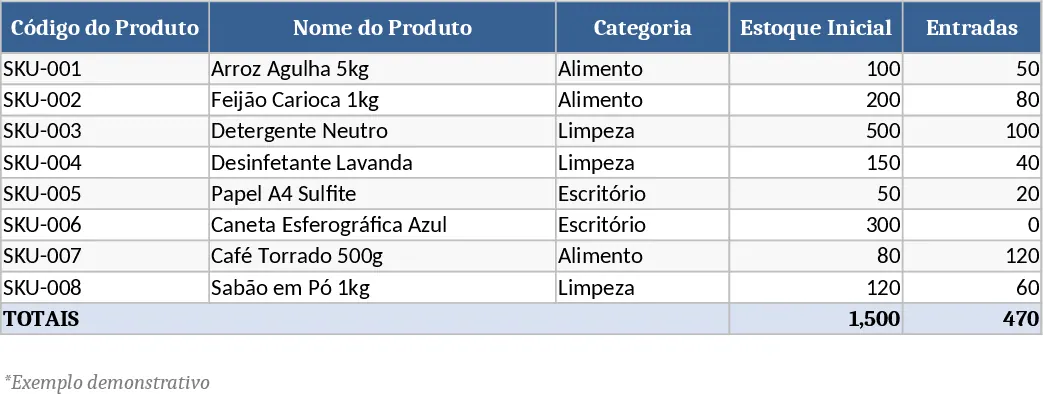
Inventory Management Tracker with Category Breakdown Template
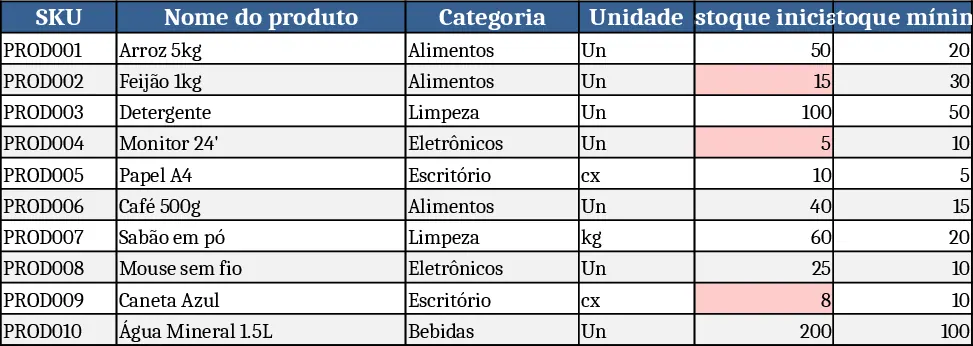
The Inventory Management template is organized into three clear worksheets. The Master Product Data sheet holds a catalog of items with fields for SKU, product name, category (drop‑down list), unit, supplier, purchase cost, sale price, reorder point and notes. SKU uniqueness and non‑negative cost/price are enforced with data validation. The Stock Movements sheet records every inbound, outbound or adjustment transaction, linking each entry to the master SKU via a drop‑down, capturing date, quantity, optional unit cost, reference number, responsible person and comments. Required fields and positive quantity rules keep the log clean. Finally, the Stock Summary sheet aggregates the data, showing initial stock, total entries, total exits, adjustments and the calculated current stock for each SKU. Conditional formatting flags items whose current stock falls at or below the reorder point, displaying a “Reorder” reminder.
This template solves the common headache of scattered inventory records and manual calculations. By centralizing product details and movement logs, it eliminates duplicate entries, reduces errors, and provides an instant snapshot of stock health. Users can quickly identify low‑stock items, plan purchases, and avoid stock‑outs, which translates into smoother operations and better cash flow. The built‑in formulas automatically update totals and alerts as new transactions are entered, so you never need to recompute balances manually.
The tool is ideal for small‑to‑medium businesses, warehouse supervisors, shop floor managers, and anyone who needs to keep a tight grip on inventory without investing in complex ERP software. Whether you run a retail store, a manufacturing line, or a distribution center, the template adapts to any product range and can be customized with additional categories or supplier columns as needed.
With this workbook you can track product quantities, monitor purchase and sale pricing, manage supplier information, and generate a real‑time reorder list. The summary sheet serves as a dashboard for quick decision‑making, while the movement log provides a detailed audit trail for compliance or internal reviews.
How to use
- Open the workbook and fill the Master Product Data sheet with your SKUs and details; use the provided drop‑downs for category and supplier.
- Record each inventory transaction in the Stock Movements sheet, selecting the SKU and movement type, then entering the date, quantity and any optional cost.
- Switch to the Stock Summary sheet to see automatically calculated totals, current stock levels and any “Reorder” flags.
- Adjust the initial stock column if you are importing existing inventory, and the formulas will recalculate everything instantly.
Expected benefits: streamlined data entry, instant visibility of stock status, and reduced time spent on manual reconciliation.
Similar Templates Recommendation
Comprehensive Inventory Management Tracker with Dashboard Template
Track product details, stock movements, and real‑time inventory levels with automatic reorder alerts in a single Excel workbook.
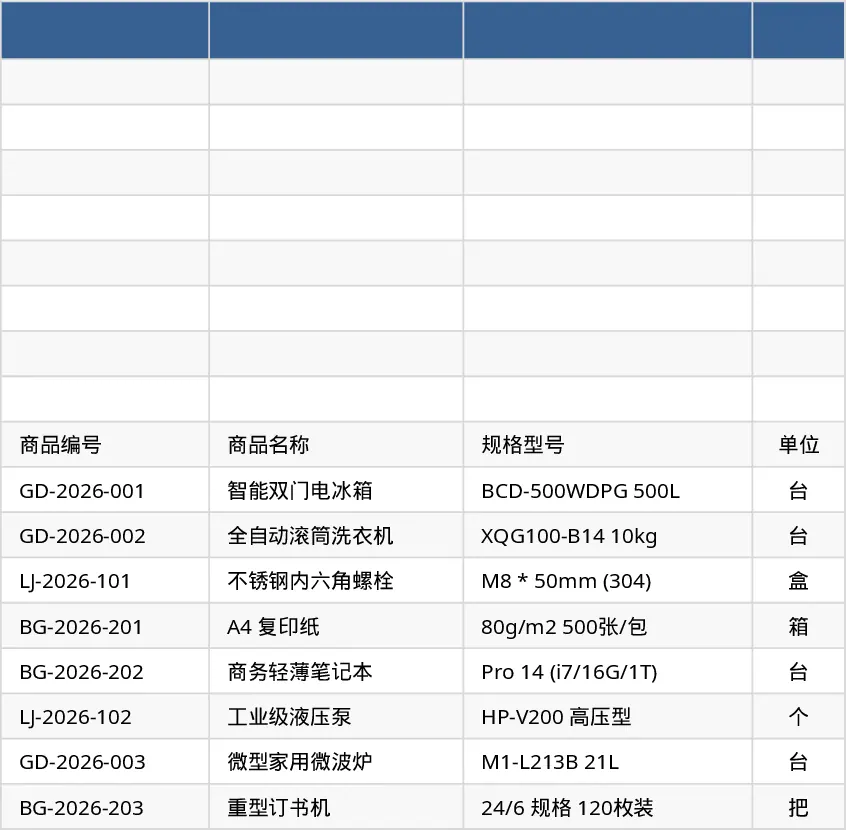
Comprehensive Inventory Management Tracker with Sample Data Template
Track items, movements, and stock levels with automatic reorder alerts in a three‑sheet Excel template.
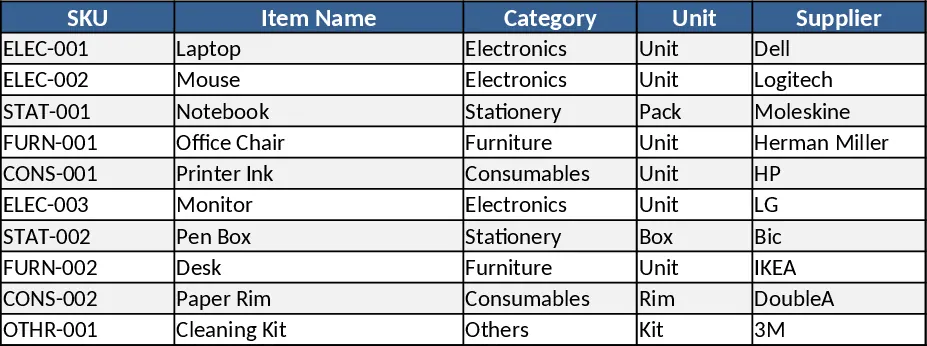
Inventory Control Tracker Template
Track stock levels, monitor movements, and generate real‑time inventory reports with a ready‑to‑use Excel template.