Basic Inventory Tracker Template
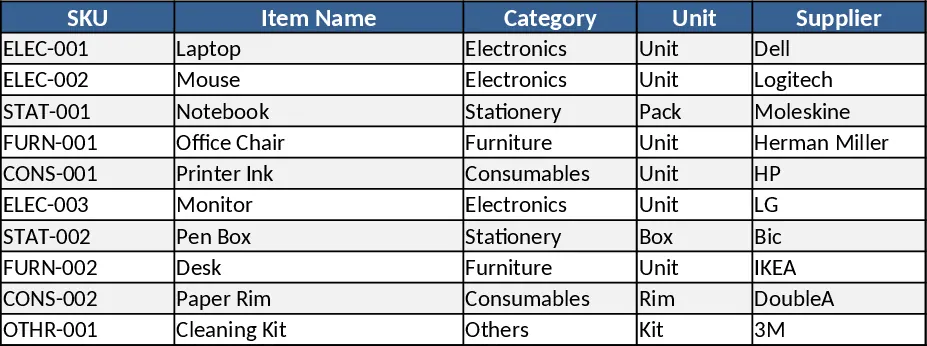
The Inventory Template is organized into three clear sheets – Items List, Transactions, and Summary Dashboard. In the Items List you enter each product’s SKU, name, category (chosen from a dropdown), unit cost, current quantity, reorder level, and preferred supplier. The Transactions sheet records every inbound (purchase, return) and outbound (sale, usage) movement with date, type, quantity, and reference notes, also using dropdowns for transaction type. The Summary Dashboard pulls data from the other sheets to show total inventory value, a low‑stock alert table, turnover rates, and a quick visual of stock distribution by category.
This template solves the common headache of manual stock counts and scattered spreadsheets. By centralizing product details and movement logs, it instantly highlights items that are below their reorder threshold, calculates the monetary value of on‑hand inventory, and provides a ready‑to‑share report for finance or procurement meetings. The built‑in formulas eliminate the need for repetitive calculations, freeing up time for strategic tasks like demand forecasting or supplier negotiations.
Ideal for small‑to‑medium business owners, warehouse supervisors, and procurement teams who need a low‑cost, easy‑to‑maintain solution. Whether you run a retail shop, a manufacturing floor, or an e‑commerce fulfillment center, the template adapts to any product range and helps you keep a real‑time pulse on stock availability.
How to use
- Populate the Items List – enter every SKU, description, category, unit cost, starting quantity, reorder level, and supplier. Use the dropdowns to keep categories consistent.
- Log every movement – whenever you receive new stock or ship items out, open the Transactions sheet and add a new row with the date, transaction type, SKU (selected from a dropdown), and quantity.
- Set reorder alerts – adjust the reorder level for each SKU in the Items List; the Summary Dashboard will automatically flag any item that falls below this point.
- Refresh the dashboard – after entering data, the summary tables and charts update instantly, giving you a snapshot of total value, low‑stock items, and turnover.
Expected benefits include faster stock reconciliation, fewer stock‑out incidents, and reduced manual effort in generating inventory reports, all without needing specialized software.
Similar Templates Recommendation
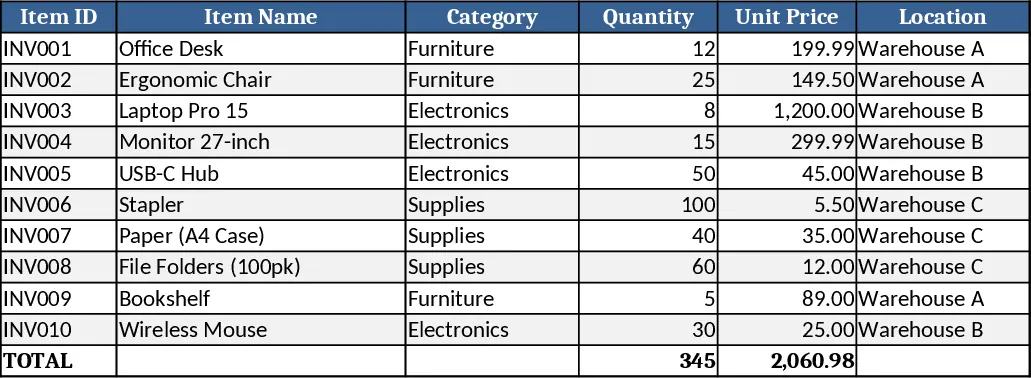
Inventory Control Tracker Template
Track stock levels, monitor movements, and generate real‑time inventory reports with a ready‑to‑use Excel template.
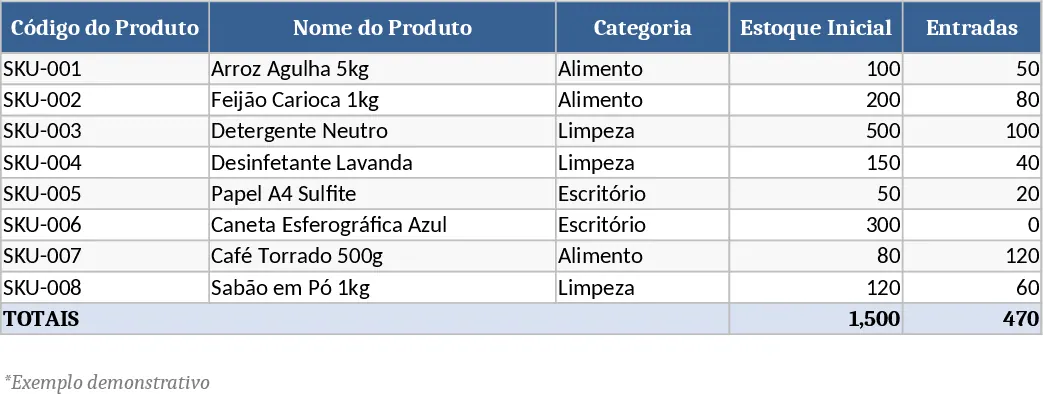
Inventory Management Tracker with Item Master & Movements Template
A ready‑to‑use Excel template that tracks items, records stock movements, and automatically calculates current inventory with reorder alerts.
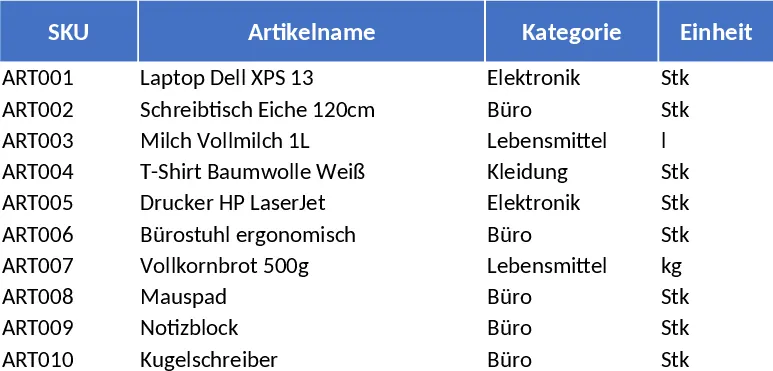
Comprehensive Inventory Management Tracker with Sample Data Template
Track items, movements, and stock levels with automatic reorder alerts in a three‑sheet Excel template.