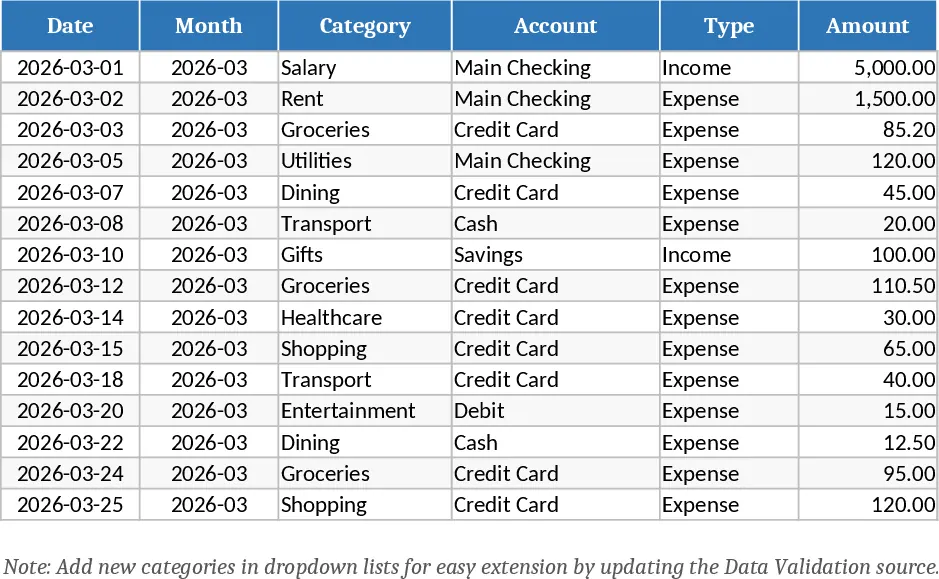
Personal Monthly Budget & Expense Tracker with Budget Plan Template
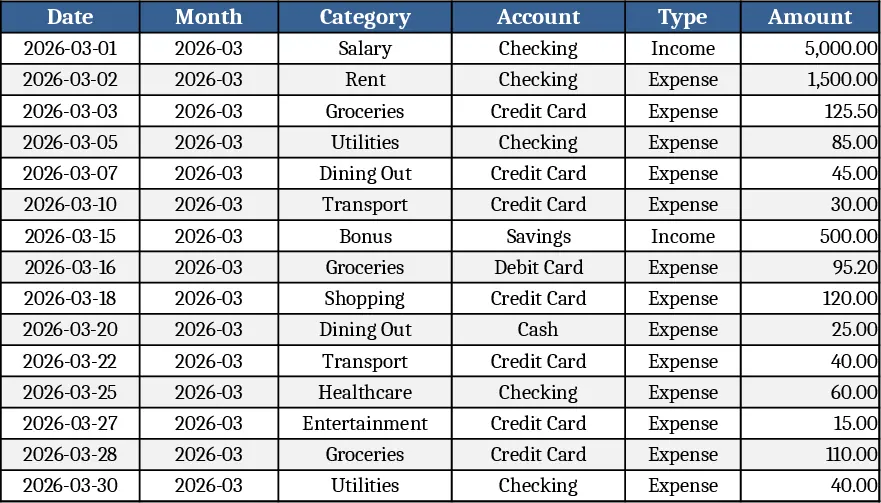
The Personal Monthly Budget & Expense Tracker is organized into three intuitive sheets that keep your money picture clear and up‑to‑date. Transactions is the data‑entry hub where you log every movement of cash. Columns include Date (required), Month (auto‑filled from the date), Category, Account, Type (Income or Expense), Amount, Merchant/Payee, Payment Method and Notes. Drop‑down lists for Category, Account, Type and Payment Method ensure consistency and make data entry fast. The sheet also validates that Amount is positive, so errors are caught early.
Budget Plan turns those raw entries into actionable numbers. Each row represents a spending category (e.g., Groceries, Rent, Entertainment) and the columns show your planned budget for the month, the actual spend pulled automatically from the Transactions sheet, the variance (Budget minus Actual), and an Over‑Budget flag that turns red when you exceed your limit. The formulas sum only expense‑type rows, so income never skews the results. Adding a new category is as simple as typing it into the next empty row – the dropdowns on the Transactions sheet will pick it up instantly.
The Dashboard sheet provides a visual snapshot of your financial health. Key figures such as Total Income, Total Expense and Net Savings are displayed at the top. A pie chart breaks down spending by category, while a line chart shows weekly expense trends, helping you spot patterns. A table of the Top 10 Merchants by spend highlights where your money goes most often, giving you quick ideas for cost‑cutting.
This template solves the common headache of scattered receipts and manual calculations. By centralizing every transaction and linking it to a live budget, you eliminate the guesswork of month‑end reconciliations. It’s perfect for anyone who wants to stay on top of personal finances – from recent graduates managing a first paycheck to families juggling multiple accounts and bills. The automated variance alerts keep you from silently overspending, and the visual dashboard turns numbers into insights you can act on.
How to use
- Open the Transactions sheet and start entering your daily receipts; select the appropriate Category, Account and Payment Method from the drop‑downs. The Month column fills itself based on the Date you type.
- Go to the Budget Plan sheet and set your desired budget for each category in the "Monthly Budget" column. The "Actual Spend" column updates automatically as you add more transactions.
- Watch the Dashboard refresh in real time – key totals, the pie chart and weekly trend line will reflect the data you just entered.
- If you need a new spending category, add it to the next empty row in Budget Plan; the drop‑down lists on Transactions will include it right away.
Expected benefits include a noticeable reduction in the time spent reconciling accounts each month and clearer visibility into where adjustments are needed, helping you make smarter financial decisions without the hassle of complex software.
Similar Templates Recommendation
Personal Monthly Budget & Expense Tracker with Weekly Trends Template
Track monthly income and expenses, compare against budget, and visualize spending with charts in a ready‑to‑use Excel workbook.
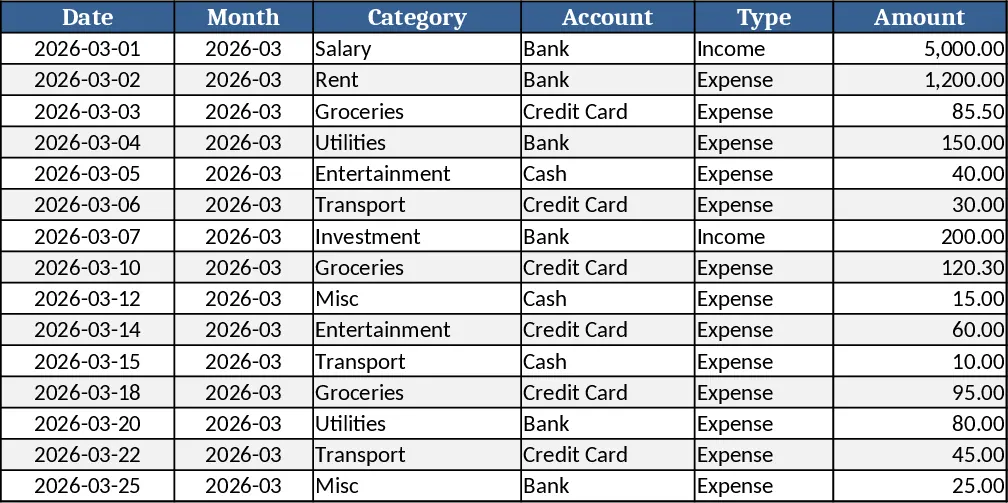
Personal Monthly Budget and Expense Tracker with Budget Plan Template
Take control of your finances by tracking daily expenses against monthly budgets with automated variance analysis and a visual dashboard.
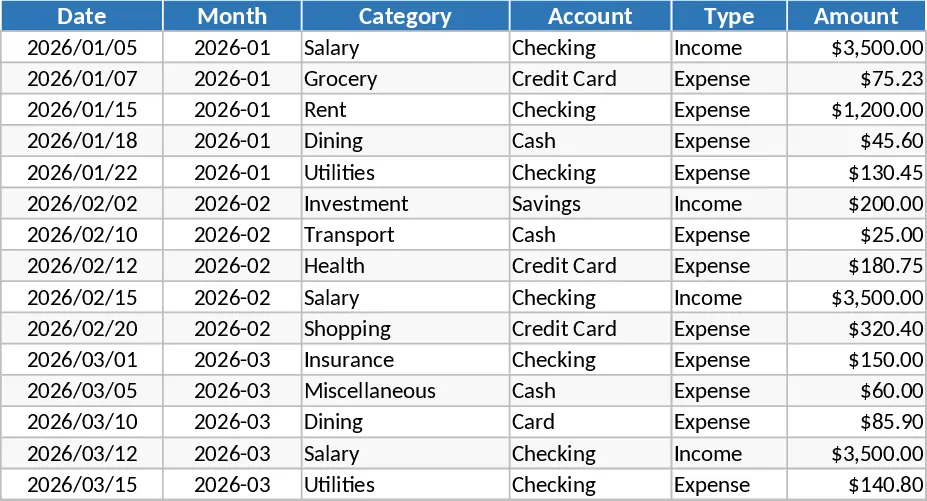
Personal Monthly Budget & Expense Tracker with Data Validation Template
Track your personal income and expenses each month, compare against budgeted amounts, and visualize spending trends in one Excel workbook.