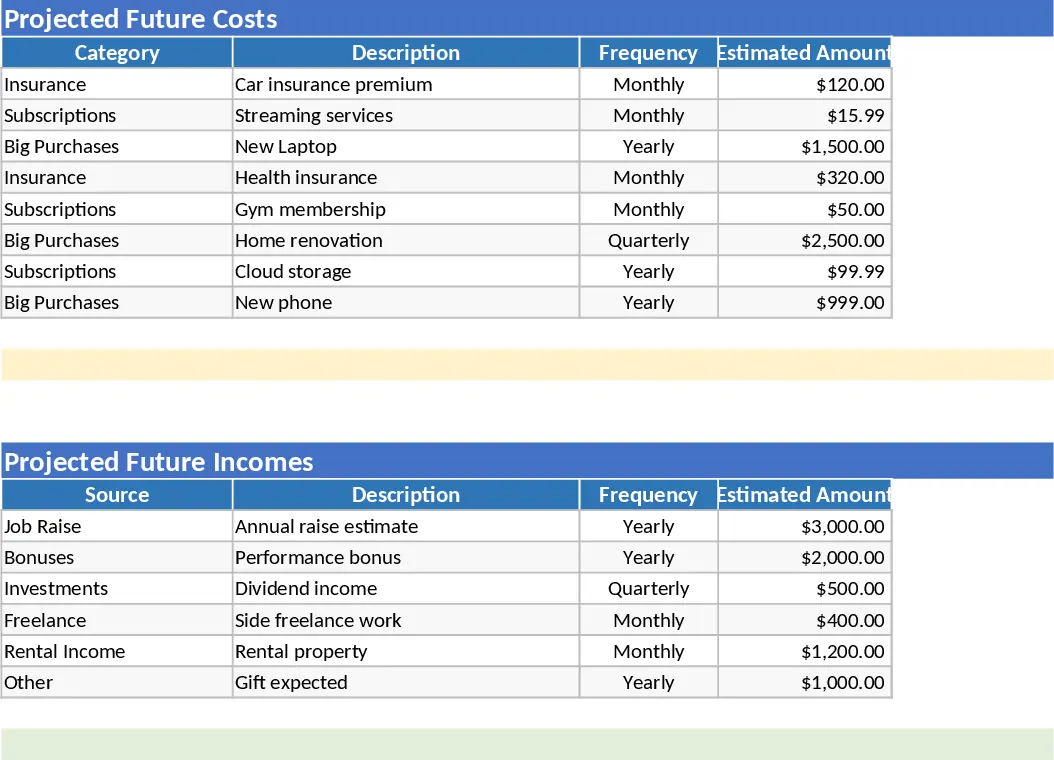
Personal Monthly Budget & Expense Tracker with Weekly Trends Template
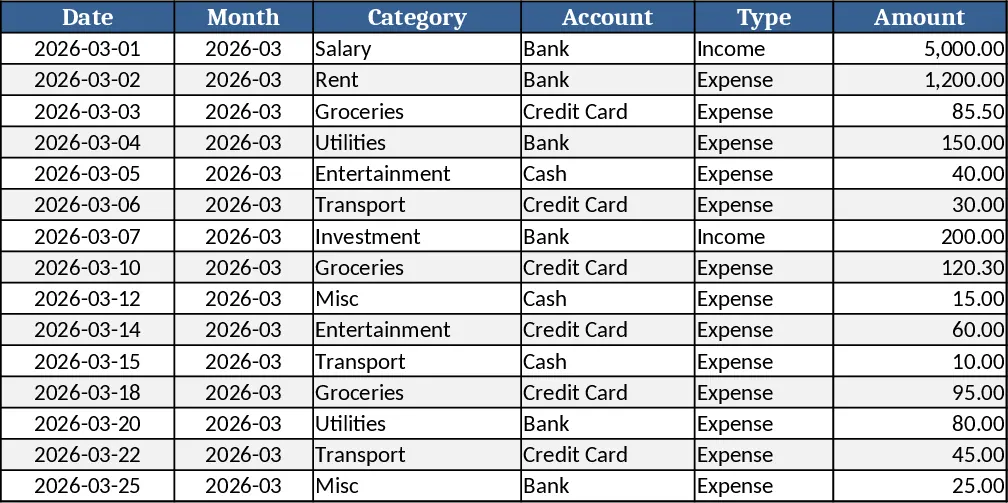
The workbook is organized into three clear sheets. Transactions captures every cash movement with columns for Date, auto‑generated Month, Category, Account, Type (Income/Expense), Amount, Merchant/Payee, Payment Method and Notes. Dropdown lists keep categories, accounts and payment methods consistent, while the Month column pulls from the Date field automatically.
Budget Plan lists each spending category in rows and creates a monthly view with columns for Budgeted amount, Actual spend (pulled from the Transactions sheet), Variance and an Over‑Budget flag that turns red when spending exceeds the plan.
Dashboard turns the numbers into visuals: total income, total expense and net savings are shown at a glance, a pie chart breaks down spend by category, a line chart follows weekly spend trends, and a table highlights the top 10 merchants by amount. Sample data for 15 transactions is already included, and you can add new categories or accounts without breaking any formulas.
This template solves the common headache of scattered receipts and manual calculations. By centralizing all entries, it instantly shows where your money goes, flags overspending, and lets you adjust budgets before the month ends. The visual dashboard turns raw numbers into actionable insights, helping you stay on track with financial goals.
It is ideal for anyone who wants tighter control over personal finances – students managing a part‑time income, families balancing household bills, freelancers tracking client payments, or anyone looking to build a habit of budgeting. The sheet works in any recent version of Excel and can be shared with a partner for joint budgeting.
You will be able to monitor income streams, categorize expenses, see month‑over‑month variance, and quickly identify high‑cost merchants. The conditional formatting and charts keep the information readable at a glance, reducing the time spent on manual spreadsheets.
How to use
- Open the Transactions sheet and start entering your daily receipts; select the appropriate Category, Account and Payment Method from the dropdowns. The Month column fills automatically.
- Go to the Budget Plan sheet and enter your target budget for each category in the "Monthly Budget" column. The sheet will pull actual spend from your transaction entries.
- Review the Variance and Over‑Budget flag to see where you are on track or need to cut back. Adjust budgets as needed.
- Switch to the Dashboard to see updated totals, charts and the top merchants list; the visuals refresh instantly with each new entry.
Expected benefits: faster month‑end reconciliation, clearer spending patterns, and less guesswork when planning future budgets.
Similar Templates Recommendation
Personal Monthly Budget & Expense Tracker with Budget Plan Template
Track monthly income, expenses, and savings with a three‑sheet Excel template that auto‑calculates budgets, variances, and visual dashboards.
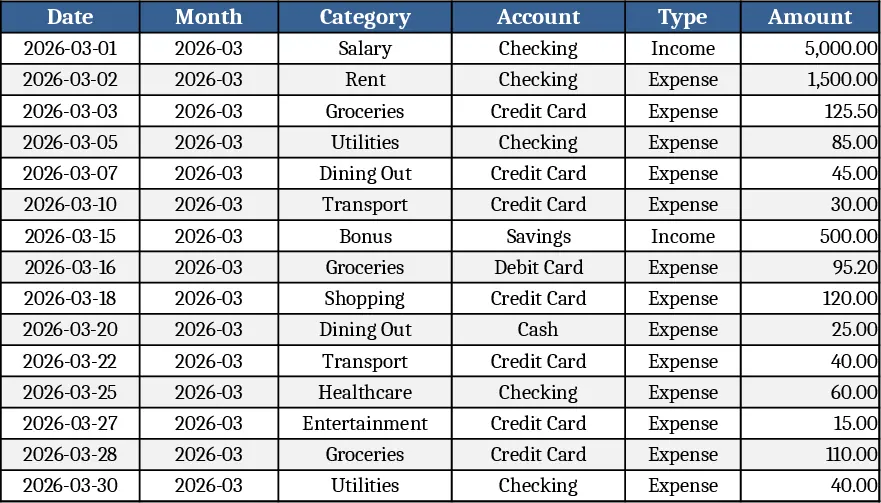
Personal Monthly Budget and Expense Tracker with Transaction Log and Cash Flow Template
Take control of your personal finances by tracking daily expenses against monthly budget goals with automated summaries and visual dashboards.
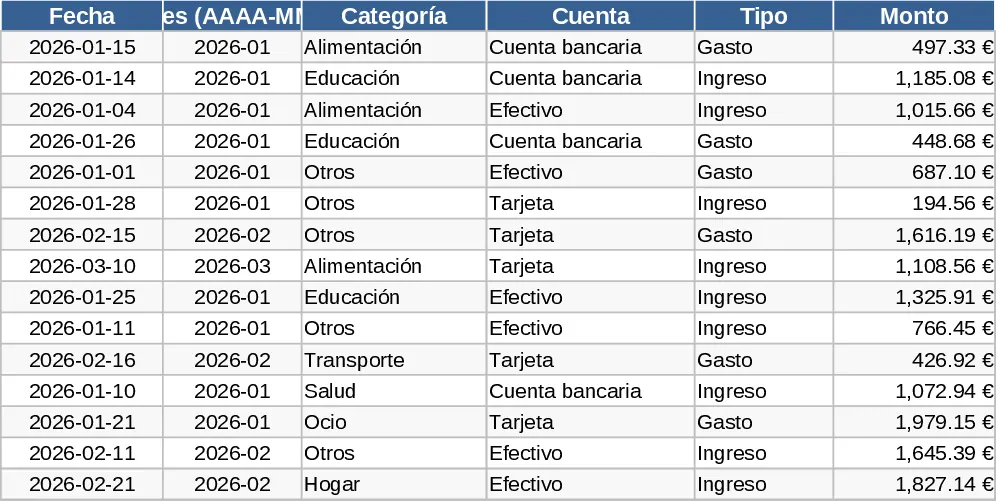
Comprehensive Multi-Tab Personal Budget and Expense Tracker Template
Take control of your money with this automated multi-tab workbook featuring transaction logs, category breakdowns, and a visual dashboard.