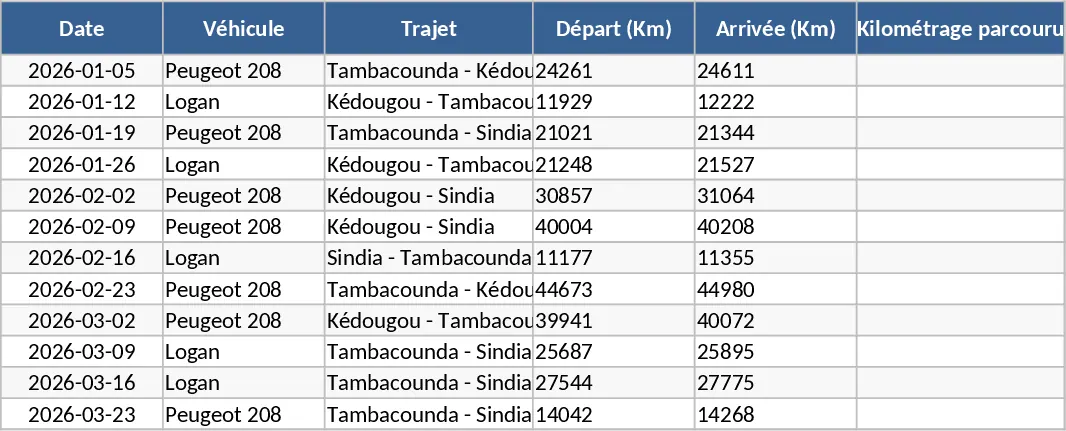
Vehicle Mileage and Fuel Tracking Dashboard Template
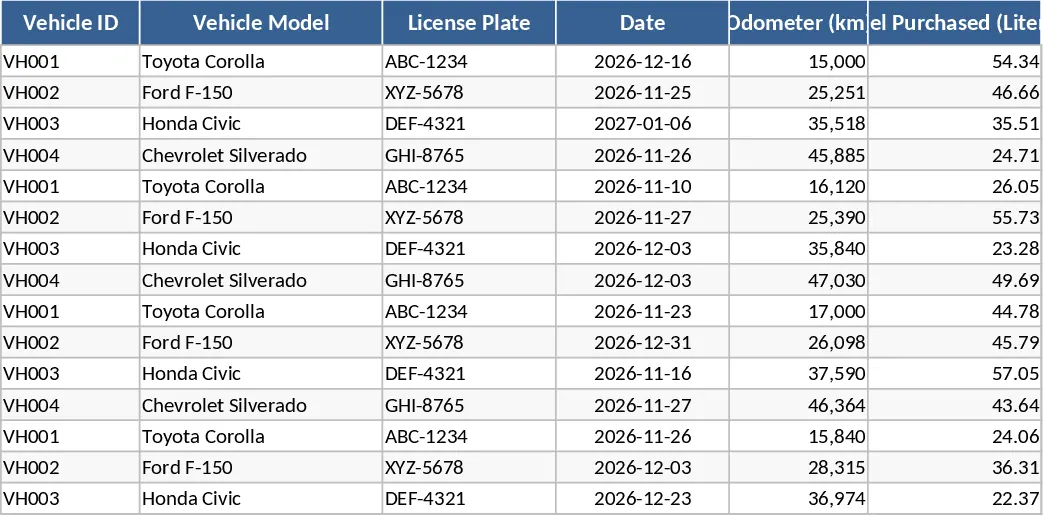
Efficiently managing a company's fleet requires more than just keeping receipts; it demands a clear understanding of how every kilometer driven translates into operational costs. This Company Vehicle Mileage and Fuel Purchase Data Graph template is designed to bridge the gap between daily logs and high-level financial analysis. The workbook is structured with intuitive input sheets where you can define your vehicle list, log individual fuel transactions, and record odometer readings at regular intervals. Key fields include date, vehicle ID, starting and ending mileage, fuel volume, and total price paid, ensuring no detail is overlooked. The template also includes dropdown menus for vehicle selection to prevent data entry errors and maintain consistency across your records.
For fleet managers and administrative professionals, this template solves the common headache of fragmented data. Instead of sifting through piles of paper logs or disconnected spreadsheets, you get a centralized system that calculates fuel efficiency and cost-per-unit automatically. This is particularly useful for identifying anomalies, such as a sudden drop in a vehicle's fuel economy which might signal a need for mechanical maintenance, or spotting unusual refueling patterns that could indicate fuel theft or unauthorized usage. By tracking the frequency of gasoline purchases alongside mileage, you can determine if certain routes or drivers are more cost-effective than others, allowing for better route planning and driver training.
The core value of this template lies in its automated reporting capabilities. The dashboard section transforms your entries into dynamic data graphs, showing you exactly how often vehicles are being refueled and how their mileage accumulates over time. This visual representation makes it easy to present monthly operational reports to stakeholders, showing clear trends in fuel price fluctuations and vehicle utilization rates. You can see at a glance which vehicles are the workhorses of the company and which ones might be sitting idle, costing money in insurance and depreciation without providing value. Whether you are managing a small delivery team or a corporate car pool, this tool provides the transparency needed to optimize your transportation budget and ensure every dollar spent on fuel is accounted for.
How to use:
- Begin by navigating to the Vehicle Setup sheet to register your company cars, including their make, model, and initial odometer reading. This creates the foundation for all subsequent calculations.
- On a daily or weekly basis, enter the latest mileage and fuel purchase details into the Data Entry sheet. Be sure to fill in the total cost and liters purchased to allow the template to calculate efficiency metrics.
- Navigate to the Dashboard tab to view the automatically updated graphs. You can use the built-in slicers or filters to analyze data for specific months, quarters, or individual vehicles to see performance trends.
- Review the summary tables to compare the total distance traveled against the total fuel spend, helping you calculate the true cost of operation for your fleet.
By implementing this systematic approach to vehicle tracking, you can expect a significant reduction in administrative effort and a much clearer picture of your company's mobile assets. This leads to more predictable budgeting, improved operational oversight, and the ability to make data-driven decisions regarding your fleet's future.
Similar Templates Recommendation
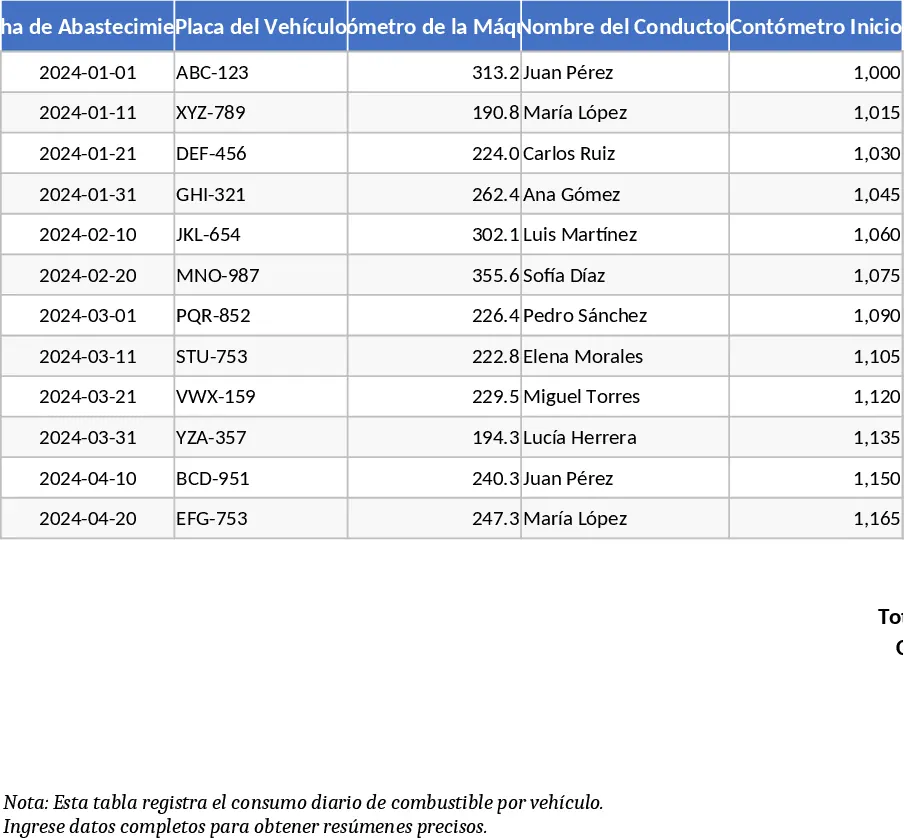
Vehicle and Equipment Fuel Consumption Tracker Template
Track vehicle fuel usage, odometer readings, and driver details with this automated macro-enabled template for efficient fleet management.
Vehicle Fuel Consumption Tracker Template
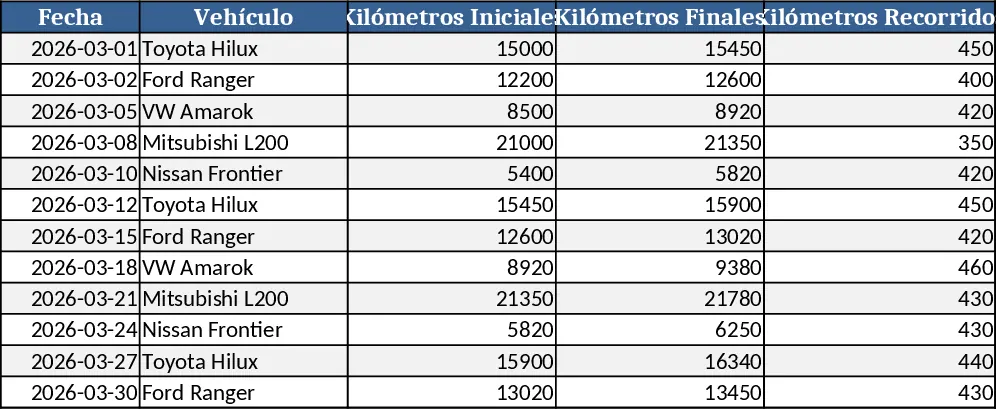
Track fuel purchases and mileage for each vehicle, calculate km per liter and monthly totals of fuel and distance.
Professional Fuel Consumption Curve and Efficiency Analysis Template
Track vehicle fuel efficiency across multiple stops with automated consumption calculations per 100km and professional visual analytics.