Professional Fuel Consumption Curve and Efficiency Analysis Template
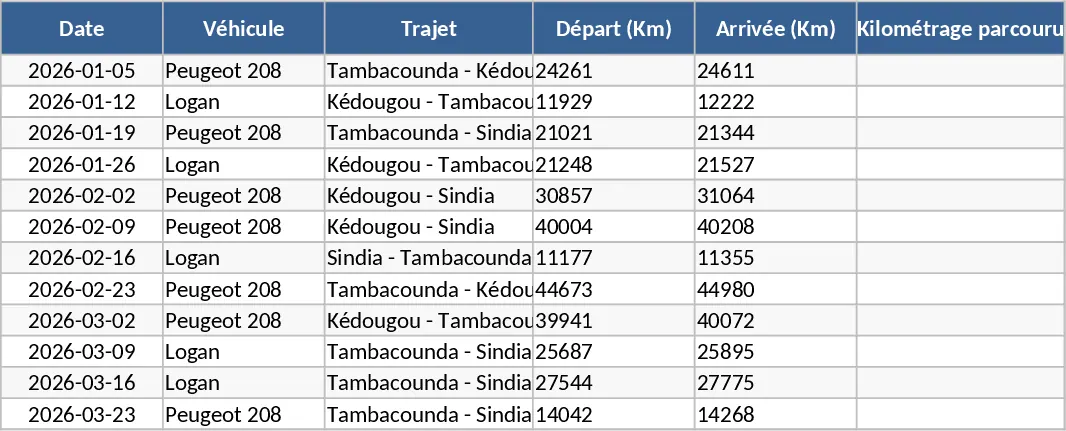
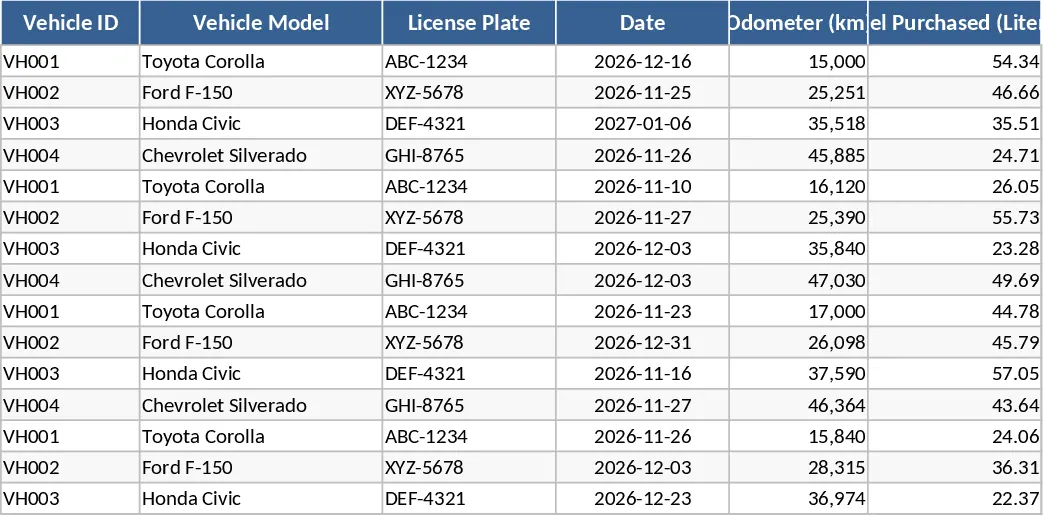
This professional fuel consumption tracker is an essential tool for fleet managers and drivers who need to monitor vehicle efficiency across long-distance routes. Whether you are navigating specific checkpoints like Sindia, Kedougou, and Tambacounda or managing a local delivery circuit, this template provides a structured environment to log every liter of fuel and every kilometer traveled. The core of the template is built around a robust data entry sheet where you record starting mileage, refueling amounts at various stops, and final arrival readings. The system is designed to handle multiple refueling events within a single journey, ensuring that every drop of fuel is accounted for in the final efficiency calculation.
The template solves the common problem of fragmented fuel receipts and inaccurate manual calculations. By centralizing your data, the system automatically applies the formula to determine your consumption per 100 kilometers, giving you a clear metric of vehicle health and route profitability. Beyond simple math, the template includes a professional dashboard featuring consumption curves and trend analysis. These visuals help you spot sudden spikes in fuel usage which could indicate mechanical issues, fuel theft, or inefficient driving habits. It transforms raw numbers into a visual story that is easy to present to stakeholders or use for internal audits.
Designed for logistics professionals, transport companies, and independent contractors, this tool simplifies the reporting process. It includes dropdown menus for vehicle selection and location tags, ensuring data consistency across multiple entries. You can track total fuel costs, average efficiency across different seasons, and compare performance between different vehicles in your fleet. This level of detail is crucial for budgeting and operational planning, allowing you to forecast fuel needs with high accuracy and manage your operational expenses more effectively.
How to use:
- Start by entering your vehicle information and the initial odometer reading in the primary log sheet to set your baseline.
- Record the fuel volume added at each designated stop (such as Sindia or Tambacounda) and update the arrival mileage once the trip is completed.
- Navigate to the Analytics Dashboard to view your consumption per 100km and analyze the visual performance curves generated from your data.
- Use the summary reports to export monthly data for accounting or fleet performance reviews to keep your records professional and up to date.
By automating these complex calculations and providing visual insights, you can expect significantly reduced administrative effort and a much clearer understanding of your operational costs.
Similar Templates Recommendation
Vehicle Entry and Exit Log with Automated Reporting Template
Track vehicle movements with a dynamic entry form and generate detailed daily reports using a built-in calendar search tool.

Vehicle Mileage and Fuel Tracking Dashboard Template
Track vehicle mileage and fuel expenses while visualizing consumption trends and efficiency through automated data charts and graphs.