Comprehensive Project Financial Control and KPI Dashboard Template
Managing the financial health of complex projects requires more than just a simple list of expenses. This comprehensive financial control template is designed to provide a high-level overview of your project's fiscal status while allowing for granular tracking of every cent spent or earned. The structure is built around a central Dashboard that aggregates data from multiple Action sheets, providing a real-time look at your budgeted versus realized figures. Each project file includes dedicated sections for different cost centers, ensuring that funds are allocated and monitored according to specific project goals.
The template features a sophisticated Dashboard equipped with five key performance indicators: Budgeted, Planned, Committed, Realized, and Free Balance. Below these cards, a detailed expense table uses visual progress bars and color-coded conditional formatting to alert you when a specific action is nearing its budget limit or has already exceeded it. For projects involving income, a dedicated Revenue Control section tracks sources and realization rates, ensuring you have a complete picture of your cash flow. The specialized Sebraetec sheet is a standout feature, offering automated logic for complex payment installments and revenue sharing models, which is ideal for technical service providers and consultants.
This tool is particularly useful for project managers, financial controllers, and department heads who need to justify spending and monitor progress across various initiatives. It solves the common problem of 'hidden' costs by distinguishing between planned expenses and those already committed or paid. By centralizing this data, you can avoid overspending and make informed decisions about resource reallocation before a budget crisis occurs.
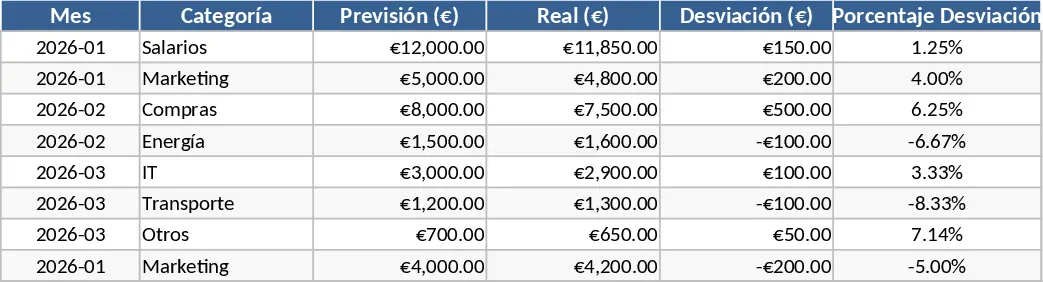
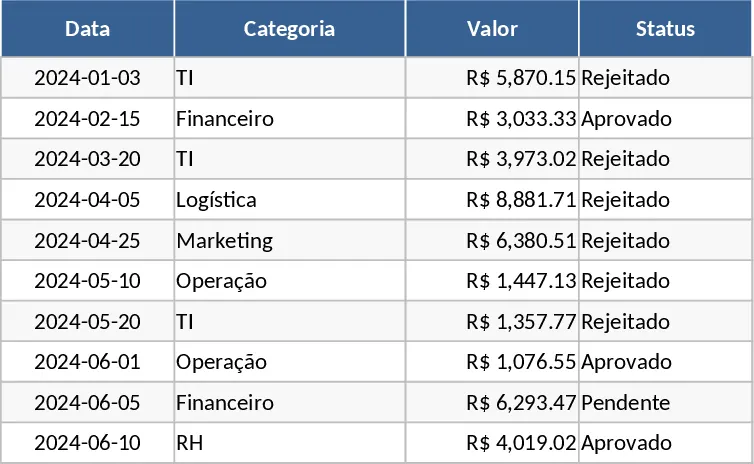
How to use this template: First, enter your project name and total budget in the Dashboard header to set your financial baseline. Next, navigate to the individual Action sheets to log your expenses; simply fill in the date, description, and value, then select the appropriate status from the dropdown menu (Planned, Committed, or Realized). If your project generates income, use the Revenue sheet to record incoming funds and track their status. Finally, return to the Dashboard to view the automatically updated KPIs and progress bars, which will give you an immediate visual representation of your project's financial health.
Expected benefits include significantly reduced time spent on manual calculations and a much clearer understanding of your remaining liquidity throughout the project lifecycle.
Similar Templates Recommendation
Personal Monthly Budget and Expense Tracker with Dashboard and Budget Plan Template
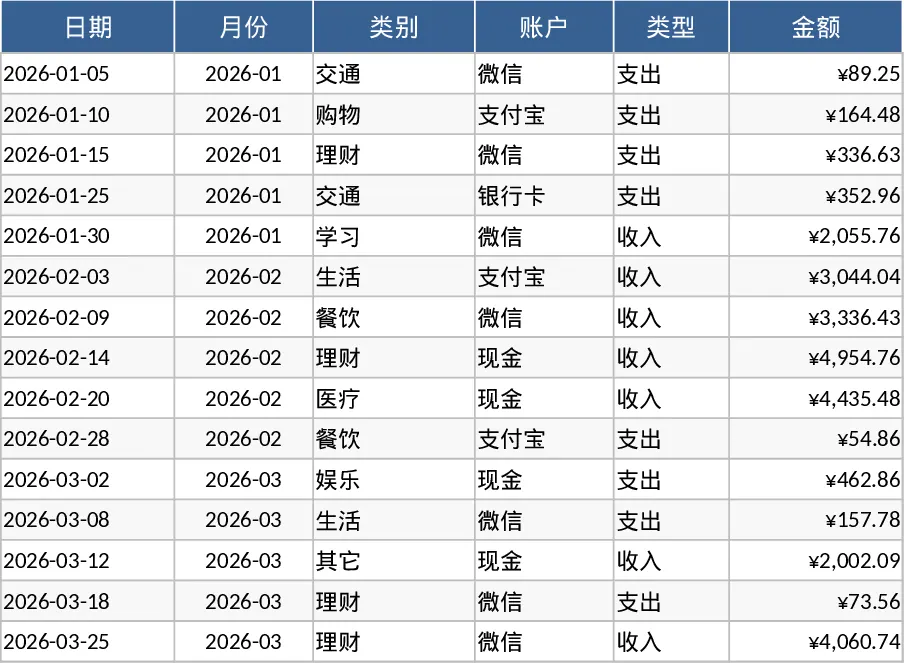
Track daily expenses, set monthly category budgets, and visualize your financial health with automated charts and overspending alerts.
Personal Monthly Budget and Expense Tracker with Executive Dashboard Template
Manage your personal finances by tracking daily expenses, setting monthly limits, and visualizing spending trends with a dynamic dashboard.
Budget Forecast vs Actual Variance Tracker Template
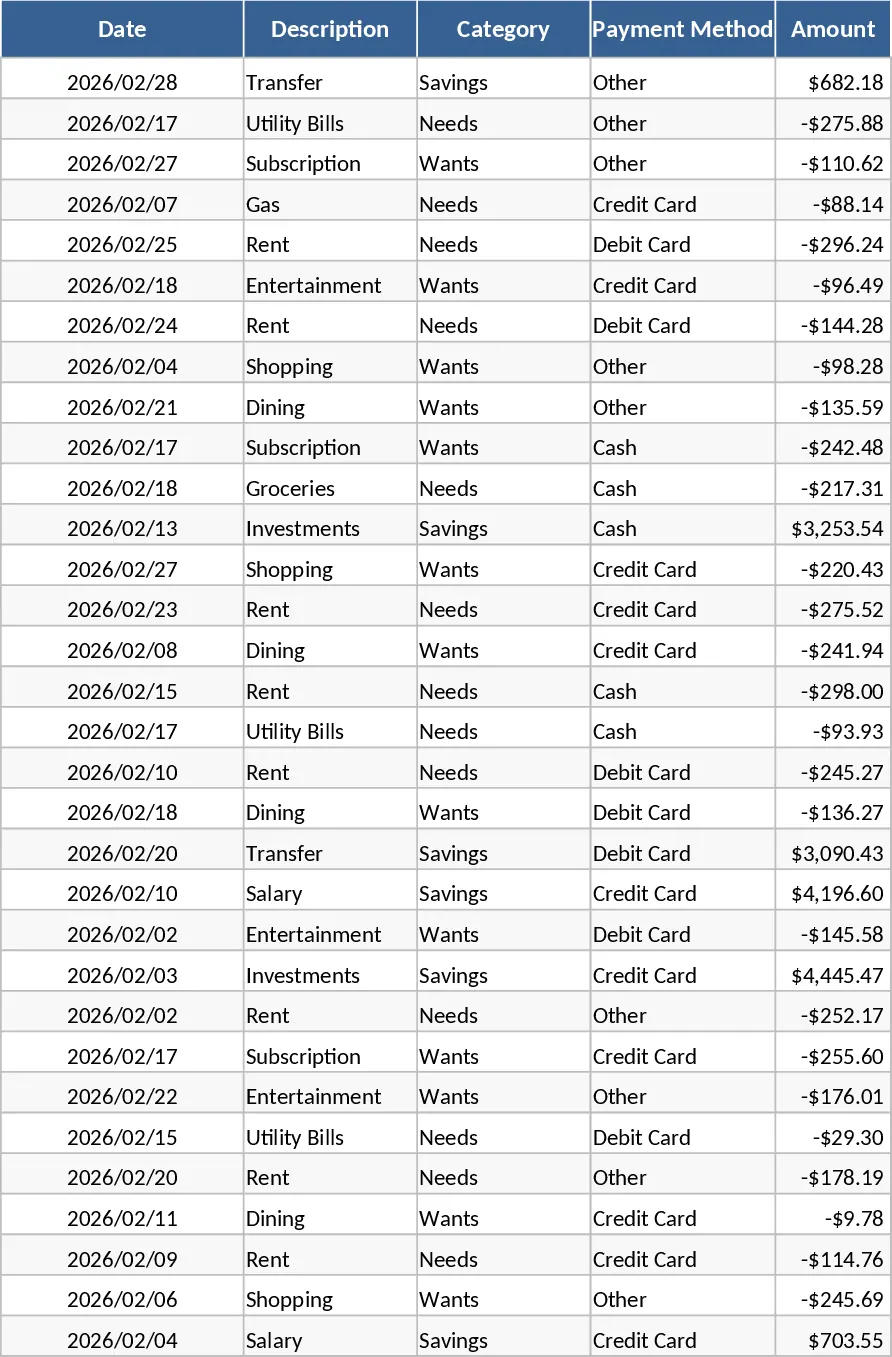
Track your financial health by comparing planned budgets against actual spending to identify and manage cost deviations in real-time.