Year 6 Executive Academic Intelligence and Performance Reporting Template
The Year 6 Executive Academic Intelligence System is a sophisticated, macro-enabled solution designed for school leaders, cluster officers, and inspectors who require high-level data visualization and granular student tracking. This system transforms raw assessment marks into a strategic roadmap, allowing educators to move beyond simple grading and into the realm of predictive analytics and targeted intervention. By centralizing data from baseline assessments through to final exams, the template provides a comprehensive view of a cohort's academic health, making it an indispensable tool for school audits and performance reviews.
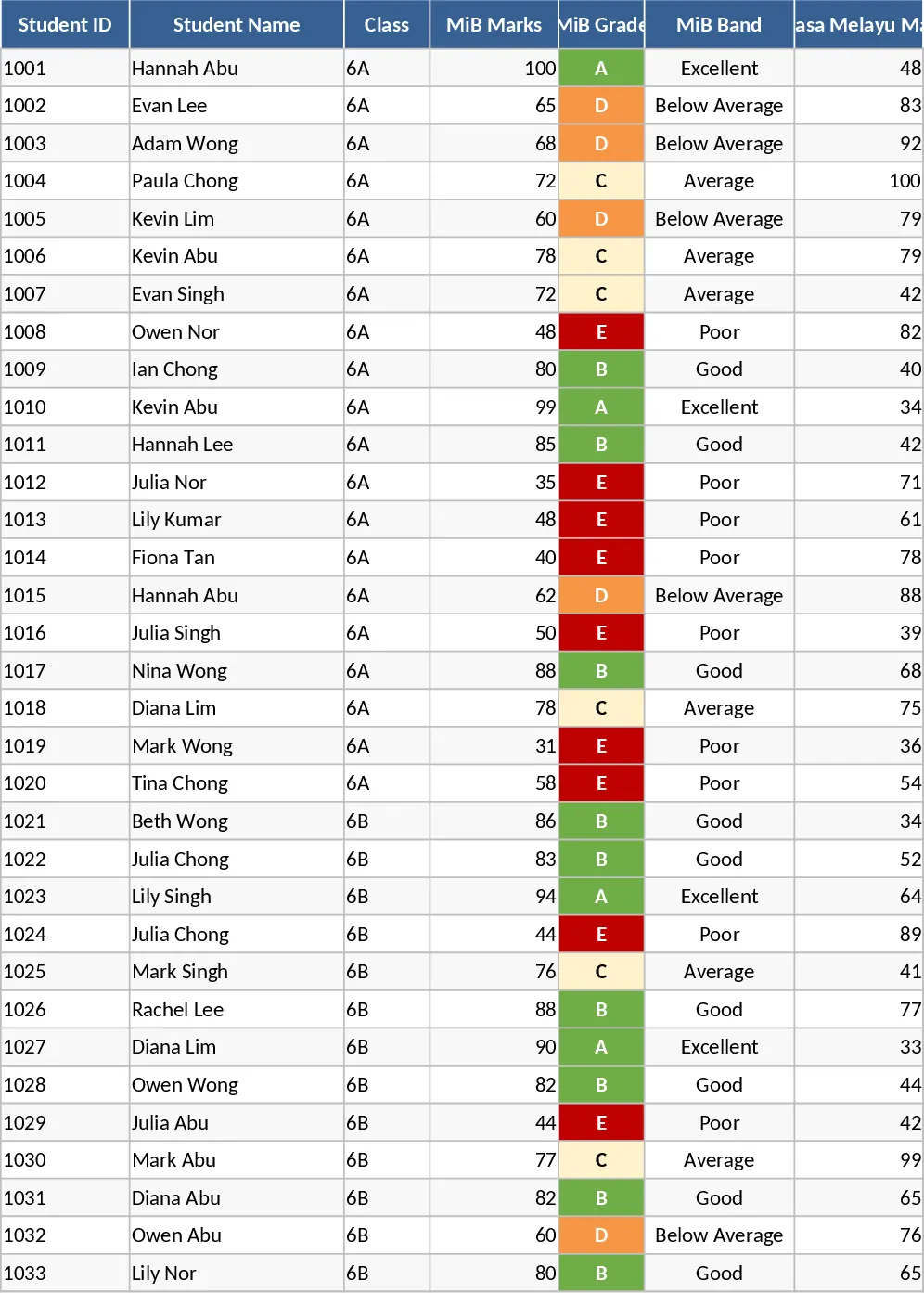
At the heart of the system is a robust data infrastructure consisting of eleven specialized sheets. The Student Database manages records for multiple classes, while the Assessment Architecture handles five core subjects: MiB, Bahasa Melayu, Science, English, and Mathematics. The template features a sophisticated Grade and Band Engine that automatically calculates results based on specific thresholds, including nuanced classifications like Hi-D and Lo-E. This level of detail is crucial for identifying 'Push Candidates'—students who are on the cusp of passing or moving into a higher grade bracket. The built-in Risk Engine categorizes every student into Green, Amber, or Red status based on their pass/fail status, grade distribution, and growth trends, providing an immediate visual cue for where resources are most needed.
For administrators, the Dark Executive Dashboard serves as the command center. It features dynamic KPI cards that update based on the selected test period, showing overall pass rates, 5A potential, and risk distribution. Visual panels including bar charts for class comparisons and trend lines for longitudinal growth allow you to see exactly how a cohort is progressing over time. This is particularly useful for demonstrating the impact of school interventions to external inspectors. The system doesn't just show where students are; it shows where they are going through the Trend Intelligence Engine, which calculates growth percentages and improvement arrows for every individual.
Communication with parents and stakeholders is streamlined through the automated Student Report System. With a single click, the macro-enabled interface pulls data for a specific student, populates a professional white-themed report—complete with school branding and performance charts—and exports it as a PDF with a standardized naming convention. This eliminates hours of manual data entry and ensures that every stakeholder receives a clear, data-driven summary of student progress and recommended intervention strategies.
How to use this template:
- Begin by entering your student roster and unique IDs in the Overall Database sheet, then input your baseline scores in the Test1_SBE sheet to establish a performance floor.
- As the academic year progresses, fill in the marks for SBA1, SBA2, and Final assessments in their respective sheets; the system will automatically calculate grades, bands, and risk statuses.
- Navigate to the Executive Dashboard and use the dropdown menus to select the current test period or view a 4-test average to analyze cohort trends and identify declining students.
- To generate individual reports, go to the Generate Report sheet, select a student from the dropdown menu, and click the macro button to automatically save a professional PDF summary to your documents folder.
By implementing this system, you can expect a significant reduction in the time spent on manual report preparation and data cross-referencing. The automated risk alerts and push analysis ensure that no student falls through the cracks, while the professional visual outputs provide the high-level evidence required to impress during school inspections and executive briefings.
Similar Templates Recommendation
Professional Pedagogical Tracking and School Performance Analysis Template
Track student performance, analyze exam results like Prova Paulista and SAREI, and visualize class evolution with an automated dashboard.
Professional Academic Grade Manager and Performance Tracker Template
Track student performance across course units with automated average calculations and pass/fail status indicators for professional academic management.