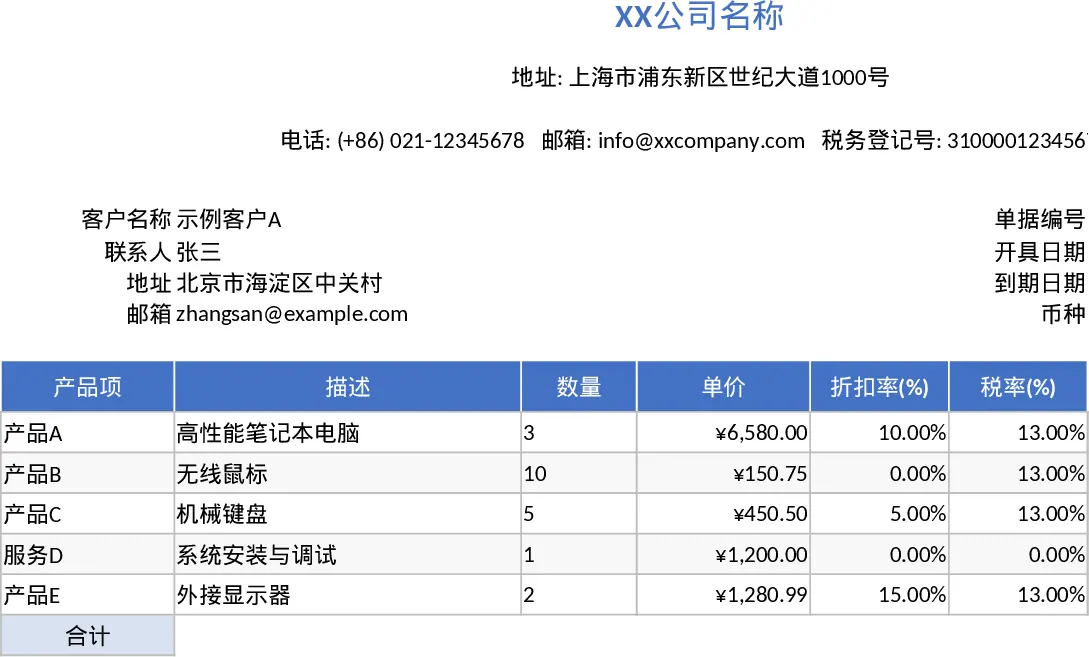
Professional Business Quote and Invoice with Printable Report Template
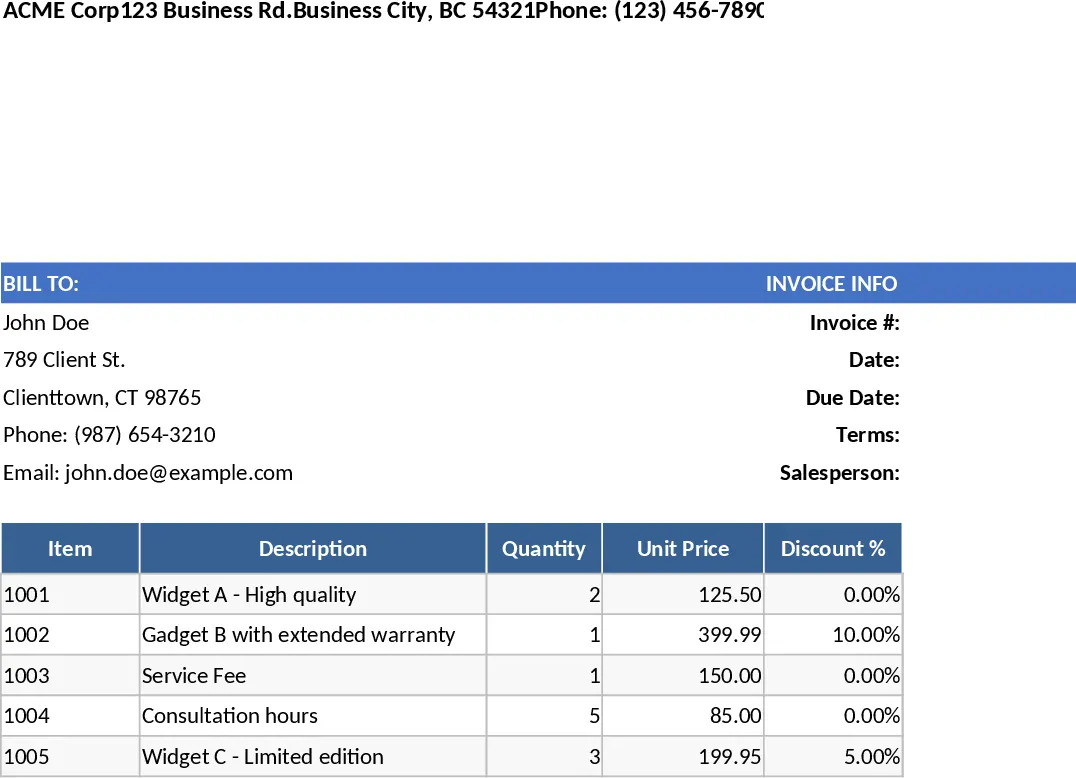
This professional Excel template provides a streamlined solution for generating high-quality quotes and invoices that are perfectly formatted for A4 or Letter-sized printing. The workbook features a clean, structured layout including a branded header for your company details, a dedicated client information section, and essential document metadata like invoice numbers and due dates. The core of the template is a dynamic line-item table that handles complex calculations automatically, ensuring your financial documents are always accurate and professional.
By automating the math behind subtotals, discounts, and tax percentages, this tool eliminates common manual entry errors that can lead to payment disputes or accounting headaches. It is particularly useful for small business owners, freelancers, and sales teams who need to transition quickly from a price quote to a final bill. The template allows you to maintain a consistent brand image while providing clients with clear, transparent breakdowns of their purchases, including itemized tax amounts and grand totals.
Whether you are providing a service estimate or billing for physical goods, this template helps you manage the entire transaction lifecycle in one place. It tracks specific quantities, unit prices, and variable tax rates across multiple items, consolidating everything into a final summary that is easy for clients to read and process. This organized approach not only speeds up your billing cycle but also serves as a reliable record for your internal sales tracking.
How to use:
- Fill in your company information, including Tax ID and contact details, in the top header section to customize the document.
- Enter the client's contact details and the specific invoice or quote number to ensure unique tracking.
- List your products or services in the table; simply input the quantity, unit price, and any applicable discount or tax rates.
- Review the automatically generated grand totals and use the pre-set print area to save the document as a PDF or send it directly to your printer.
Expected benefits: Significant reduction in manual calculation time and improved professional presentation for all client-facing financial documents.
Similar Templates Recommendation
Professional Business Quote and Invoice with Invoice Generator Template
Create professional, print-ready quotes and invoices with automated tax, discount, and total calculations for streamlined billing.
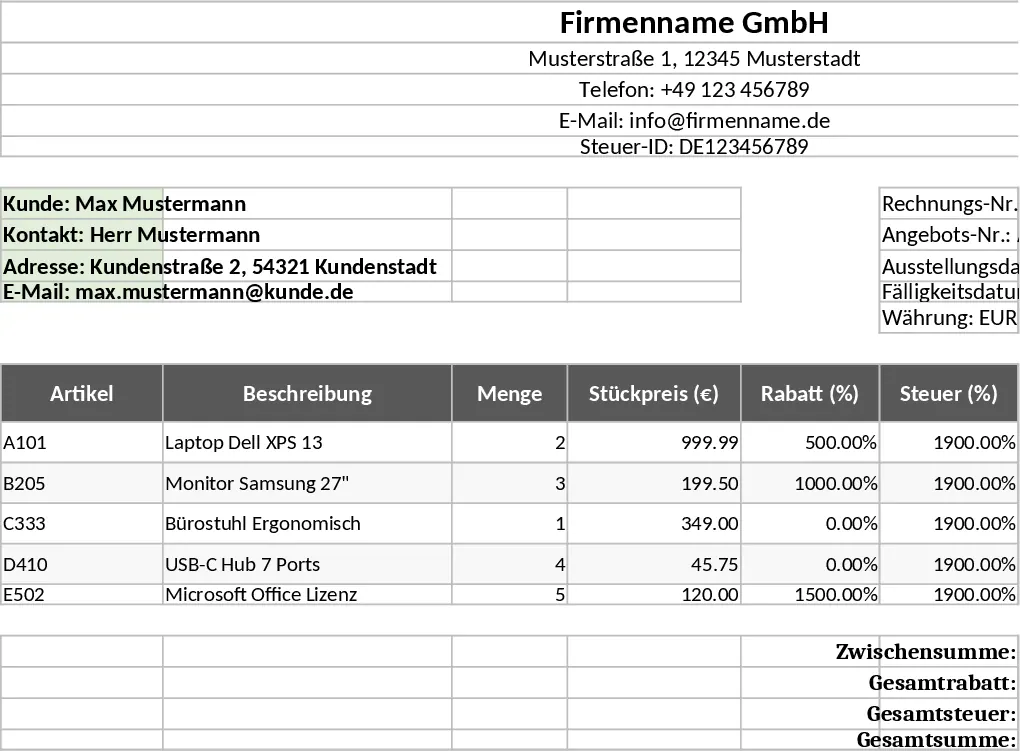
Professional Business Quote and Invoice with Professional Layout Template
Generate professional, print-ready quotes and invoices with automated tax and discount calculations to streamline your billing workflow.
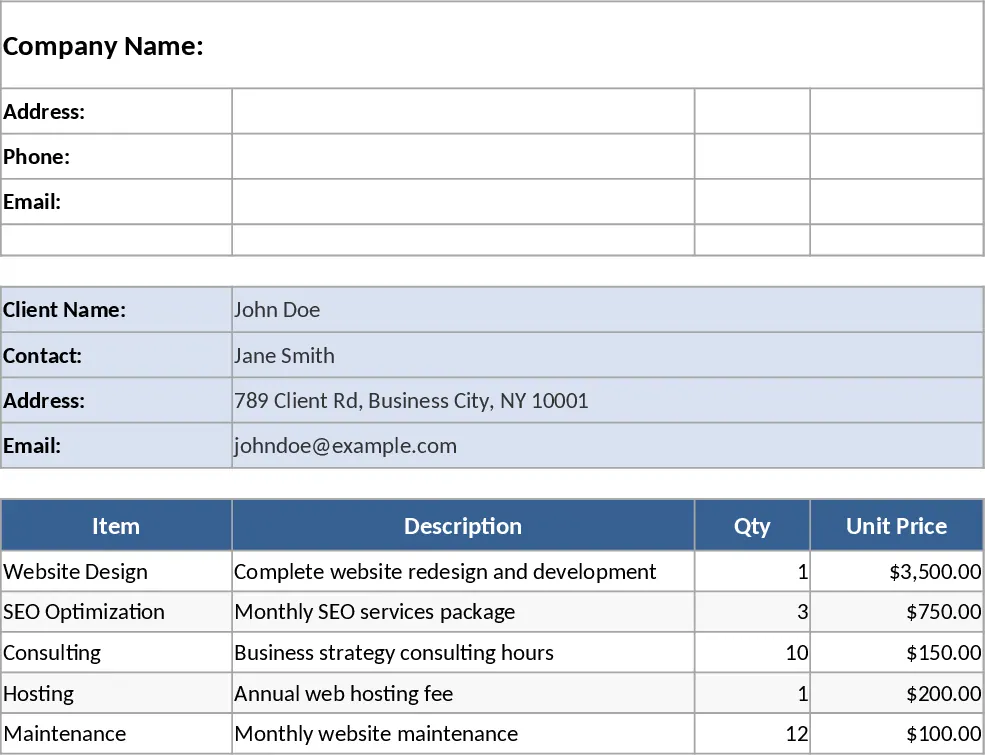
Professional Business Quotation and Invoice Template
Create professional A4 quotations and invoices with automated tax calculations, itemized product lists, and clear summaries for client billing.