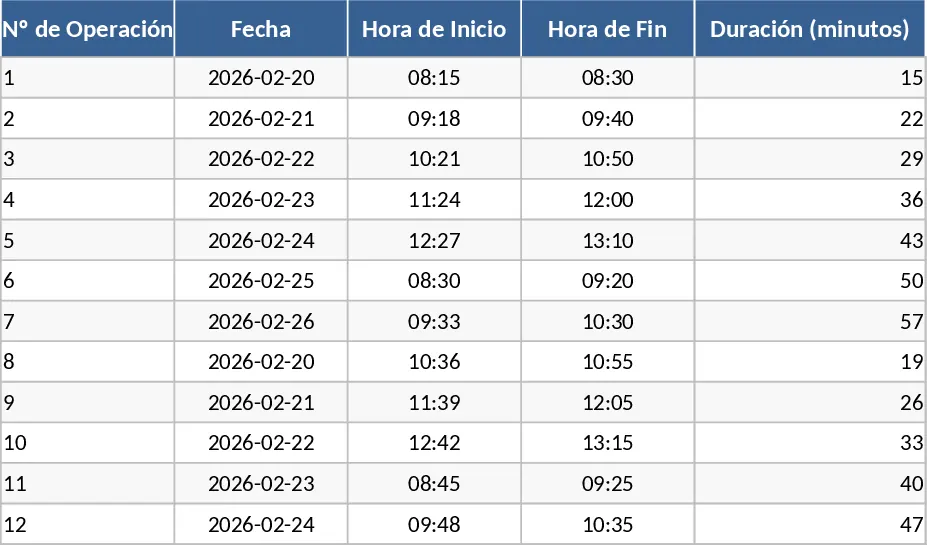
Time Study and Machine Utilization Analysis Template
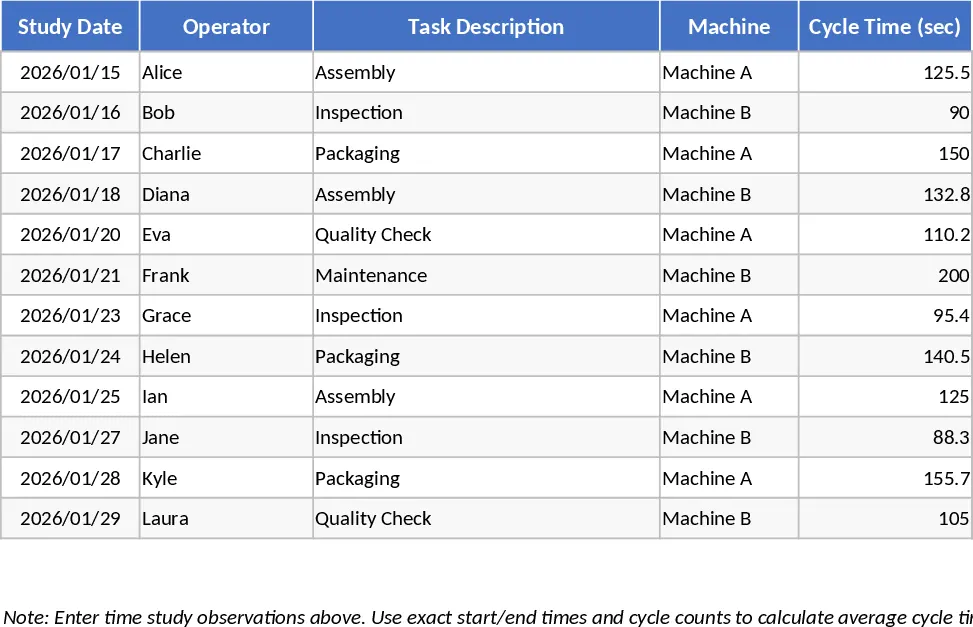
The Excel Spreadsheet for Time Studies and Machine Usage Analysis is a professional-grade tool designed to bring precision to your manufacturing and operational workflows. At its core, the template provides a structured environment for recording time-motion studies, featuring specialized sheets for data entry, machine capacity calculations, and summary reporting. You will find intuitive input fields for task descriptions, operator names, and precise timing intervals. The template is built to handle complex scenarios, including the analysis of single-machine setups versus dual-machine configurations, providing a clear comparison of how scaling your equipment affects total lead times and labor requirements.
This tool is indispensable for operations managers, industrial engineers, and small business owners who need to move beyond anecdotal evidence to hard data. It solves the common problem of hidden downtime by breaking down the production cycle into granular components like setup, processing, inspection, and transit. By using this template, you can identify exactly which part of your process is the bottleneck. The benefits are immediate: you gain the ability to predict production capacity with high accuracy, optimize labor shifts based on actual machine run times, and eliminate the guesswork involved in quoting lead times to customers.
In daily practice, this template is used during shop floor audits, process re-engineering projects, or when evaluating the ROI of purchasing additional machinery. It helps you track and manage machine utilization rates, operator efficiency, and cycle time variability. Understanding these metrics is crucial for maintaining a lean operation and ensuring that your most expensive assets—your machines and your people—are working in harmony. The summary outputs provide visual indicators of busy versus idle time, making it easy to spot inefficiencies at a glance.
How to use:
- Start by filling in the observation sheet with real-time data from your production floor, entering the duration for each specific step in your workflow.
- Navigate to the machine settings section to input the operational limits of your equipment, such as available shift hours and planned maintenance breaks.
- Use the analysis tab to toggle between one or two machine scenarios, observing how the change in equipment availability impacts your total throughput and unit costs.
- Review the generated summary charts to identify the primary causes of downtime and use these insights to adjust your production schedule or process flow.
Expected benefits: This template streamlines the complex math of industrial engineering, saving hours of manual calculation and providing a standardized format that improves the accuracy of your operational reporting.
Similar Templates Recommendation
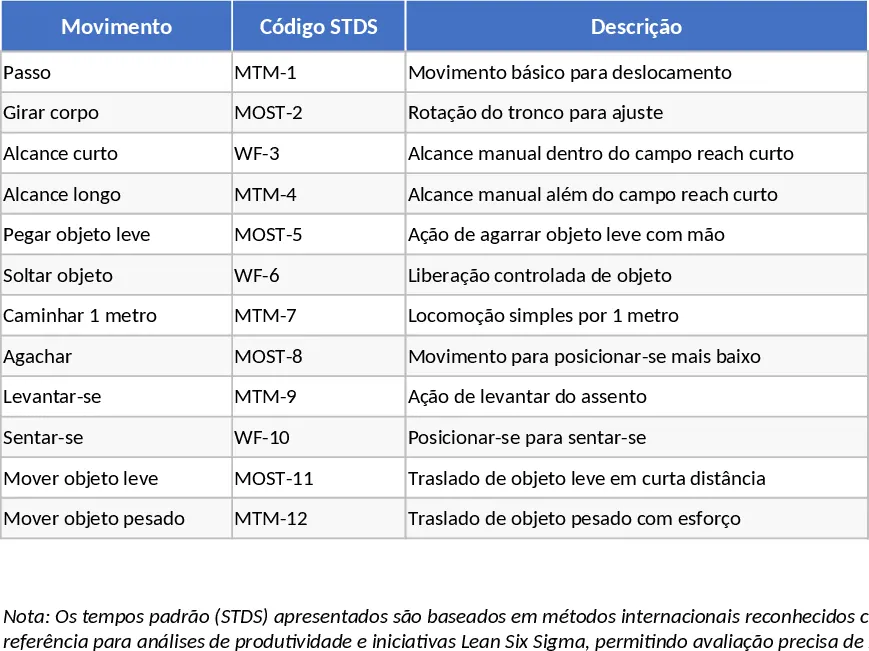
Interactive Lean Six Sigma Production Time Study and Waste Analysis Template
Track cycle times and identify production bottlenecks to eliminate waste and optimize manufacturing efficiency using Lean Six Sigma principles.
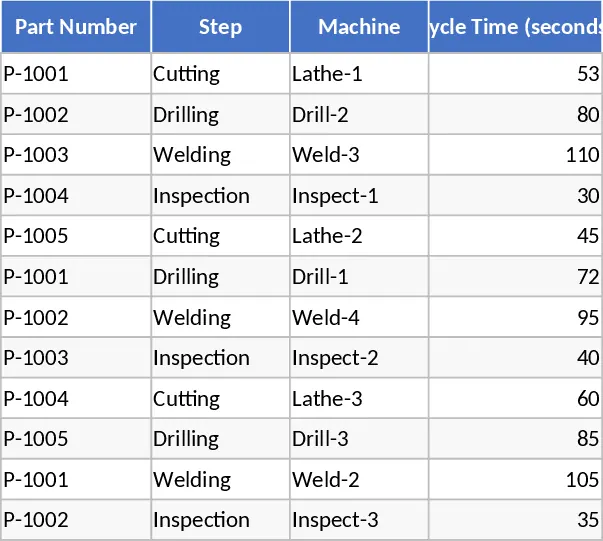
Machine Process Cycle Time and Total Production Template
Track individual machine process steps and calculate the total cycle time required to complete a part for better production efficiency.
Time Measurement Log Template
Track and analyze the time taken for specific tasks and processes to improve operational efficiency and identify workflow bottlenecks.