Mobile‑Friendly Financial Planning Calculator Template
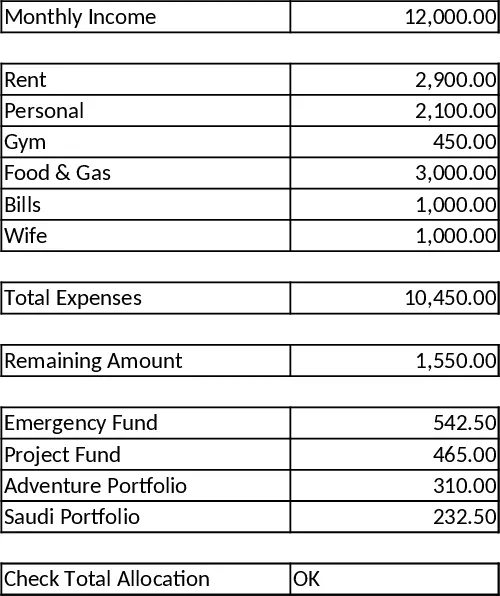
This template is a two‑column Excel workbook designed for phones and tablets. Column A holds all labels, while column B contains the only editable cells – the monthly income input and a single optional check cell. Fixed expenses (Rent, Personal, Gym, Food & Gas, Bills, Wife) are pre‑filled as static numbers, so you never need to type them again. The sheet automatically sums those values, subtracts the total from the income you enter, and then spreads the leftover amount across four buckets – Emergency Fund (35%), Project Fund (30%), Adventure Portfolio (20%) and Saudi Portfolio (15%). All formulas are simple SUM and multiplication operations, guaranteeing instant updates without any manual recalculation or broken references.
The template solves the common headache of juggling multiple spreadsheets on a small screen. By keeping the layout to columns A and B, avoiding merged cells and complex formatting, it works flawlessly on iOS and Android Excel apps. You get a real‑time view of how much you earn, what you spend, and exactly where the remaining cash goes, helping you stay disciplined and avoid overspending. It’s perfect for anyone who wants a quick, reliable budgeting tool that fits in a pocket – freelancers, small‑business owners, or families managing household cash flow.
Who benefits most? Anyone who tracks personal or household finances on the go and needs a clear, no‑frills overview. The sheet is especially handy when you receive a paycheck or a variable income and want to see instantly how much you can allocate to savings, projects, or leisure without opening a desktop computer. It also helps you verify that the allocation percentages always add up to the remaining balance, thanks to the optional check cell that flags any mismatch.
How to use:
- Open the workbook on your phone and type your "Monthly Income" into the highlighted cell in column B.
- The sheet instantly calculates "Total Expenses" and shows the "Remaining Amount" beneath it.
- The remaining amount is automatically split into the four funds according to the preset percentages; each fund’s value appears in its own row.
- (Optional) Check the verification cell – it will display "OK" when the allocations perfectly match the remaining amount, or an error message if something is off.
Expected benefits: you’ll save time entering data, eliminate manual math errors, and gain immediate insight into how your money is distributed, all from a single, mobile‑ready screen.
Similar Templates Recommendation
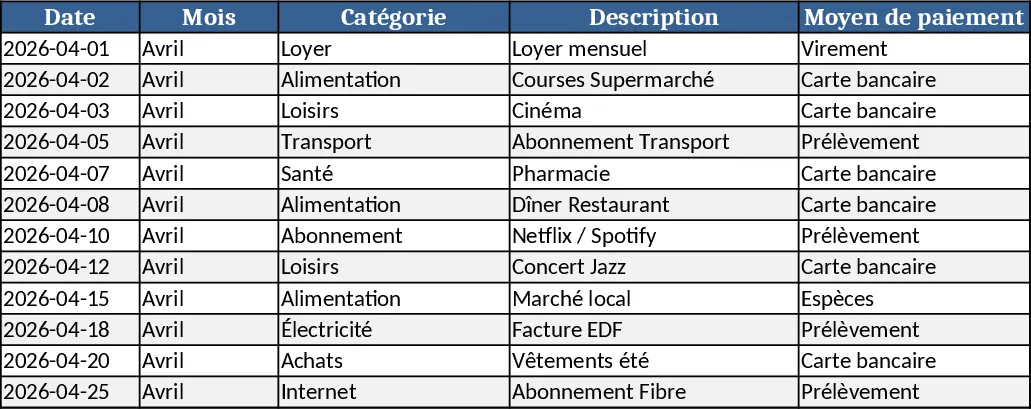
Expense Tracking Calendar Template
A monthly calendar template that lets you log daily expenses, categorize them, and view total spending at a glance.
Dynamic Couple's Monthly Budget and Expense Splitting Template
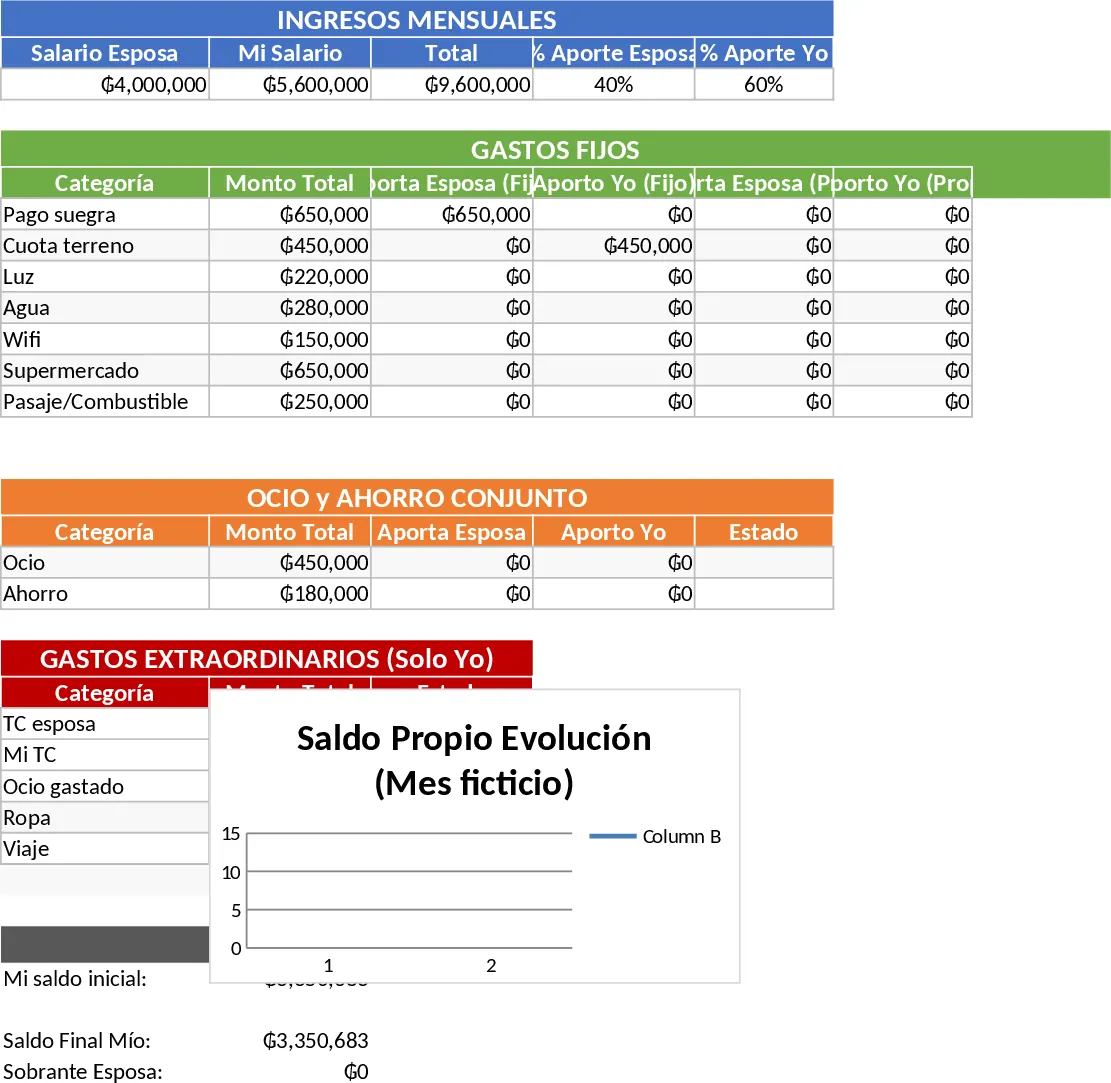
Manage shared household finances with this dynamic budget tracker featuring automated percentage splits, expense status monitoring, and visual alerts.
Personal Expense Budget Template
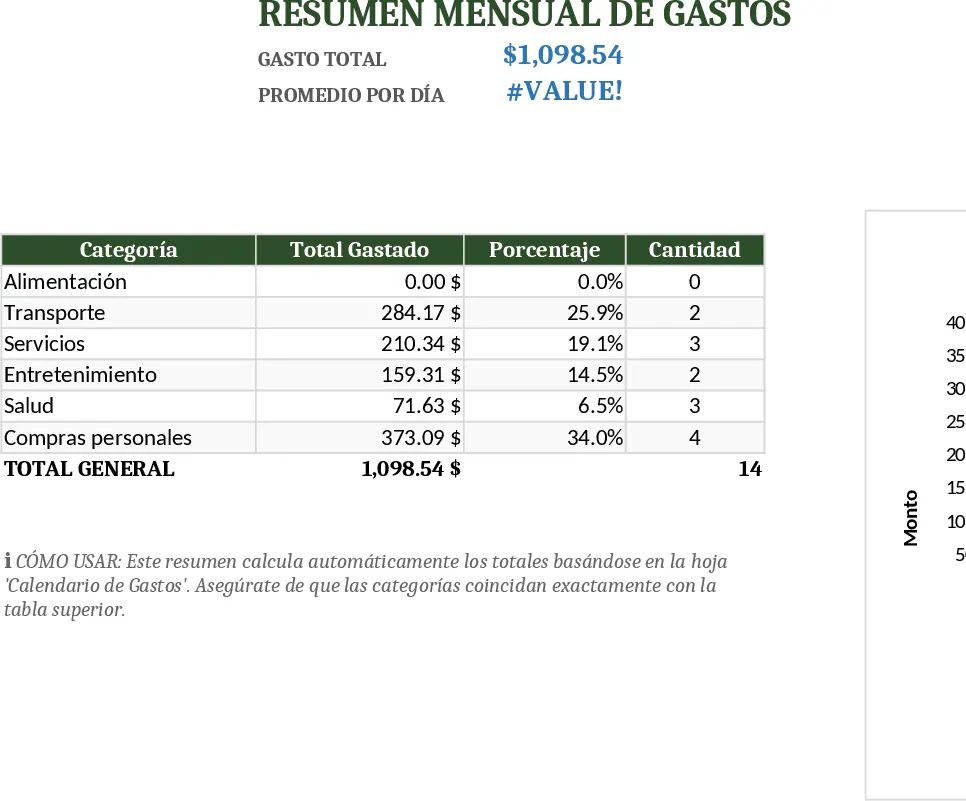
A simple personal expense budgeting spreadsheet that lets you log daily spending, categorize costs, and view monthly totals and trends.