Sales Tracking Template
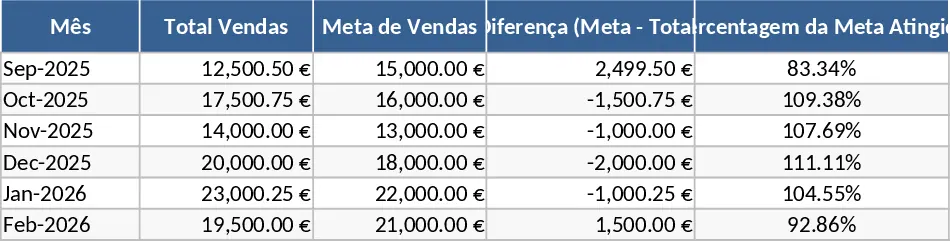
The Vendo-Kontrolo Sales Control template is a comprehensive solution designed to bring professional-grade sales management to your Excel environment. It features a multi-sheet architecture that separates data entry from analysis, ensuring that your records remain clean and easy to navigate. The core of the template is the Sales Transaction Log, where you can record every detail from the date of sale and customer name to specific product SKUs and discount rates. With built-in dropdown menus and data validation, the template minimizes entry errors and keeps your data standardized for accurate reporting. This structure allows for a seamless flow of information from the moment a sale is made to the final financial report.
For business owners, the primary challenge is often turning raw numbers into actionable insights. This template addresses that by providing automated summary outputs, including monthly revenue totals, category-wise performance, and profit margin analysis. By having all your sales data in one place, you can easily spot seasonal trends, manage your stock levels more effectively, and make informed decisions about future inventory purchases. It eliminates the need for expensive CRM software while providing the essential tracking features needed for daily operations. The visual components, such as charts and graphs, provide an immediate snapshot of your business health without requiring you to build complex formulas yourself.
This tool is ideal for small business owners, boutique retailers, and independent distributors who need a reliable way to monitor their commercial health. Whether you are running a physical storefront or an e-commerce operation, having a structured sales log is crucial for understanding your cash flow. It helps you track not just what you sold, but to whom and when, allowing for better customer relationship management and targeted promotions. It is particularly useful during tax season or end-of-year reviews, as all your transaction history is organized and ready for export or printing.
How to use:
- Begin by populating the Product and Category sheets with your current inventory, including cost prices and retail prices to enable profit tracking.
- Record each sale in the main Transaction sheet by selecting the product from the dropdown menu and entering the quantity sold; the template will automatically fetch the price and calculate the total.
- Periodically review the Dashboard tab to visualize your sales growth through interactive charts and filtered views that allow you to drill down into specific timeframes or product categories.
By implementing this template into your daily routine, you can significantly reduce the hours spent on manual data consolidation and financial reporting. It provides a clear, professional overview of your sales trajectory, allowing you to focus more on growing your business and less on managing spreadsheets. You can expect improved accuracy in your records and a much faster response time when analyzing your monthly performance.
Similar Templates Recommendation
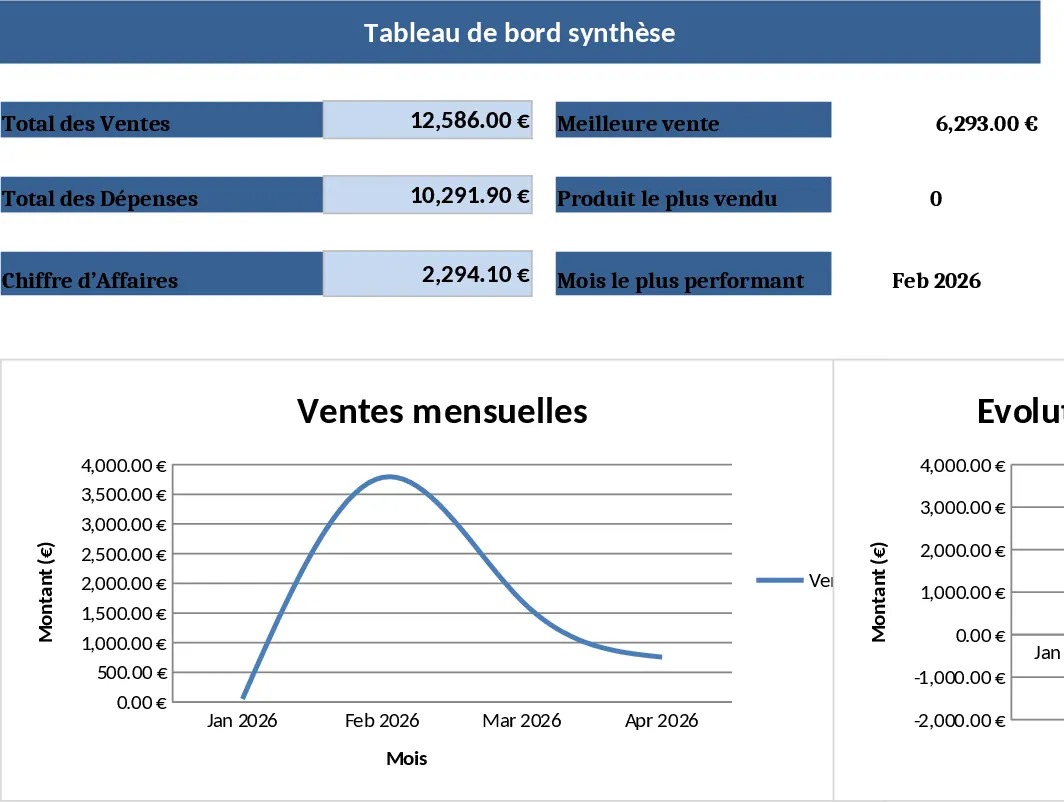
Sales Management and Tracking Dashboard Template
Streamline your sales process by tracking orders, monitoring performance through visual dashboards, and analyzing revenue trends in one place.
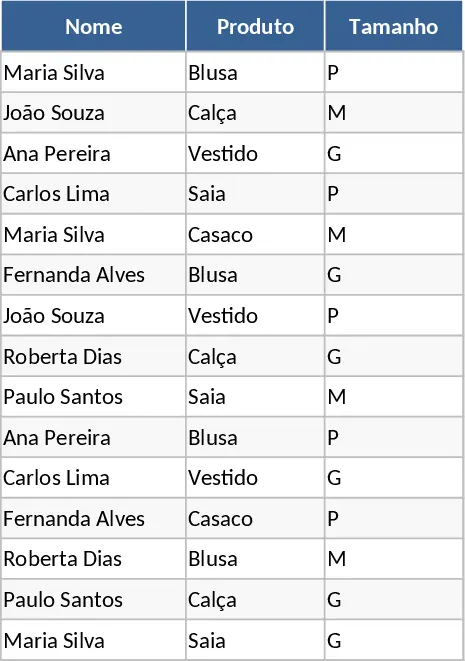
Customer Order and Product Interest List Template
Organize customer product interests, sizes, and garment preferences to streamline your sales follow-ups and inventory planning.
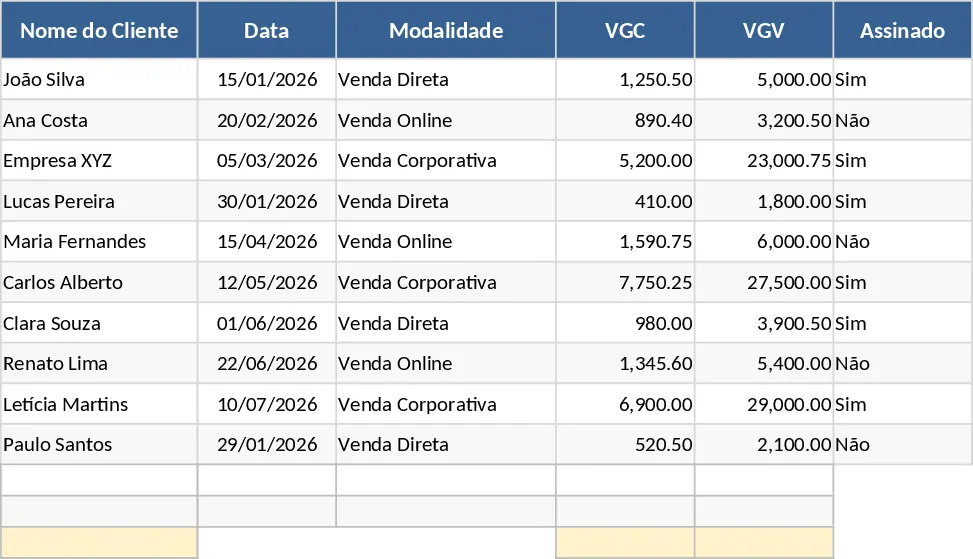
2026 Sales and VGC VGV Tracking Template
Track and analyze your 2026 sales performance with detailed metrics for customer data, transaction types, VGV, and VGC.