Purchasing Management and Supplier Price Comparison with Category Breakdown Template
The Procurement Management System is a robust Excel-based solution designed to transform how you handle purchasing and inventory control. Managing multiple vendors and fluctuating prices can be a logistical nightmare, but this template simplifies the process by providing a structured environment to track every detail from stock levels to tax-inclusive pricing. The system is built around four interconnected modules that work together to provide a 360-degree view of your procurement operations, ensuring that your business remains both well-stocked and financially efficient.
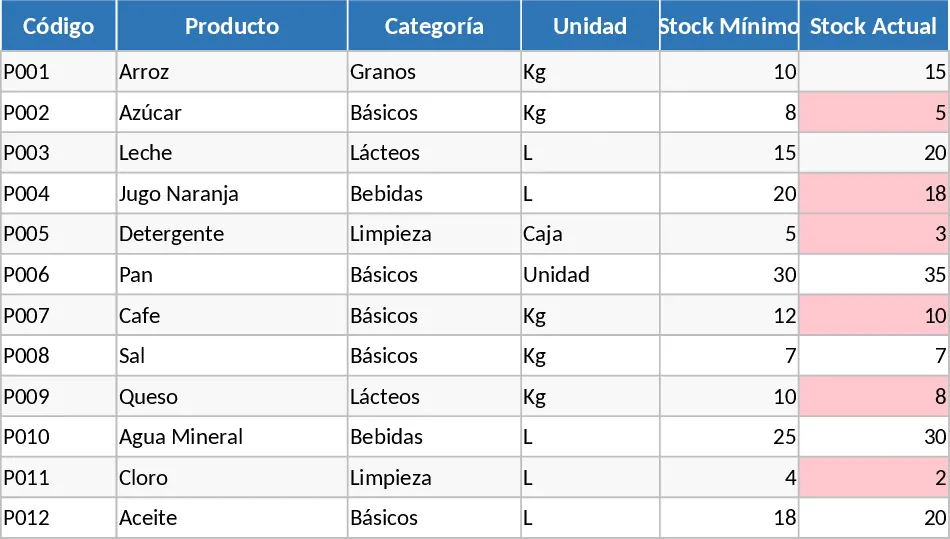
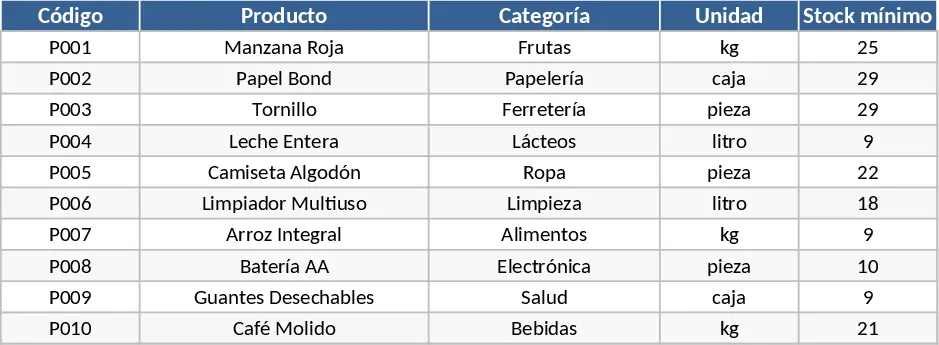
The Products sheet acts as your central inventory hub. Here, you define your items, categories, and units of measure. More importantly, it features a dynamic stock monitoring system where you can set minimum thresholds. When your current stock dips below these levels, the template provides visual alerts, ensuring you never face operational downtime due to missing supplies. The Suppliers sheet complements this by organizing all your vendor contact information in one accessible location, making it easy to reach out for quotes or orders without searching through disparate files.
Financial accuracy is handled in the Prices sheet. This section allows you to log unit prices from different suppliers over time. With built-in formulas for VAT and total price calculations, you get an immediate understanding of the true cost of each item. This data feeds directly into the Comparator sheet, which is the most powerful feature of the template. It automatically scans your price logs to identify the best and worst prices available in the market. Using conditional formatting, it highlights the most economical choice in green and the most expensive in red, while calculating the exact savings you achieve by choosing the right vendor.
This template is ideal for office managers, retail owners, and operations leads who need to maintain tight control over their budgets. Whether you are managing raw materials for production or office supplies for a growing team, this system provides the analytical depth needed to negotiate better terms with suppliers. The technical structure of the template relies on sophisticated Excel functions like XLOOKUP for data retrieval, MIN/MAX functions for price detection, and nested IF statements for the stock alerts. The dropdown menus are created using Data Validation, which ensures that you only enter data that exists in your master lists, preventing the common errors found in manual spreadsheets.
How to use:
- Initial Setup: Fill in the Products sheet with your item codes and names, and set your Stock Minimum levels to trigger alerts. Enter your vendor details in the Suppliers sheet to create your master directory.
- Data Entry: In the Prices sheet, use the dropdown menus to select a product and a supplier. Enter the unit price and the applicable tax rate; the template will automatically calculate the total cost using pre-set formulas.
- Analysis: Go to the Comparator sheet to see the automated analysis. The Best Price and Best Supplier columns will update instantly based on the data you entered, highlighting the most cost-effective options.
- Maintenance: Update your Stock Actual numbers regularly in the Products sheet. Use the Savings column in the Comparator to report on procurement efficiency and identify which categories offer the most room for cost reduction.
Expected benefits: Enhanced visibility into vendor performance and significant time savings through automated price comparisons and stock-level monitoring.
Similar Templates Recommendation
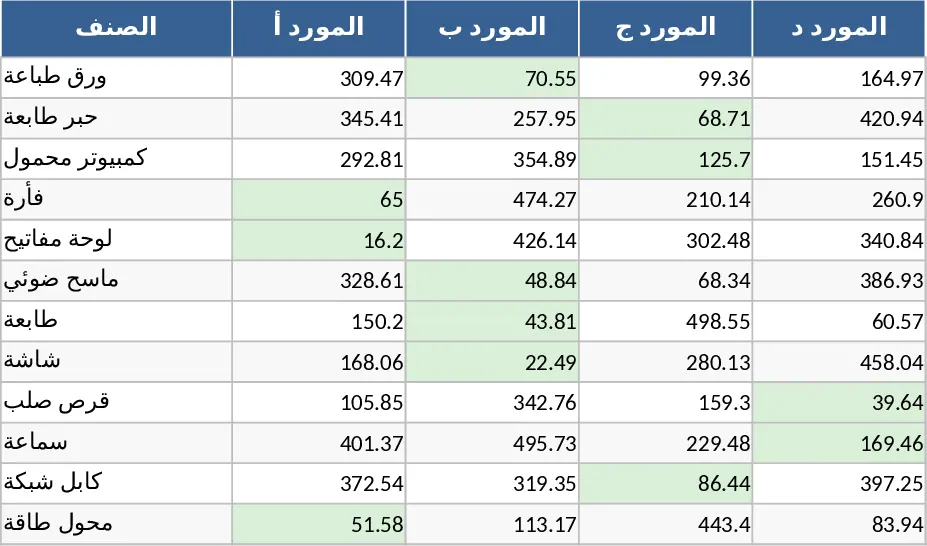
Supplier Price Comparison with Dashboard Template
Compare multiple supplier quotes side-by-side to automatically identify the lowest prices and best value for your procurement needs.
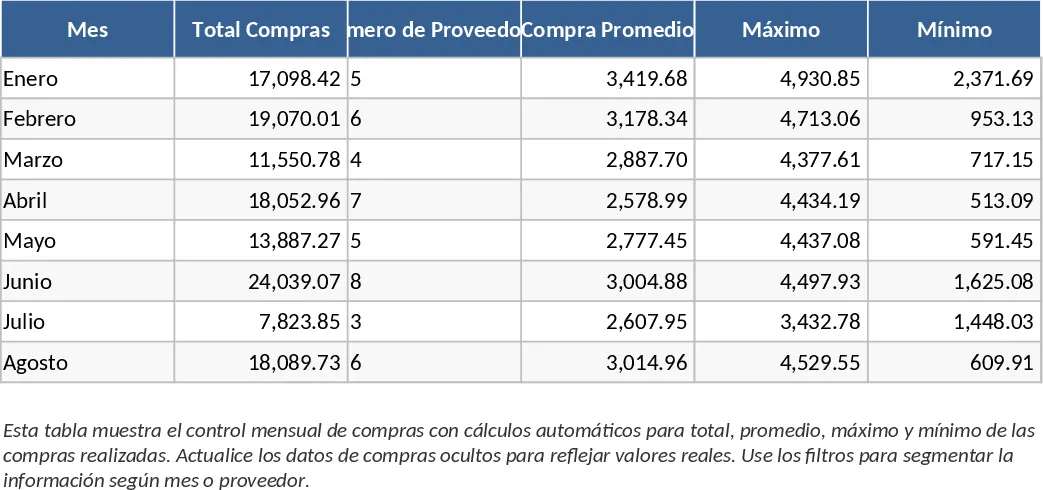
Professional Purchasing Control with Dashboard Template
Streamline your procurement process by tracking supplier orders, delivery statuses, and total expenditures in one professional dashboard.
Purchasing Management and Supplier Price Comparison with Conditional Formatting Template
Track supplier pricing, manage inventory levels, and identify the lowest costs across products to optimize your procurement strategy.