Monthly Student Attendance Tracking Template
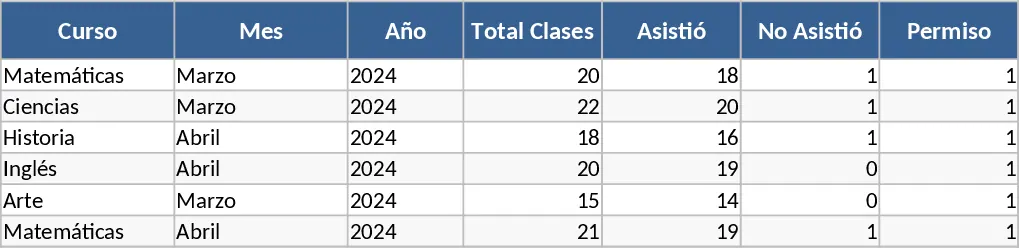
Maintaining an accurate record of student presence is a fundamental task for any educator, yet it often becomes a time-consuming chore when using traditional paper methods. This Student Attendance Template is a comprehensive digital solution designed to bring order and clarity to your classroom management. Built with a user-friendly interface, the template allows you to manage an entire month of data on a single screen. It features a dynamic date system where you simply input the month and year, and the grid updates to reflect the correct number of days, ensuring your records are always chronologically accurate.
The template is structured with a clear vertical list for student names and a horizontal timeline for the days of the month. Each cell within the grid is equipped with a pre-configured dropdown menu, allowing you to quickly mark students as Present, Absent, or on Permission. This distinction is particularly useful for teachers who need to track excused absences separately from unexcused ones, which is often a requirement for school policy compliance or grading. Beyond simple data entry, the template includes a robust summary section. As you fill in the daily records, the spreadsheet automatically calculates the total number of days attended, the number of absences, and the count of granted permissions for every student. This provides an immediate snapshot of student engagement without the need for manual tallying at the end of the month.
This tool is ideal for K-12 teachers, college professors, and private tutors who want to maintain professional, organized records. It is especially helpful during parent-teacher conferences, as it allows you to present clear evidence of a student's attendance history and any patterns of absence that may be affecting their academic performance. By using a digital format, you also ensure that your data is backed up and easily searchable, unlike physical logbooks that can be lost or damaged. The layout is clean and professional, making it suitable for printing or exporting as a PDF for administrative submissions.
How to use:
- Set the Context: Enter the specific Month and Year at the top of the sheet to automatically generate the correct calendar days for your tracking period.
- Populate the Roster: Type or paste your list of student names into the primary column; you can easily add or remove rows as your class size changes.
- Daily Logging: During your roll call, click the cell corresponding to the student and the date, then select the status (such as Present, Absent, or Permission) from the dropdown list.
- Analyze Results: Look at the right-hand summary columns to see real-time updates on attendance percentages and total counts, helping you identify students who may need additional support.
By adopting this digital tracking system, you can expect to save hours of administrative work each month and significantly reduce the risk of human error in your attendance reports. It provides a clean, professional way to monitor student participation and ensures you have all the data you need at your fingertips.
Similar Templates Recommendation
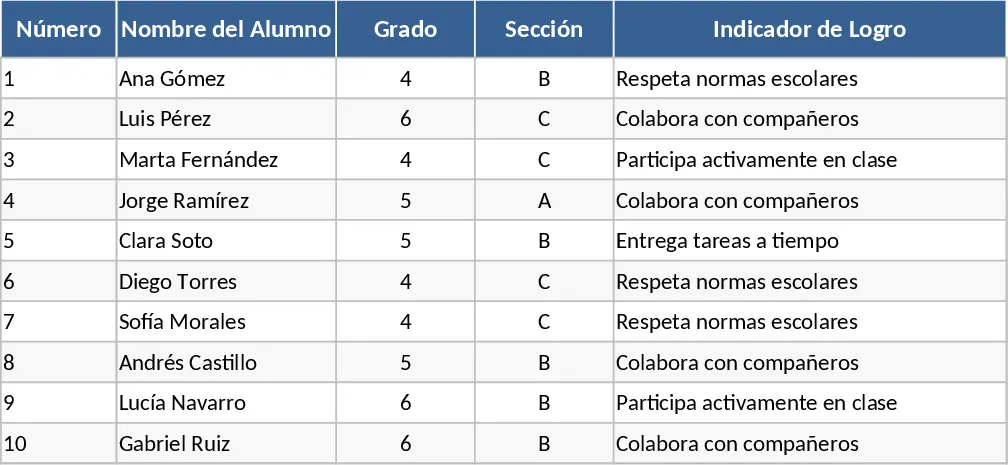
Qualitative Student Evaluation and Achievement Indicator Template
Manage student performance with qualitative grades and achievement indicators designed to meet official educational evaluation standards.
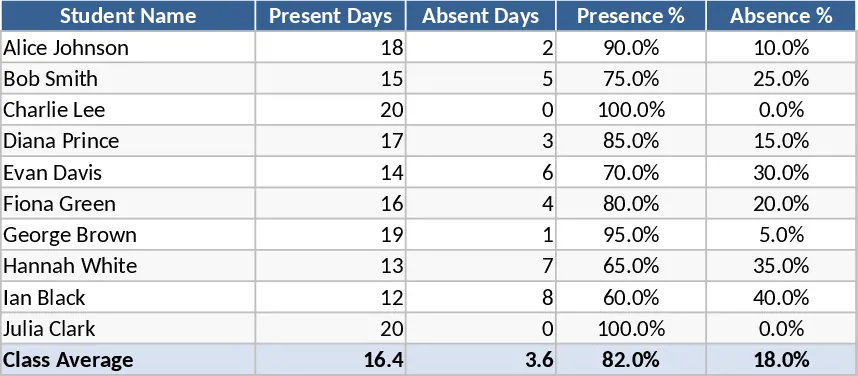
Student Attendance Tracker with Absence Reasons Template
Monitor daily attendance for small groups and document specific reasons for absences to identify patterns and improve student engagement.
Monthly School Attendance Sheet Template
Easily track daily student attendance for a full month with dedicated fields for school details, class information, and student names.