LIFI MEDIA Order and Finance Dashboard Template
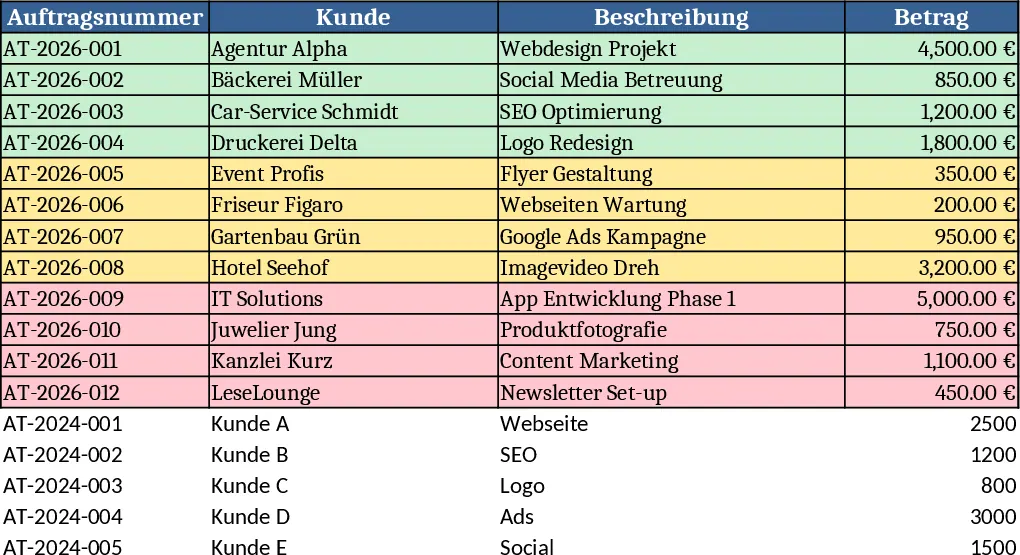
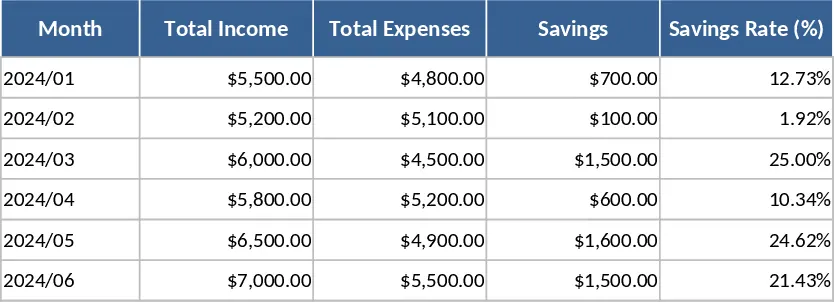
The workbook is split into four clear sheets. Orders records each client job with fields for customer/event, service, service date, location, price, payout, payout date, status, paid flag and invoice flag. A calculated column shows profit (price minus payout) and conditional formatting highlights unpaid items. Filters let you slice by status or date. Expenses logs every cost with date, category, description and amount. Monthly Overview pulls data from the Orders and Expenses sheets, groups it automatically by month based on payout date, and calculates total revenue, total expenses and net profit. Today pulls any orders scheduled for the current day and any payouts received today, then sums the day’s income.
This layout removes the guesswork of manual bookkeeping. By consolidating orders and outlays in one place you instantly see cash inflows, outflows and the bottom line, making it easy to spot overdue payments, seasonal trends or budgeting gaps. The automatic month‑by‑month summary replaces tedious pivot tables, while the daily view keeps you on top of today’s activity without opening multiple reports.
The template is ideal for small‑to‑medium business owners, freelancers and media agencies such as LIFI MEDIA who need a quick, visual grip on their financial health. Whether you are managing event production, consulting gigs or creative services, the sheet adapts to any service‑based revenue model and gives you confidence that every euro is accounted for.
With this workbook you track every order from quotation to payment, monitor every expense line, calculate profit per job, and aggregate results into monthly cash‑flow statements. The colour‑coded alerts for unpaid invoices help you chase payments faster, and the daily dashboard ensures you never miss a payment that lands today.
How to use
- Open the Orders sheet and enter each new job in a new row, selecting the appropriate status from the dropdown.
- Record any costs in the Expenses sheet as they occur.
- The Monthly Overview updates automatically; review the revenue, expense and profit rows for each month.
- Check the Today sheet each morning to see today’s jobs and payouts and note the summed income at the top.
You’ll save time on data entry and reporting, reduce the risk of missed payments and gain a clearer picture of your business’s financial performance.