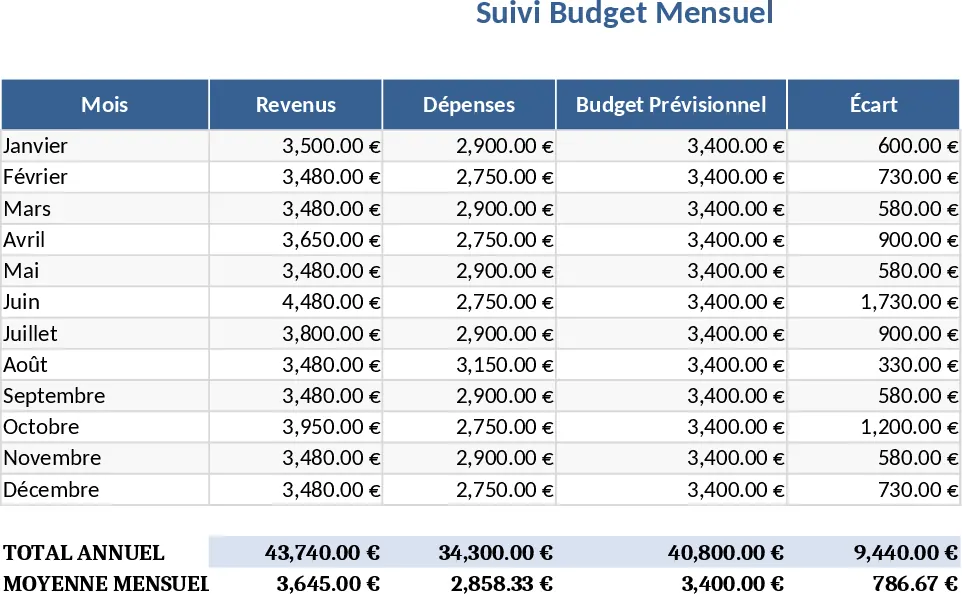
Monthly Budget Tracker with Savings Goals Template
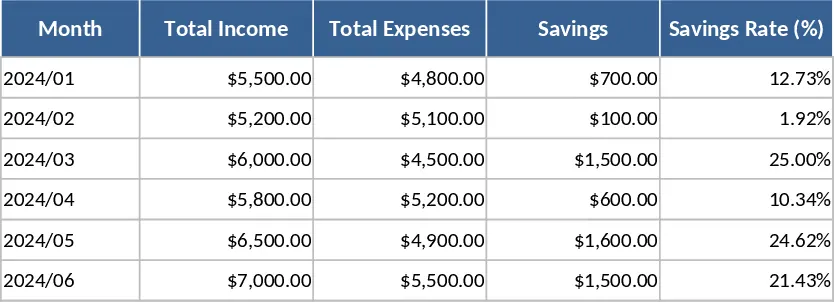
This Monthly Budget Template is organized into three main sheets: Income, Expenses, and Summary. The Income sheet lets you list every source of revenue for the month, including salary, freelance work, and any other cash inflows, with columns for date, description, and amount. The Expenses sheet is divided by predefined categories such as Housing, Transportation, Food, Utilities, Entertainment, and Miscellaneous; each row captures the date, vendor, description, amount, and a dropdown to select the appropriate category. The Summary sheet automatically aggregates the data, showing total income, total expenses, net cash flow, and a visual pie chart of expense distribution, plus a savings tracker that compares actual savings against a target you set.
Designed for anyone who wants a clear picture of their personal finances, this template solves the common problem of scattered receipts and ad‑hoc spreadsheets. By consolidating all monetary movements in one place, you can quickly spot overspending, identify trends, and adjust your budget without digging through multiple documents. It saves time on manual calculations and reduces the risk of errors, giving you confidence that your financial picture is accurate and up‑to‑date.
The template is ideal for individuals, couples, or small households who need a straightforward way to manage money each month. Whether you’re planning to cut costs, save for a big purchase, or simply stay on top of bills, the tool provides the structure and visual feedback needed to make informed decisions. It also works well for freelancers who have irregular income streams and need to balance cash flow month by month.
How to use:
- Open the workbook and go to the Income sheet. Enter each income entry with the date, description, and amount; the total will update automatically.
- Switch to the Expenses sheet and fill in every expense, selecting the appropriate category from the dropdown list. Add new rows as needed.
- Set your monthly savings goal on the Summary sheet. The template will calculate the difference between your net cash flow and the goal, highlighting any shortfall or surplus.
- Review the visual charts and summary totals to see where your money is going and adjust future spending accordingly.
Expected benefits include a noticeable reduction in the time spent reconciling accounts each month and a clearer understanding of spending patterns, helping you stay on track with your financial goals.
Similar Templates Recommendation
March Monthly Budget Planner Template
Track your March income, expenses, savings and investments with a ready‑made budget spreadsheet featuring summary tables and a donut chart.
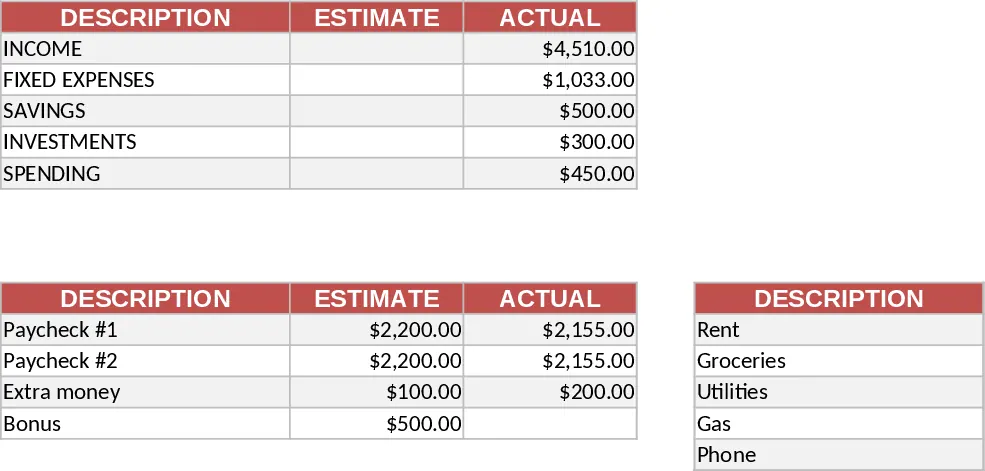
Couple Budget and Cash Flow Tracker Template
Track monthly income, expenses, and cash flow for a working couple, visualize budgets and savings goals in one spreadsheet.

Monthly Budget Planner with Assets Tracker Template
A ready‑to‑use Excel budget planner that tracks monthly income, expenses, and net cash flow while also monitoring your assets and liabilities in a dedicated wealth tab.