Supplier Management & Invoice Tracking Dashboard Template
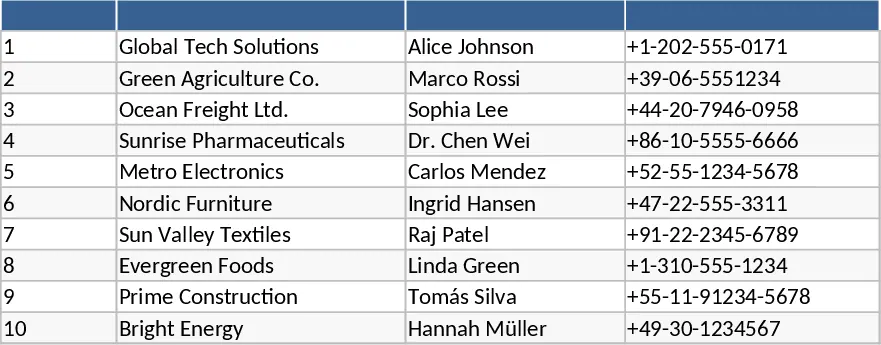
This Excel template brings together supplier master data, purchase orders, and invoice records into a single, well‑structured workbook. It contains four main sheets: Fornitori (supplier master list), Ordini (order log), Fatture (invoice register) and Dashboard (KPI summary). Each sheet uses clear column headings – for example, the Fornitori sheet captures ID, company name, tax ID, address, contact details, payment terms, rating and notes. The Ordini sheet links to suppliers via a dropdown‑filled ID_Fornitore and records product, quantity, unit price, total, delivery date and order status. The Fatture sheet ties each invoice to both a supplier and an order, storing amounts, due dates, payment status and comments. The Dashboard sheet automatically calculates key metrics such as total revenue per supplier, open/over‑due invoice counts, average payment time, and the top‑5 suppliers by turnover, and visualises them with monthly trend charts and payment‑timeliness gauges.
Designed for finance teams, procurement officers, and small‑business owners, the template solves the common headache of juggling separate supplier lists, order logs, and invoice trackers. By centralising data and using VLOOKUP and slicer filters, users can instantly see how each supplier contributes to spend, spot overdue payments with colour‑coded flags, and monitor cash‑flow health. The built‑in KPI dashboard turns raw numbers into actionable insights, helping you negotiate better terms, prioritise high‑value suppliers, and reduce late‑payment penalties.
The workbook helps you track supplier performance, manage order‑to‑invoice cycles, and produce concise reports for management review. Automated calculations eliminate manual summations, while dropdowns and slicers make data entry error‑free. Each supplier also gets a dedicated sheet that filters their specific orders and invoices, summarises totals, and shows payment trend graphs – perfect for quick supplier‑specific reviews.
How to use
- Open the file and start by filling the Fornitori sheet with your supplier details; use the provided dropdowns for Category and Payment Terms.
- Record new purchase orders in the Ordini sheet, selecting the supplier ID from the dropdown; the sheet will auto‑populate supplier name via VLOOKUP.
- When you receive an invoice, enter it in the Fatture sheet, linking it to the corresponding order and supplier; the status column will turn green for paid or red for overdue.
- Switch to the Dashboard sheet to view refreshed KPIs and charts; use slicers to filter by month, supplier or payment status.
Expected benefits: streamlined data entry, faster month‑end close, clearer visibility into supplier spend and payment health, and less time reconciling separate spreadsheets.