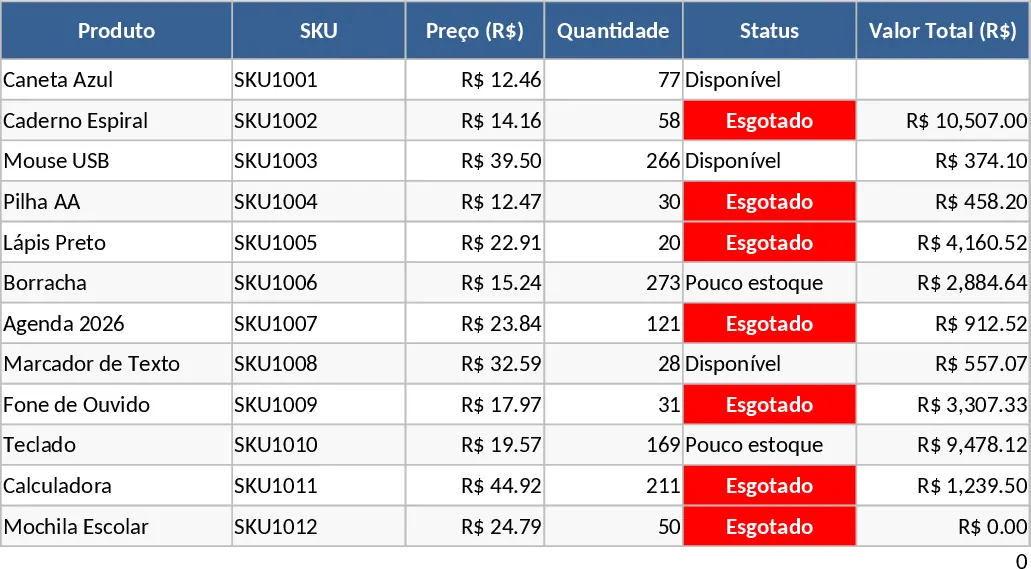
Inventory Sales and Production Tracker with Material Usage Template
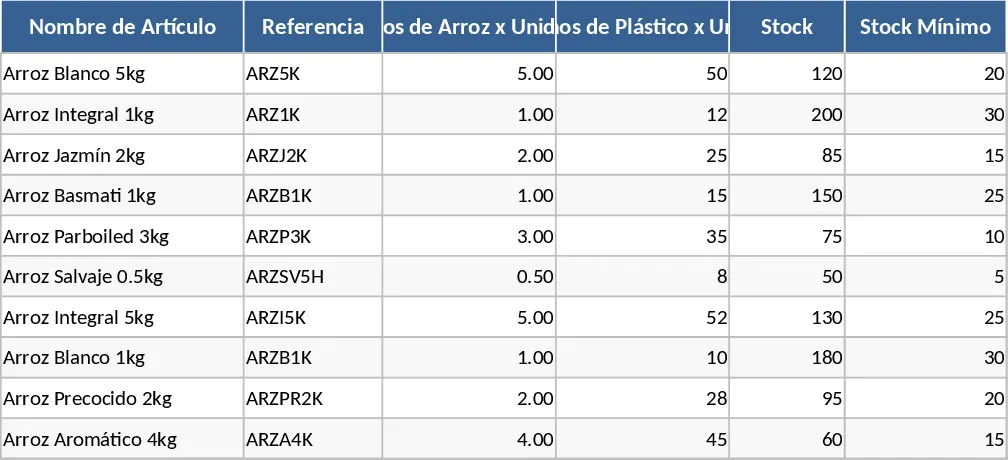
This comprehensive inventory and sales management tool is designed to streamline how you track products, materials, and financial performance in a single, integrated environment. At its core, the template features a robust product database where you can link item names to specific references, material weights—such as rice content or plastic packaging—and unit pricing. By centralizing this data, the spreadsheet eliminates the need for repetitive data entry and ensures that every sale or production update automatically reflects across your entire operation, providing a single source of truth for your business.
The template is particularly useful for businesses that need to monitor not just finished goods, but also the specific components or raw materials involved in their products. For instance, as you log sales, the system automatically calculates the total weight of materials used (like grams of plastic or kilos of rice) and the total revenue generated. This dual-layer tracking is essential for businesses focused on sustainability or those with strict material overheads. It also features a dynamic stock monitoring system that highlights items falling below their minimum required levels using conditional formatting. This solves the common problem of unexpected stockouts and provides a clear, visual picture of your material footprint and financial health in real-time.
Whether you are a small-scale food producer, a retail manager, or an operations lead, this template simplifies your daily workflow by automating the math behind your inventory. It provides a clear structure with dedicated sections for product setup, production logs, and sales records. The use of dropdown menus ensures data consistency, making it easy for anyone on your team to input data without errors. You no longer have to manually subtract sales from stock or calculate material totals; the template handles the logic so you can focus on growing your business.
How to use:
- Start by filling out the Product Master sheet with your item names, references, material weights, unit prices, and minimum stock thresholds to establish your database.
- Use the Production and Sales logs to record daily activities; simply select the item from the dropdown menu and enter the quantity to update stock levels instantly.
- Monitor the Inventory Summary sheet to see real-time stock levels, total material usage, and automated alerts for items that need restocking.
Expected benefits: This template significantly reduces manual calculation time and helps prevent inventory shortages through proactive alerting and automated material tracking.
Similar Templates Recommendation
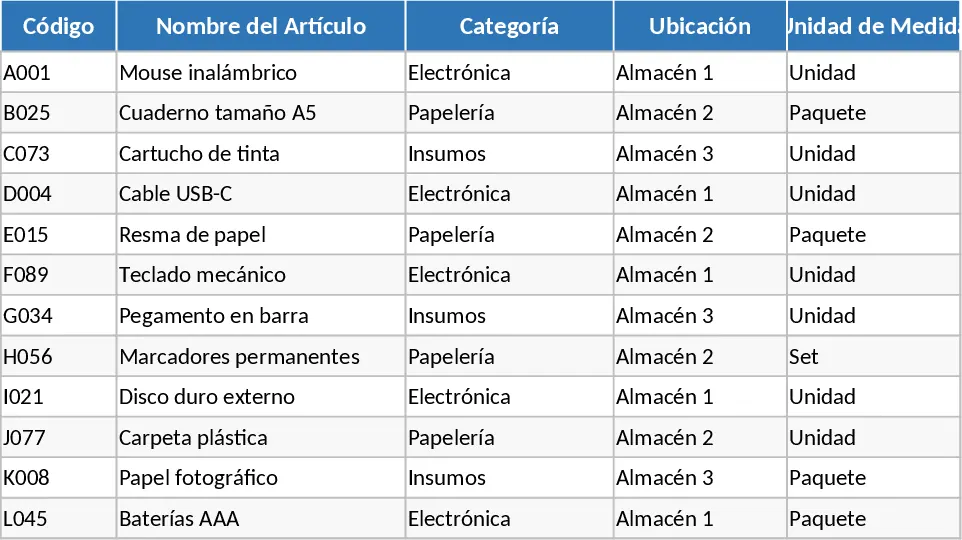
Complete Inventory Control and Database Template
Track stock levels, manage product movements, and maintain a complete supplier database to optimize your warehouse and inventory operations.
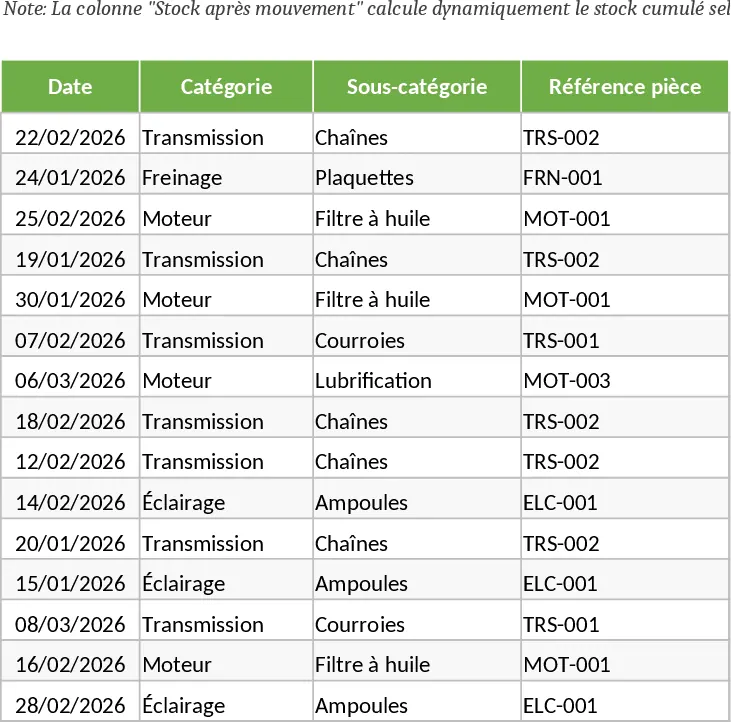
Motorcycle Spare Parts Inventory Management Template
Track motorcycle spare parts inventory, monitor stock levels with automated alerts, and manage purchase and selling prices efficiently.
Product Inventory and SKU Tracking Template
Track inventory levels, manage SKUs, and monitor stock status with this comprehensive product management template.