Product Inventory and SKU Tracking Template
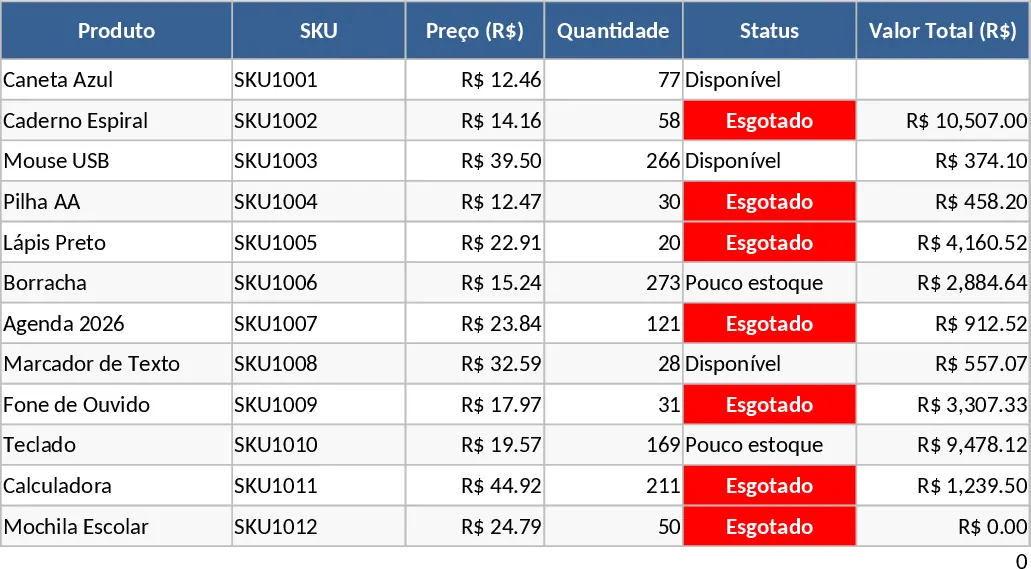
Effective inventory management is a critical component of operational success, and this Stock Control Table is designed to provide a comprehensive yet user-friendly solution for tracking your physical assets. The template is structured to handle a wide variety of product types, making it versatile enough for retail, wholesale, or internal supply management. At its core, the template features a primary data entry sheet where you can record specific details for every item in your catalog. Key fields include the Product Name for easy identification, a unique SKU for precise tracking, the Unit Price to monitor your investment, and the current Quantity on hand.
The primary benefit of using this template is the elimination of disorganized spreadsheets and paper logs. By centralizing your inventory data, you gain a clear overview of your business's health. The template includes a dynamic Status column that uses logic to categorize items—such as In Stock, Low Stock, or Out of Stock—based on the quantities you provide. This automation reduces the cognitive load on managers, allowing them to focus on strategic decisions rather than manual calculations. It solves the problem of hidden inventory costs and helps prevent the loss of sales due to unavailable products.
This template is ideal for business owners who are transitioning from basic lists to a more structured management system. It is also a valuable resource for department heads who need to track internal supplies or equipment. Whether you are managing a boutique clothing store, a hardware warehouse, or a corporate pantry, the ability to see exactly what you have and what it is worth is a game-changer for your daily workflow. The clear layout ensures that even team members with minimal technical skills can update the records accurately, fostering a culture of accountability and precision.
Beyond just tracking numbers, this tool helps you understand your product lifecycle. By observing how quantities change over time, you can identify your best-selling items and adjust your purchasing strategy accordingly. This leads to better cash flow management, as you can avoid over-investing in slow-moving stock while ensuring your top performers are always available for your customers.
How to use:
- Start by populating the Product and SKU columns with your current inventory list to create a master database.
- Fill in the Unit Price and the current Quantity for each item to establish your baseline inventory value.
- Update the Quantity column whenever a transaction occurs, such as a sale, a return, or the arrival of a new batch from a supplier.
- Use the built-in filters to sort by Status or Price, allowing you to generate quick reports for reordering sessions.
Expected benefits: Enhanced visibility into stock levels and a significant reduction in the time required for manual inventory reconciliation.
Similar Templates Recommendation
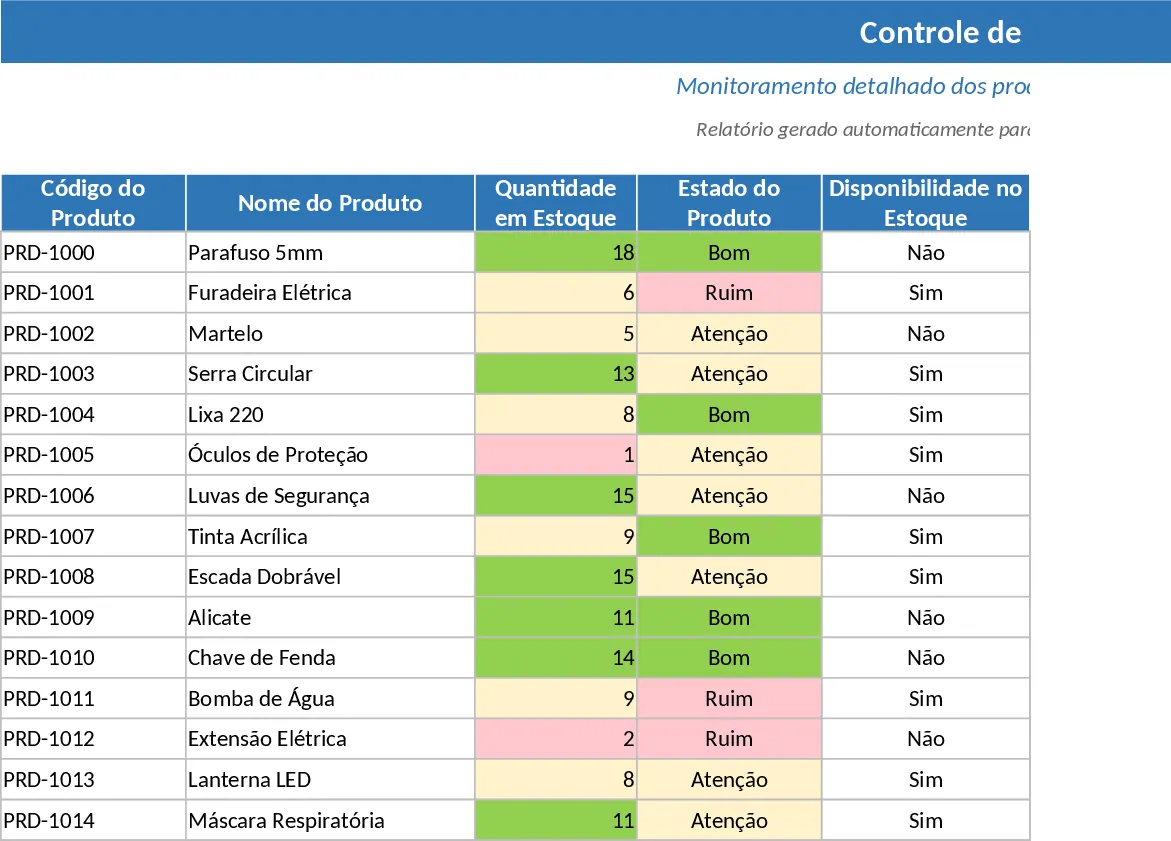
Automated Inventory Management and Reorder Alert Template
Track stock levels, manage product master data, and record transactions with automated summaries and reorder alerts to prevent stockouts.
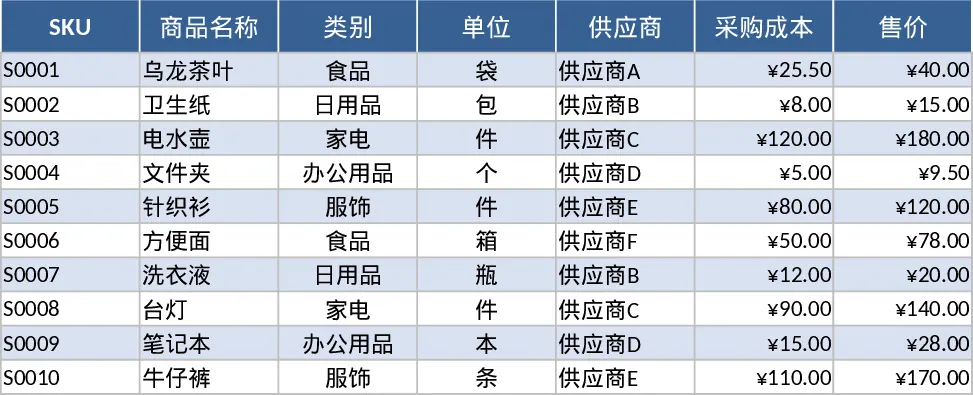
Complete Inventory Control and Database Template
Track stock levels, manage product movements, and maintain a complete supplier database to optimize your warehouse and inventory operations.
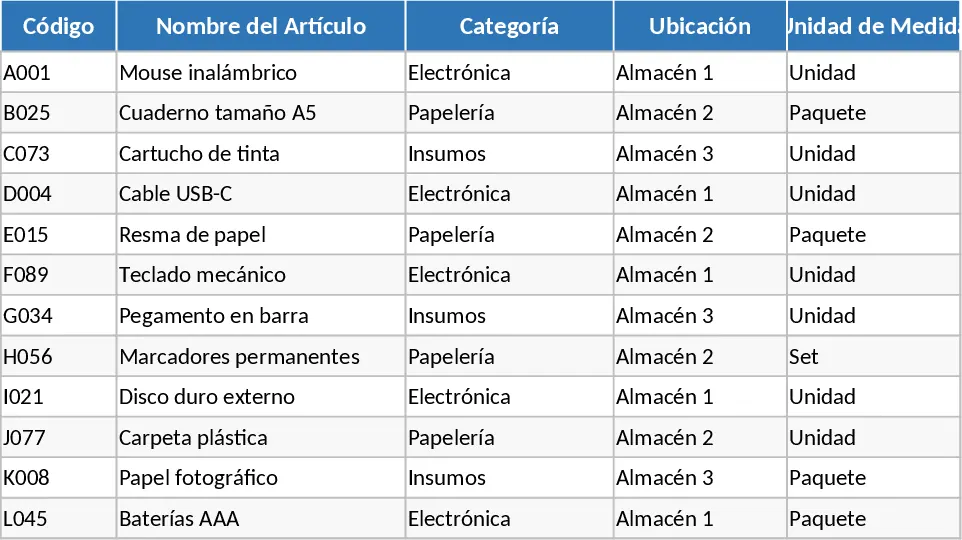
Automated Equipment and Materials Inventory Management Template
Manage equipment and materials with automated status alerts, stock level indicators, and a visual dashboard for efficient inventory control.