Automated Equipment and Materials Inventory Management Template
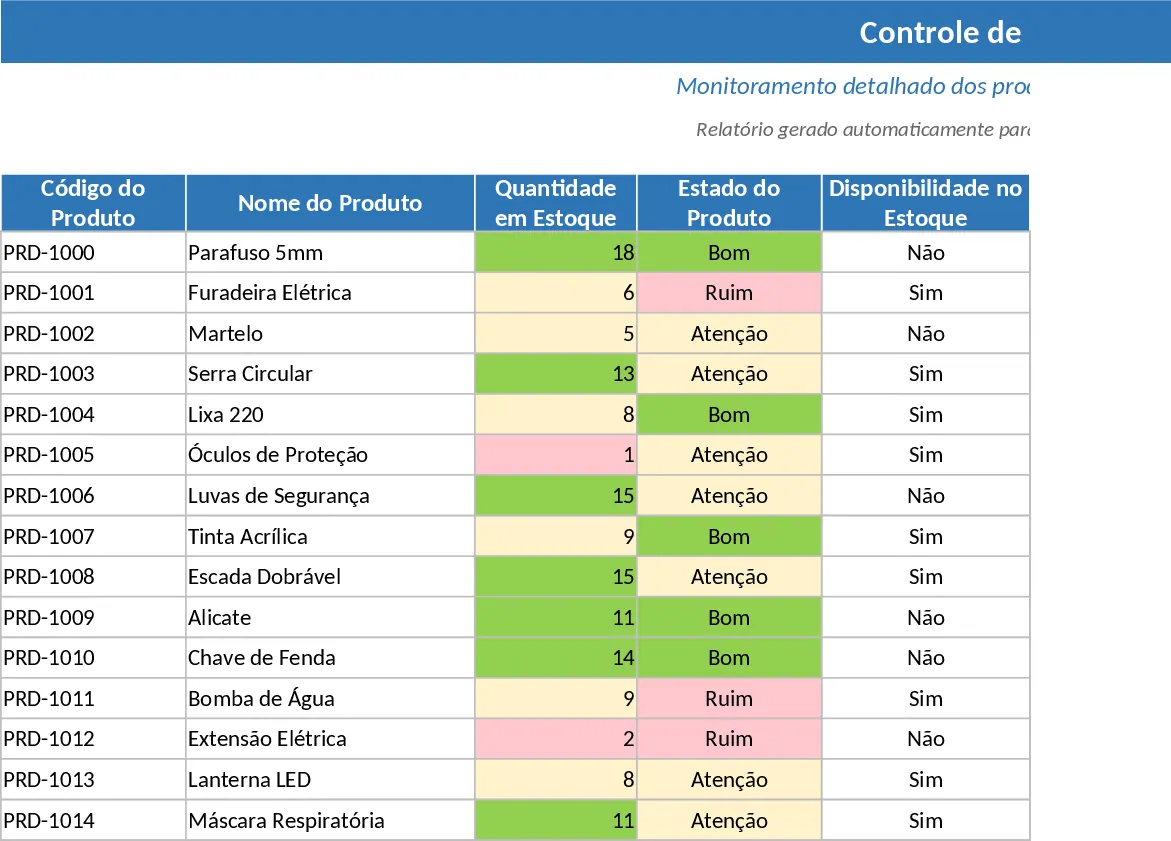
This professional inventory management template is designed to streamline how you track equipment and materials across your organization. It features a clean, modern layout with a dedicated dashboard area that provides an instant overview of your total assets, their current condition, and availability status. The core tracking sheet includes essential fields such as product codes, names, locations, and responsible personnel, ensuring every item is accounted for. With built-in dropdown menus for product states (Good, Attention, Bad) and availability, data entry becomes fast and error-free, while frozen headers keep your navigation smooth even as your list grows.
Managing stock manually often leads to oversight and stockouts. This template solves that by implementing an intelligent alert system. It uses color-coded conditional formatting to highlight items that need immediate attention—whether because they are in poor condition or because stock levels have dropped below critical thresholds. This proactive approach helps operations managers and warehouse staff identify replenishment needs before they become bottlenecks, ensuring that your team always has the tools they need to perform their jobs.
This tool is ideal for small to medium-sized businesses, warehouse supervisors, and office managers who need a reliable way to monitor physical assets without complex software. Whether you are managing IT hardware, construction tools, or office supplies, the integrated filters allow you to quickly drill down by responsible person, location, or item status. By centralizing this information, you eliminate the guesswork involved in inventory audits and improve accountability across your departments.
How to use:
- Start by entering your items in the main table, assigning unique product codes and names to each piece of equipment or material.
- Use the dropdown menus to select the current condition and availability, and enter the current quantity to trigger the automated color alerts.
- Update the Responsible and Location fields to maintain a clear chain of custody for every asset in your inventory.
- Monitor the Dashboard at the top of the sheet for a real-time summary of your stock health and total item counts.
Expected benefits: Using this template significantly reduces the time spent on manual inventory checks and helps prevent unexpected shortages through visual stock alerts.
Similar Templates Recommendation
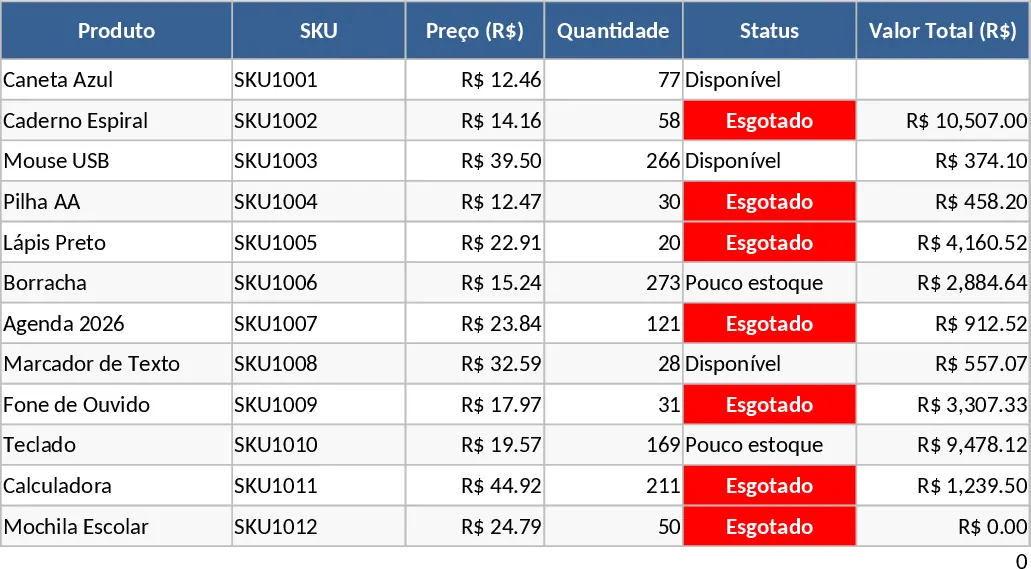
Inventory Control and Valuation with Stock Alerts Template
Manage product stock levels and financial values with automated visual alerts for low inventory and integrated VAT calculations.
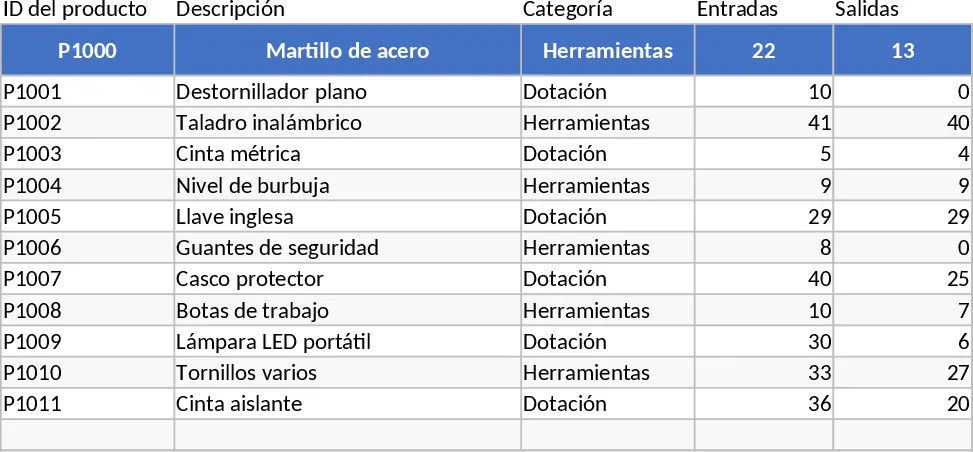
Used Spare Parts Inventory Template
Track and manage your stock of pre-owned spare parts with detailed logs for condition, location, and quantity to optimize maintenance workflows.
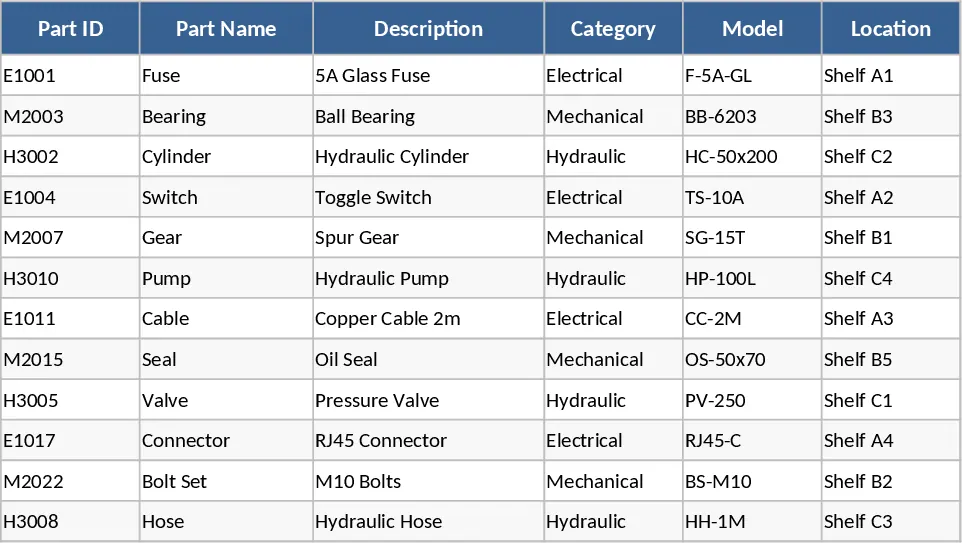
Product Inventory and SKU Tracking Template
Track inventory levels, manage SKUs, and monitor stock status with this comprehensive product management template.