Inventory Management Tracker with Stock Tracking Template
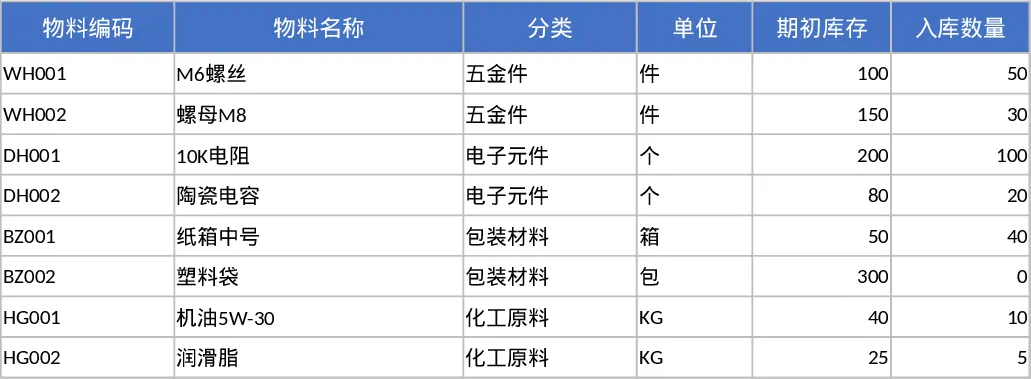
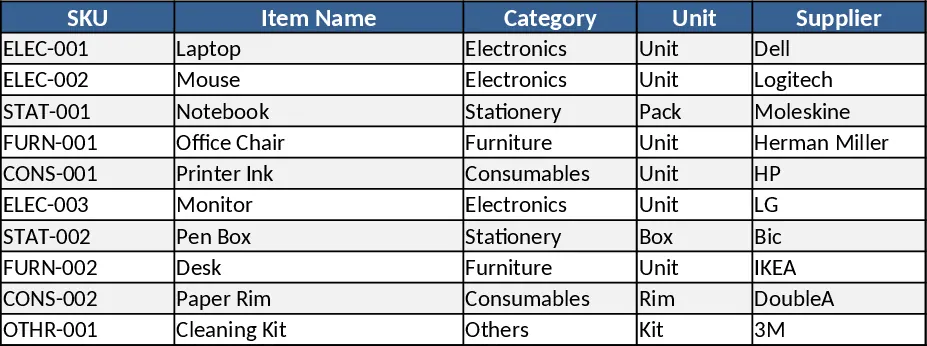
The Inventory Management template is organized into four main sheets: Inventory List, where you record each SKU, item name, category (chosen from a dropdown), unit cost, current quantity, and location; Transactions, where inbound shipments and outbound sales are logged with dates, quantities, and source/destination details; Reorder Settings, where you define safety stock, reorder points, and preferred suppliers for each product; and a Dashboard that pulls key metrics together, showing total stock value, low‑stock alerts, turnover rates, and a visual summary of stock by category.
By centralizing all inventory data, the template eliminates the need for scattered spreadsheets or manual counts. It instantly highlights items that have fallen below their reorder threshold, helps you plan purchases before stockouts occur, and gives you a quick view of the overall health of your inventory. This reduces the risk of lost sales, minimizes excess holding costs, and streamlines the ordering process, making daily stock control far more efficient.
The tool is ideal for warehouse supervisors, small‑business owners, retail managers, and procurement teams who need a reliable way to keep tabs on product availability. Whether you run a single store or manage multiple storage locations, the template adapts to your workflow, providing real‑time visibility into what you have, what’s moving, and what needs to be replenished.
How to use
- Open the Inventory List sheet and enter each product’s details – SKU, description, category, unit cost, and starting quantity.
- Record every receipt and issue in the Transactions sheet, selecting the appropriate SKU from the dropdown and entering the date and quantity.
- Set minimum stock levels and preferred suppliers in the Reorder Settings sheet for each SKU.
- Switch to the Dashboard to see current stock totals, low‑stock warnings, and inventory value at a glance.
Expected benefits: faster stock checks, fewer manual errors, and smoother ordering cycles, freeing up time for strategic tasks.
Similar Templates Recommendation
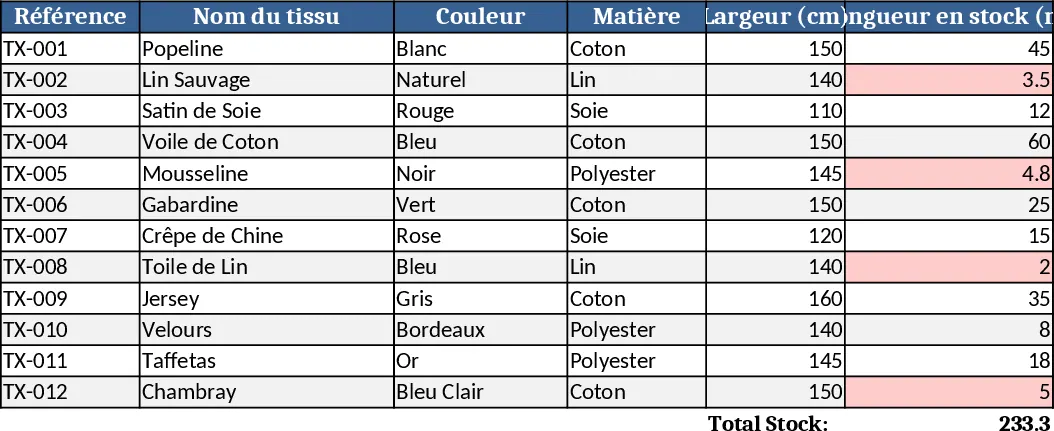
Fabric Shop Inventory Management with Dashboard Template
Track fabric stock, colors, patterns, suppliers and sales in one Excel workbook to keep your boutique organized and avoid stockouts.
Three‑Sheet Inventory Management Template
Track product details, record stock movements, and view real‑time inventory summaries with three linked sheets and sample data.
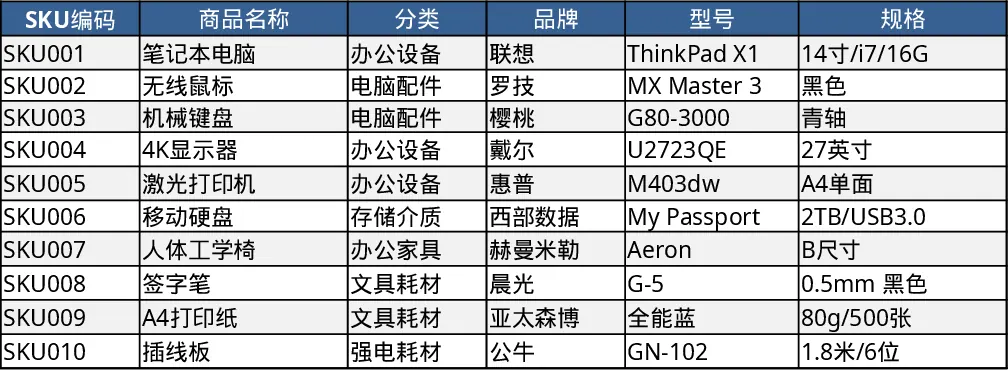
Comprehensive Inventory Management Tracker with Sample Data Template
Track items, movements, and stock levels with automatic reorder alerts in a three‑sheet Excel template.