

Weekly Fleet Management and Project Vehicle Assignment Template
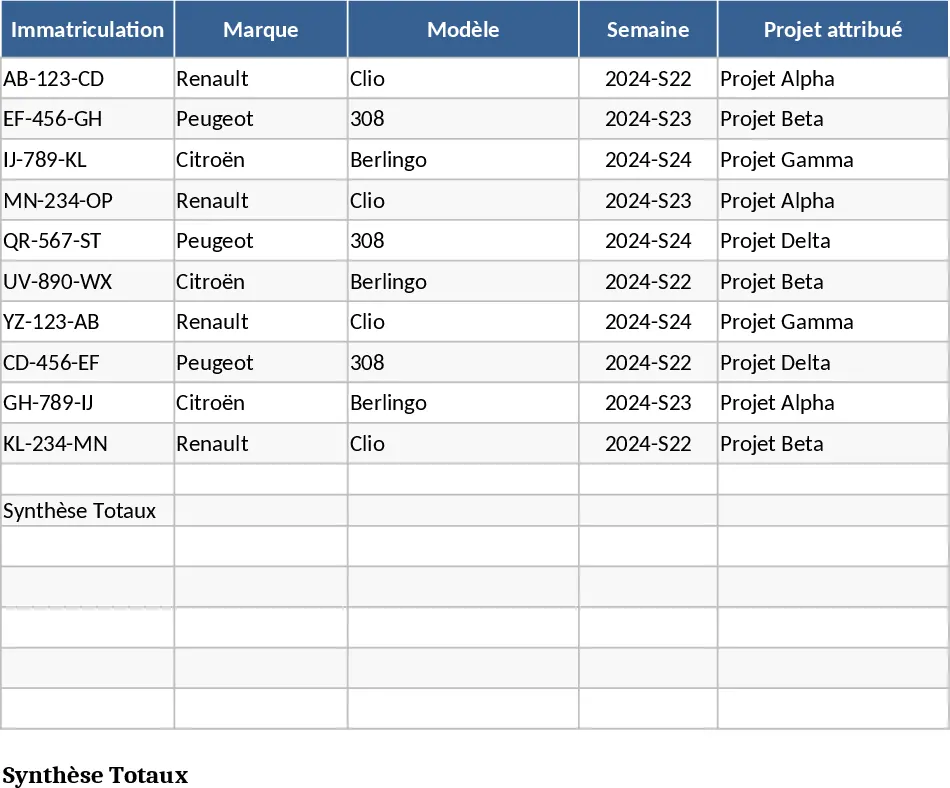
This comprehensive fleet management template provides a highly structured and interactive way to coordinate vehicle distribution across multiple projects. Designed for organizations that manage a rotating car park, the template features a centralized database for your entire vehicle inventory alongside a dynamic weekly scheduling system. By utilizing intuitive dropdown menus for vehicle selection and project assignment, the template eliminates manual entry errors and ensures that every asset is accounted for. The core functionality revolves around matching your available fleet with the specific demands of various projects, allowing you to monitor the number of vehicles required versus the actual allocation in real-time. This ensures that no project is left without the necessary transport and that your fleet is utilized to its maximum potential.
The tool is particularly useful for logistics managers, site supervisors, and operations coordinators who need to juggle limited resources across various locations, construction sites, or service areas. Instead of relying on fragmented spreadsheets or static lists, this template offers a clear visual representation of your fleet's availability over a specific timeline. It solves the common headache of double-booking vehicles and provides a reliable historical record of usage, which is essential for both maintenance planning and accurate project cost accounting. By centralizing this data, you can quickly identify which projects are over-resourced and which are facing shortages, allowing for immediate adjustments to keep operations running smoothly without the need for complex software.
The template is organized into several key sections to facilitate a smooth workflow. The Inventory sheet acts as your master list, where you record vehicle details such as make, model, license plate, and current status. The Project Requirements section allows you to define exactly how many cars each project needs for any given week of the year. The main Allocation sheet is where the daily management happens: using data validation and dropdowns, you can assign specific cars to projects for specific weeks. Summary views and status indicators provide instant feedback on whether your project quotas are being met, highlighting discrepancies automatically so you can reallocate resources as needed. This systematic approach helps in maintaining a clear chain of custody for every vehicle in your park.
How to use the template:
- Start by populating the Setup or Inventory sheet with your vehicle list and project names to enable the automated dropdown menus throughout the workbook.
- Enter the weekly vehicle requirements for each project in the demand planning section to establish your targets and criteria for success.
- Navigate to the Weekly Allocation sheet, select the current week number, and use the dropdown menus to assign available vehicles to the projects based on their specific needs.
- Review the automated summary tables and visual indicators to ensure all projects have the required number of cars and that no vehicle is assigned to two places at once.
By implementing this system, you can expect a significant reduction in administrative overhead and a much clearer overview of your operational capacity. This template streamlines your logistics workflow, significantly reducing the time spent on manual scheduling while improving the accuracy of resource distribution across your organization.
