Grade-Section-Student Dependent Dropdown Tracker Template
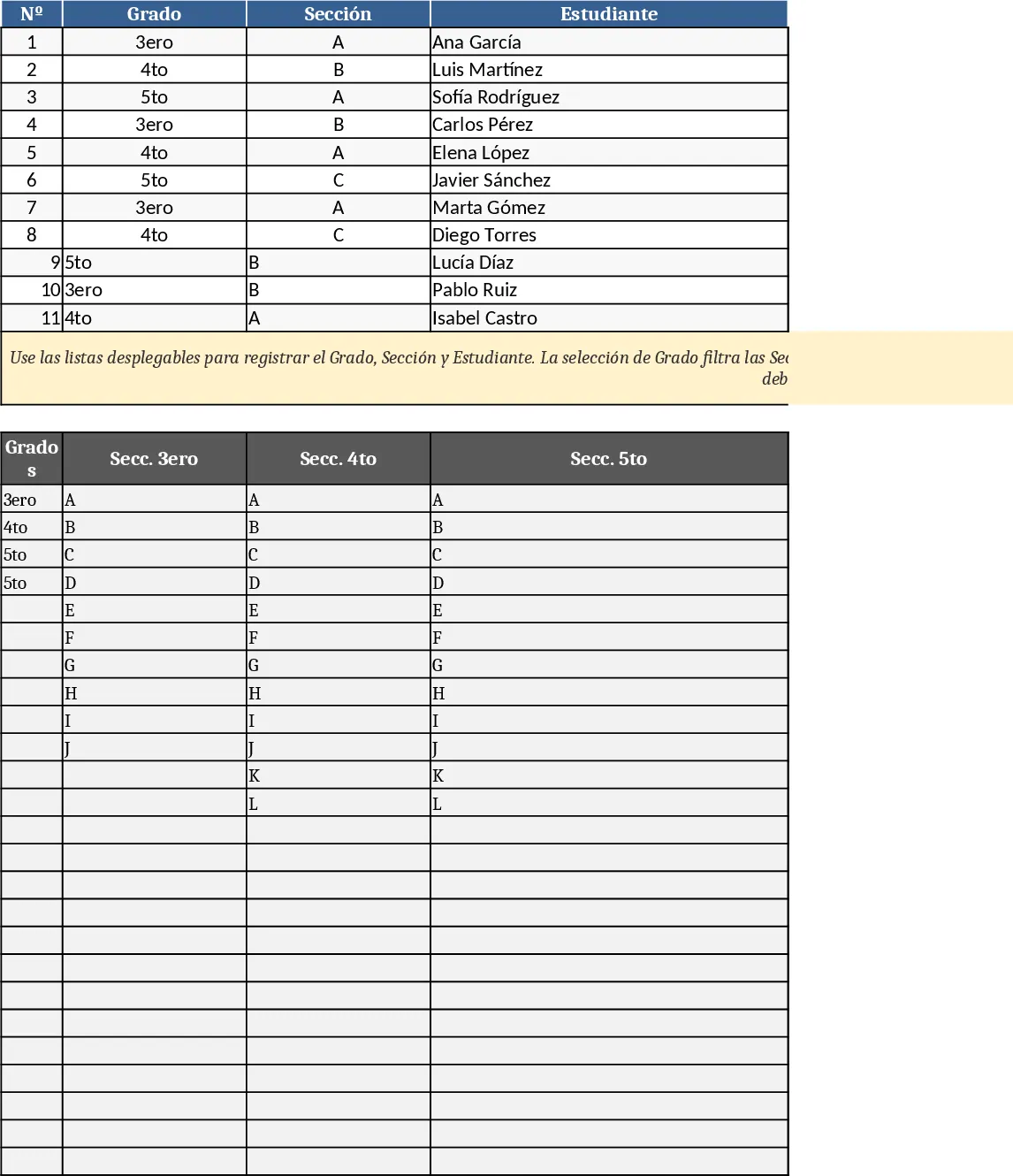
This Excel template is built for schools that need a clean, error‑proof way to log daily events. The workbook contains a single sheet with seven columns: Date, Grade, Section, Student Name, Academic Aide, Reason, and a free‑form Notes column. Columns 2 (Grade), 3 (Section) and 4 (Student Name) are linked through dependent dropdowns – pick a grade, and only the sections belonging to that grade appear; pick a section, and the student list narrows to those enrolled in that section. The dropdown lists are powered by hidden data tables that you can edit to add new grades, sections or students without touching formulas. At the top of the sheet a small summary table automatically counts entries per grade, highlights the most frequent reasons, and shows the total number of records entered for the selected date range.
The template solves the common problem of manual data entry errors and time‑consuming look‑ups. By restricting choices to valid combinations, it eliminates mismatched grade‑section‑student entries, ensuring clean data for reporting and analysis. Teachers, administrators, and support staff can quickly capture incidents, attendance notes, or any event that requires a date, class, and responsible aide, all while keeping the log consistent and ready for export to other systems.
Ideal for school secretaries, classroom teachers, or any education professional who needs to keep a daily register of student‑related activities. Whether you are logging disciplinary incidents, tutoring sessions, or health checks, the template adapts to any scenario where a grade‑section‑student hierarchy is relevant. It helps you track who was involved, why, and which staff member assisted, providing a clear audit trail for parents, auditors, or internal reviews.
How to use
- Open the workbook and go to the "Data Setup" hidden sheet to add or modify grades, sections and student names – just type them into the appropriate tables.
- Return to the main sheet and start entering a new record: select the date, choose the grade from the first dropdown, then the section and student name will appear automatically.
- Fill in the Academic Aide, Reason and any additional notes. The summary table at the top updates instantly.
- Save the file regularly; you can also filter or export the data for further analysis.
Expected benefits: you’ll spend far less time correcting entry mistakes, enjoy faster daily logging, and get instant insight into patterns without manual sorting.