Class 12 Student Information Dataset Template
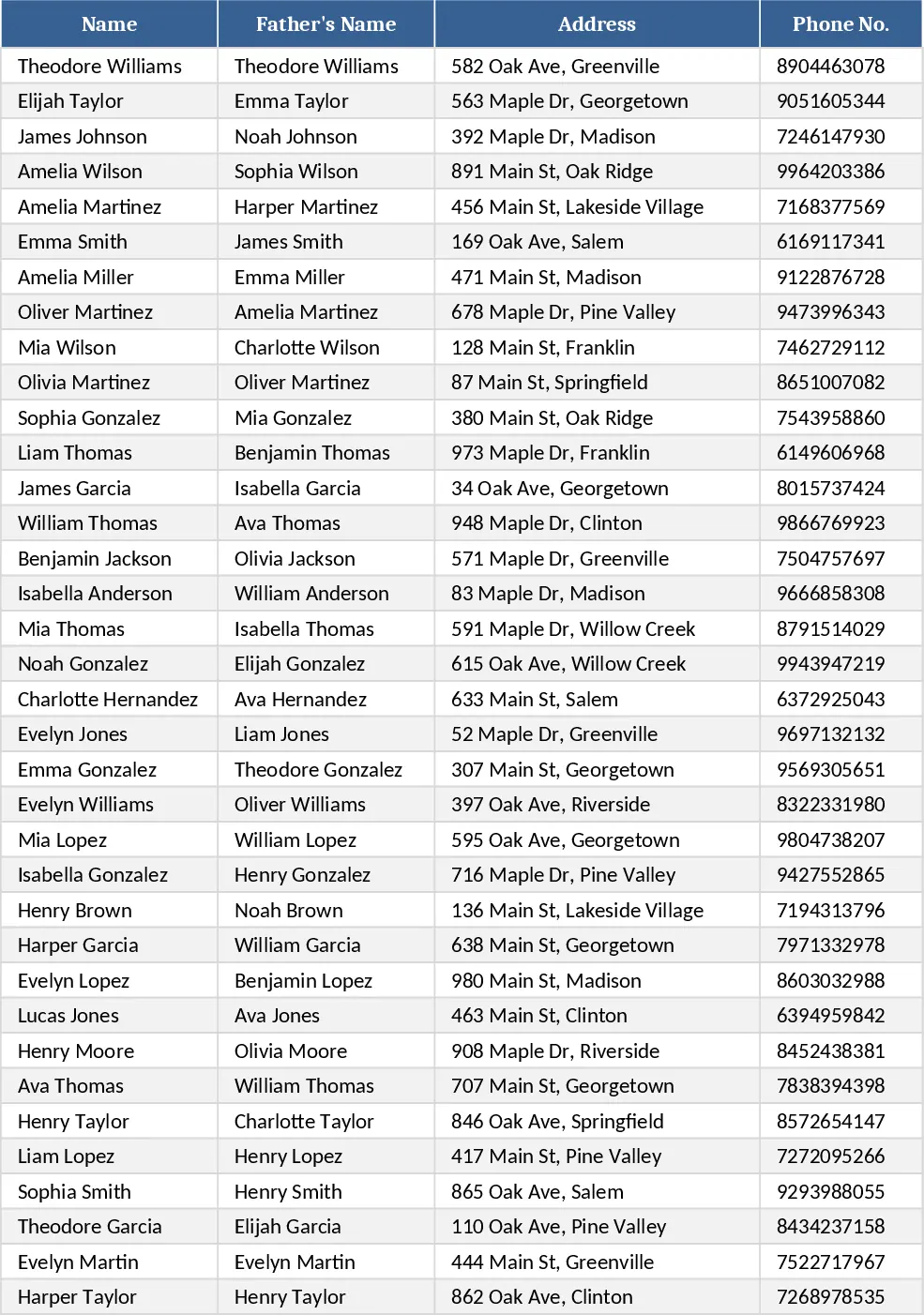
This Excel template is designed for schools that need a quick, organized way to capture the personal details of up to 100 Class 12 students. The workbook contains a single sheet titled "Student Register" with clearly labeled columns: Student ID, Full Name, Father's Name, Address, Phone Number, Date of Birth, Gender (with a dropdown for Male/Female/Other), and optional notes. The first row is locked as a header, and the sheet includes built‑in data validation to prevent duplicate IDs and ensure phone numbers follow a consistent format. At the bottom of the sheet a small summary table automatically counts total students, gender distribution, and shows a quick list of missing contact information.
Having this template solves the common headache of scattered paper forms or ad‑hoc spreadsheets that lack consistency. By standardising the fields and providing validation, data entry errors are reduced, and the school can generate class lists, contact sheets for parents, or compliance reports with a single click. It also speeds up the process of preparing for board examinations, parent‑teacher meetings, and emergency notifications, because all essential details are in one place and easily filterable.
The primary users are school administrators, class teachers, and data entry staff who need to maintain an up‑to‑date roster of their senior students. It is especially useful at the start of an academic year when new enrolments are recorded, or when the school needs to audit its records for accuracy. The template can be duplicated for multiple sections or streams, simply by copying the sheet and adjusting the "Class" label.
How to use
- Open the workbook and locate the "Student Register" sheet. The header row is already formatted; do not modify it.
- Enter each student's information in a new row, using the dropdown in the Gender column and the phone‑number format mask.
- After filling the data, use the built‑in filters on the header to sort or locate specific records.
- Review the summary table at the bottom; it updates automatically, showing total counts and any missing phone numbers.
Expected benefits include a noticeable reduction in time spent compiling student contact lists and fewer data‑entry mistakes, allowing staff to focus on teaching and student support rather than paperwork.