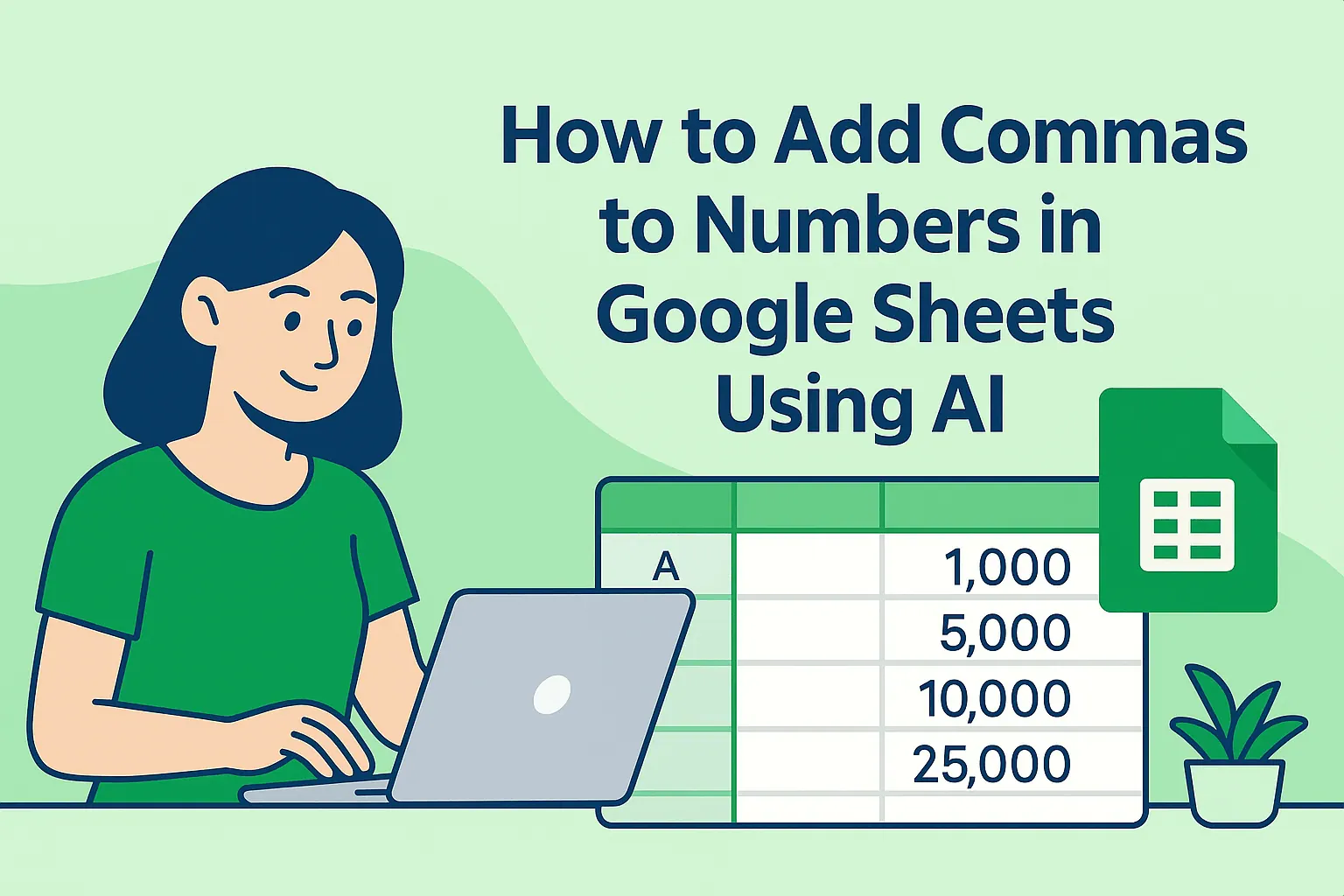
How to Add Commas to Numbers in Google Sheets (3 Simple Methods)

Ever stared at a spreadsheet where 1000000 looks identical to 10000? You’re not alone. In business, clean data presentation isn’t just nice-to-have—it prevents costly mistakes. Let’s fix those eye-straining numbers with commas (and I’ll show you how RowSpeak can automate this entirely).

Why Commas Matter More Than You Think

That tiny comma does heavy lifting:

  • Prevents misreads: $1,000,000 vs. $1000000? The first wins every time.
  • Boosts professionalism: Clients trust formatted reports.
  • Saves time: Your brain processes "1M" faster when commas guide it.

Method 1: One-Click Formatting (For Beginners)

  1. Highlight your number cells
  2. Click Format > Number > Number
  3. Boom—commas appear instantly

Pro Tip: This adds two decimal places by default. Want whole numbers? Try Method 2.

Method 2: Custom Formats (For Control Freaks)

Need currency symbols or zero decimals?

  1. Select cells
  2. Go to Format > Number > Custom number format
  3. Enter:
    • #,### for clean thousands
    • $#,### for dollar amounts
    • #,###.00 for precise decimals

Why it rocks: Apply once, reuse forever.

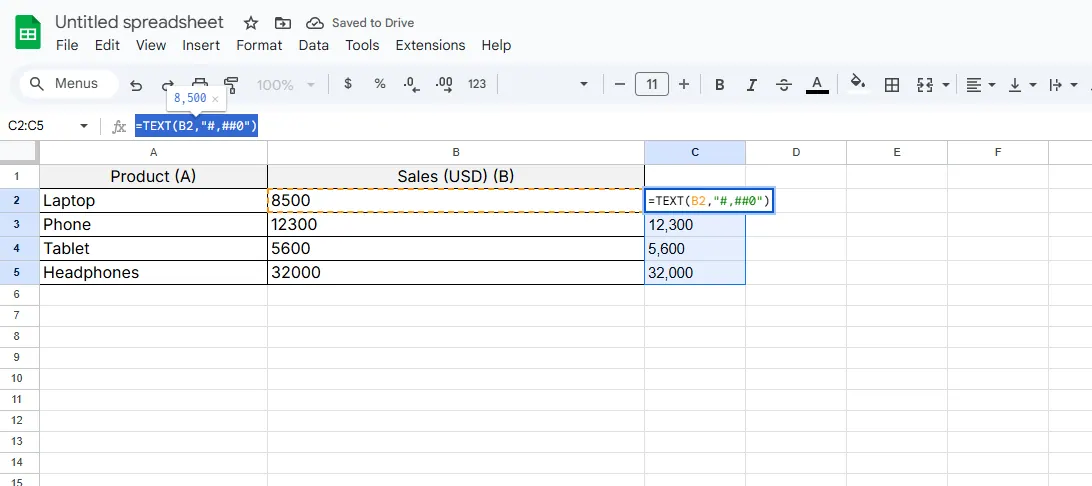
Method 3: TEXT Function (For Formula Lovers)

When you need numbers inside text (like "Revenue: $1,000,000"):

=TEXT(B2,"$#,###")  
1

Warning: Output becomes text—not ideal for calculations.

The Game-Changer: Let RowSpeak Do It Automatically

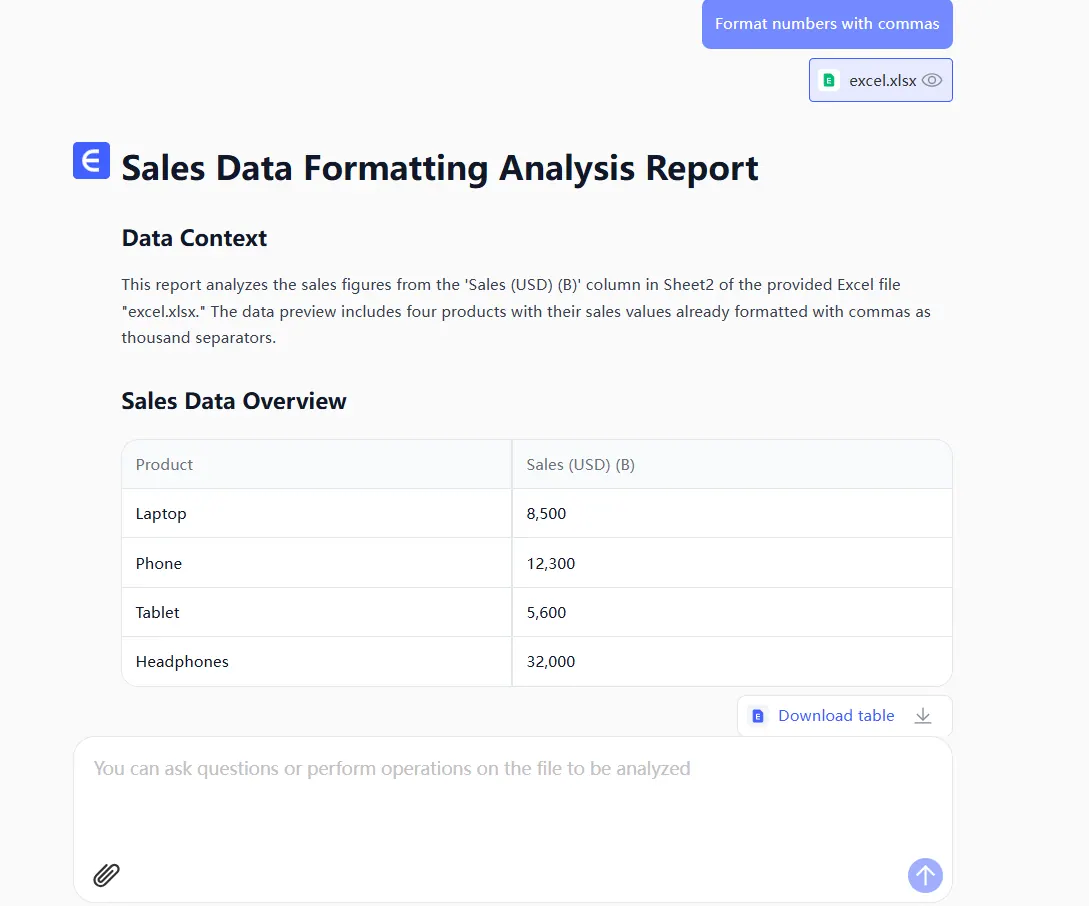
Here’s the secret most guides won’t tell you—manual formatting gets old fast. With RowSpeak:

  1. Import your raw data
  2. Say “Format numbers with commas”

say

  1. AI handles everything—no menus, no formulas
get

While others waste time clicking, you get:
✅ Auto-comma insertion
✅ Smart decimal detection
✅ Style consistency across reports

Real-world win: A SaaS team cut report prep time by 80% using RowSpeak’s auto-formatting.

Pro Troubleshooting

  • Commas missing? Check if cells are formatted as "Plain Text"
  • Wrong regions? Adjust locale settings (some countries use periods)
  • Mixed data? Use =IF(ISNUMBER(A1),TEXT(A1,"#,###"),A1)

When Perfection Matters

For mission-critical reports:

  1. Use RowSpeak’s batch processing to format entire workbooks
  2. Set up rules (e.g., “Add commas to all financial tabs”)
  3. Schedule auto-refreshes so new data formats instantly

Final Verdict

Manual methods work, but why babysit commas? RowSpeak not only formats numbers—it connects to your CRM, ad platforms, and databases to transform raw metrics into board-ready dashboards.

Try it free: See how 3,000+ teams automate their ugliest spreadsheet tasks.
Ditch Complex Formulas – Get Insights Instantly

No VBA or function memorization needed. Tell RowSpeak what you need in plain English, and let AI handle data processing, analysis, and chart creation

Try RowSpeak Free Now

Recommended Posts

How to Add Commas to Numbers in Excel (3 Simple Methods)
Excel Operation

How to Add Commas to Numbers in Excel (3 Simple Methods)

Struggling with hard-to-read numbers in Excel? Discover how commas can transform your data presentation with these simple formatting techniques.

Gianna
How to Add Commas to Numbers in Google Sheets Instantly Using AI
Excel Operation

How to Add Commas to Numbers in Google Sheets Instantly Using AI

Tired of squinting at endless rows of numbers? Discover how AI-powered solutions like RowSpeak can transform your Google Sheets data with smart comma formatting—no manual work required.

Gianna
How to Add Leading Zeros in Google Sheets (3 Simple Methods)
Excel Operation

How to Add Leading Zeros in Google Sheets (3 Simple Methods)

Struggling with disappearing zeros in your spreadsheet data? Discover professional techniques to maintain leading zeros in Google Sheets while keeping your data functional.

Gianna
How to Add an Apostrophe Before Numbers in Excel (3 Simple Methods)
Excel Operation

How to Add an Apostrophe Before Numbers in Excel (3 Simple Methods)

Struggling with Excel removing leading zeros? Discover how adding an apostrophe converts numbers to text - plus how RowSpeak automates this process instantly.

Gianna
How to Add Space in Google Sheets Cells: 7 Simple Methods
Excel Operation

How to Add Space in Google Sheets Cells: 7 Simple Methods

Struggling with cramped data in Google Sheets? Discover simple tricks to add breathing room between text and numbers - from keyboard shortcuts to powerful formulas.

Gianna
How to Add Sequential Numbers in Google Sheets (5 Easy Methods)
Excel Operation

How to Add Sequential Numbers in Google Sheets (5 Easy Methods)

Tired of typing numbers one by one? Whether you're managing inventory, tracking projects, or analyzing data, these Google Sheets hacks will automate your numbering in seconds.

Gianna
How to Add Text to Numbers in Excel: 5 Simple Methods (+AI Bonus)
Excel Operation

How to Add Text to Numbers in Excel: 5 Simple Methods (+AI Bonus)

Struggling to make your Excel data more readable? Discover how to seamlessly combine text and numbers using formulas, formatting, and even AI tools like RowSpeak.

Gianna
How to Add Multiple Lines in Google Sheets (3 Easy Methods)
Excel Operation

How to Add Multiple Lines in Google Sheets (3 Easy Methods)

Struggling with cluttered spreadsheets? Discover three simple ways to add line breaks in Google Sheets cells to keep your data clean and readable.

Gianna