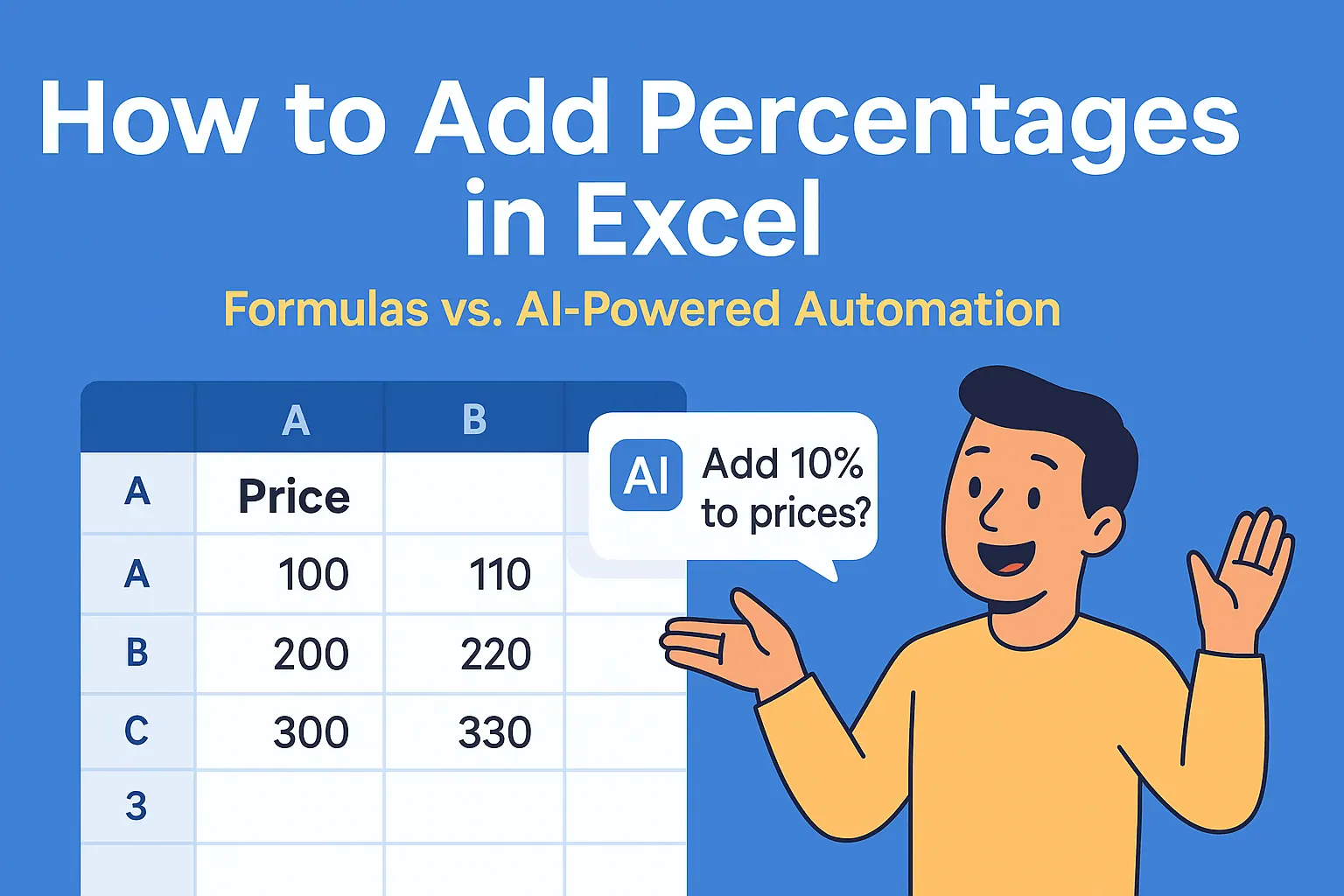
Let's be real - nobody loves typing out Excel formulas. What if you could just tell your spreadsheet what to do? That's where AI comes in. Tools like RowSpeak are revolutionizing how we work with data by letting you automate tedious tasks with simple commands.
Why Use AI for Excel Tasks?
Excel's SUM function is great, but when you're dealing with massive datasets, manual formulas become time-consuming. AI tools like RowSpeak offer three killer advantages:
- Speed: Describe what you need in plain English instead of writing formulas
- Accuracy: Eliminate human error in complex calculations
- Smart Assistance: Get help with advanced functions you might not know
RowSpeak takes this further by integrating AI directly into your spreadsheets - no switching between tabs or copy-pasting formulas.
Getting Started with RowSpeak
Unlike generic AI tools, RowSpeak is built specifically for spreadsheet work:
- Open RowSpeak: No separate app needed - works right in your browser

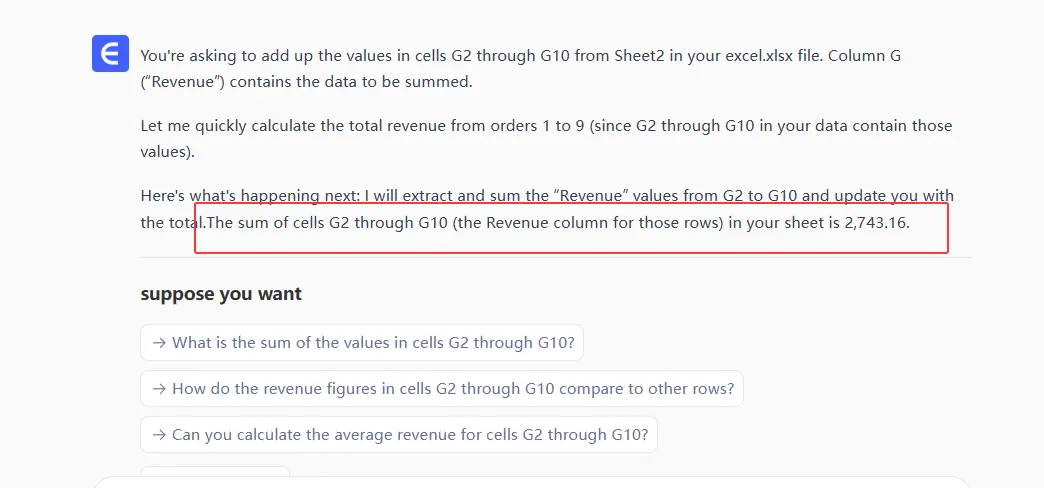
- Describe Your Task: Type what you need (e.g., "Add cells G2 through G10")
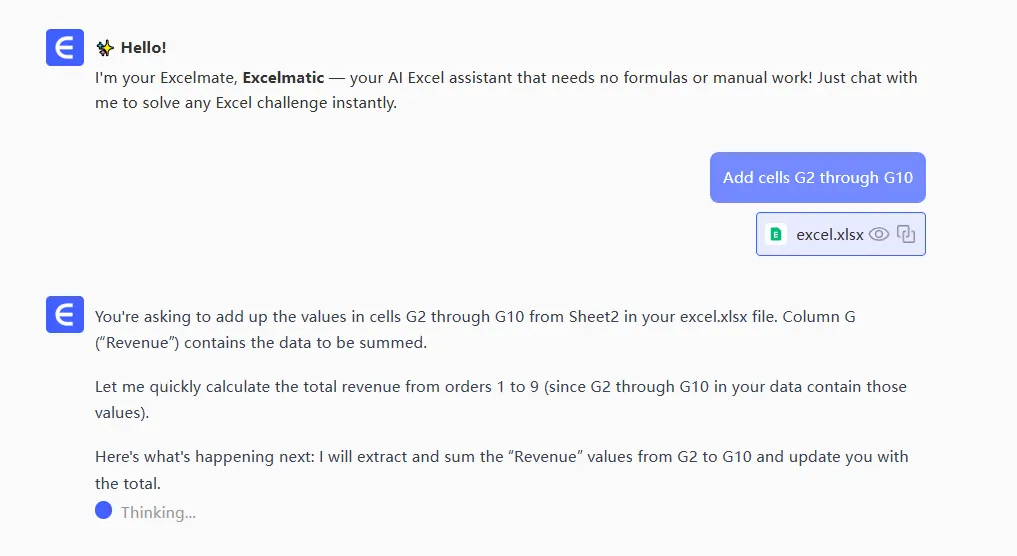
- Get Instant Result: RowSpeak generates correct result
Pro tip: The clearer your request, the better the results. Instead of "add numbers," try "sum all values in column B excluding the header."
Beyond Basic Sums: Advanced AI Assistance
RowSpeak handles way more than simple addition:
✅ Conditional sums: "Show total sales over $500"
✅ Multi-sheet calculations: "Combine data from January, February, and March sheets"
✅ Error handling: "Sum this column but ignore #N/A errors"
Here's the game-changer - RowSpeak learns your patterns. The more you use it, the better it gets at predicting your needs.
Common Pitfalls (And How RowSpeak Helps)
Even with AI, watch out for:
⚠️ Overly vague requests - RowSpeak works best with specific instructions
⚠️ Forgetting to verify - Always spot-check the first few results
⚠️ Missing Excel's built-in tools - Use RowSpeak alongside features like AutoSum
The beauty of RowSpeak? It explains each formula it generates, so you learn while you work.
Real-World Examples
Let's see RowSpeak in action:
Scenario 1: Basic Sum
You: "Add cells C3 to C12"
RowSpeak: =SUM(C3:C12)
Scenario 2: Conditional Sum
You: "Total sales where quantity is >100"
RowSpeak: =SUMIF(D:D,">100")
Scenario 3: Cross-Sheet Calculation
You: "Combine A1 from all Q1 sheets"
RowSpeak: =SUM(Jan:Mar!A1)
Why RowSpeak Beats Generic AI Tools
While ChatGPT can help with Excel, RowSpeak offers key advantages:
🔹 Spreadsheet-native: Works directly in your data environment
🔹 Specialized knowledge: Focused solely on spreadsheet tasks
🔹 Visual feedback: See formula results instantly
For teams handling regular data tasks, RowSpeak's AI assistant becomes an indispensable productivity booster.
Ready to Work Smarter?
Manual Excel work is so 2020. With AI tools like RowSpeak, you can:
• Cut formula time by 80%
• Reduce calculation errors
• Focus on insights instead of data entry
The future of spreadsheets is AI-assisted. Why not start today? RowSpeak offers a free trial so you can experience the difference firsthand.
About the author: As a growth manager at RowSpeak, I've seen how AI transforms spreadsheet work from tedious to terrific. Our mission? Make data analysis accessible to everyone - no advanced degree required.