Key Takeaways
- The Skill Shortcut: RowSpeak allows sales and marketing professionals to run advanced stats (like correlations or trends) by just asking a question.
- Accuracy Guarantee: Manual stats are prone to human error; Statistic AI automatically identifies outliers and cleans data before calculating.
- Instant Insights: Move from raw numbers to business decisions in seconds, rather than spending hours building pivot tables or scatter plots.
- Zero Math Required: You don't need to know what a "Standard Deviation" or "Regression" is to get the professional answers your business needs.
The Problem with Business Statistics
For sales managers, marketers, and small business owners, data is everywhere—but insights are hard to reach. Most people "guess" based on a quick glance at their spreadsheet because traditional statistical analysis feels like a math test.
Whether you need to know which marketing channel is actually driving sales or you want to predict next month's inventory, the technical barrier of Excel formulas usually gets in the way. Before you can even begin analyzing, you often find yourself stuck adding rows for new data or manually calculating differences between monthly reports.
Method 1: The Traditional Manual Way
To get professional statistical insights manually, you typically have to follow these grueling steps:
- Clean the Data: Manually search for empty cells or typos that might break your math.
- Enable Toolpaks: Navigate to File > Options > Add-ins to turn on the "Analysis Toolpak."
- Apply Complex Formulas: Memorize and type syntax like
=CORREL(A2:A500, B2:B500)or=STDEV.P(C2:C500). - Create Visuals: Highlight data, click Insert > Recommended Charts, and manually format a scatter plot or trendline.
- Interpret the Results: Try to figure out if a "Correlation Coefficient of 0.65" is actually good news for your business.
The Bottleneck: This process is slow, intimidating, and one small typo in a formula can lead to a massive strategic error.
Method 2: The RowSpeak One-Click Solution
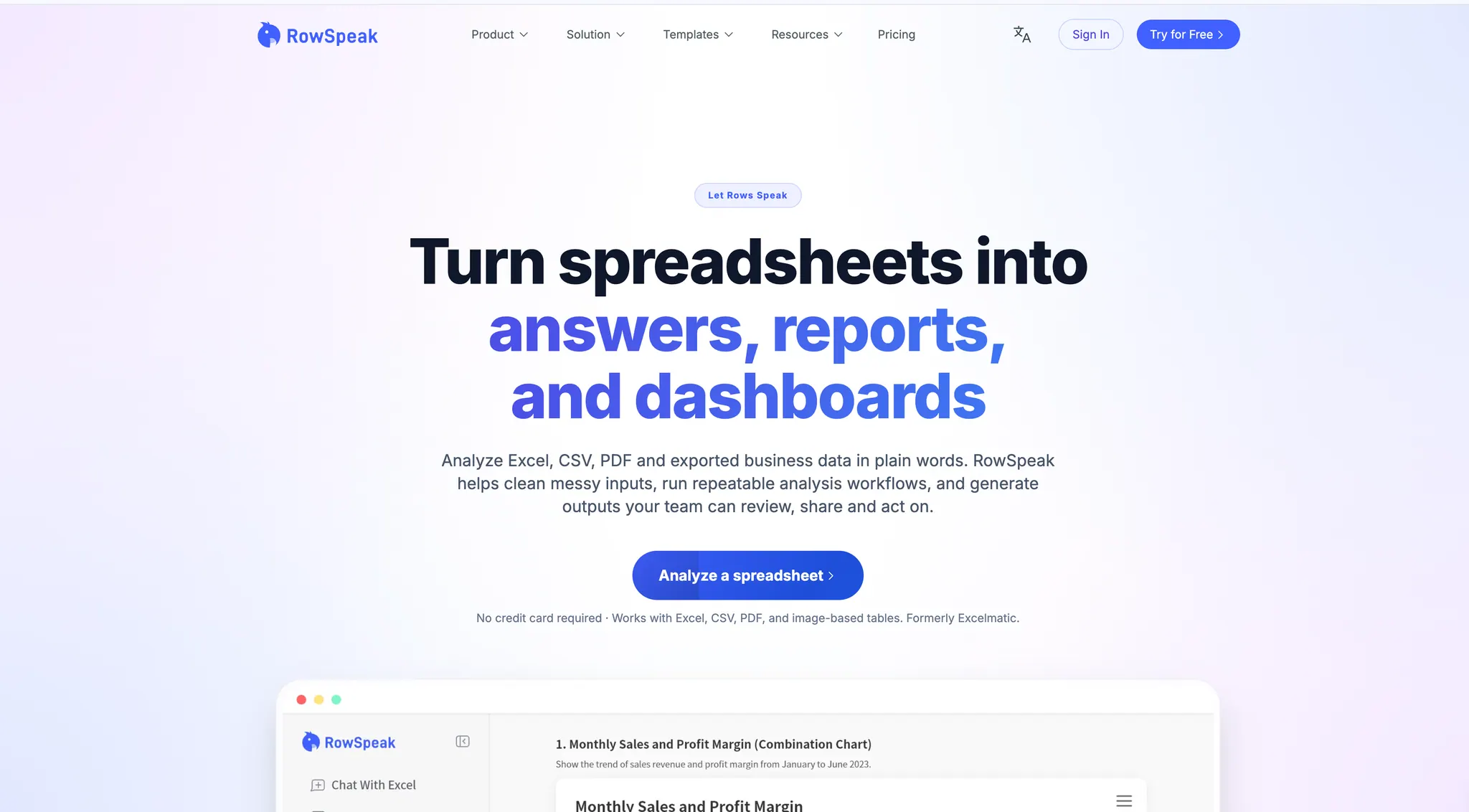
With RowSpeak, you don't need to be a data scientist. You act as the manager, and the AI acts as your statistician.
Why it’s better:
- No Syntax: Talk to your data like you talk to a colleague.
- Automated Logic: It knows to ignore "dirty data" that would cause a
#VALUE!error in Excel. - Decision-Focused: It doesn't just give you a number; it gives you an answer.
How to do it:
Upload: Drop your Excel file into the RowSpeak dashboard.
Input Instruction: Type a plain English command.
Identify the correlation between my Ad Spend and Website Traffic.
- Get Results: The AI instantly calculates the stats and provides a clear summary.
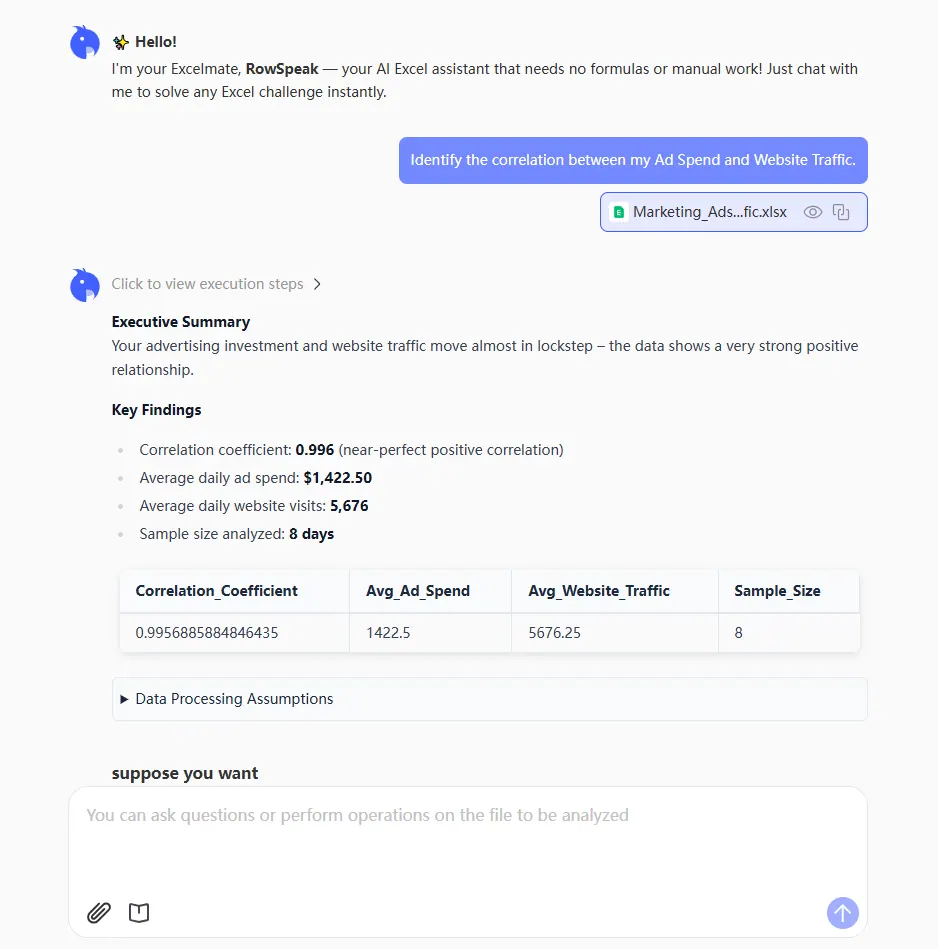
- Deep Dive for Business Decisions: Go further by asking for a visual or a forecast. For example, once you count your distinct customers, you can ask:
Now show this as a trend chart and predict our traffic for next month.
Comparison: Manual Stats vs. Statistic AI (RowSpeak)
| Feature | Manual Excel Method | RowSpeak (AI) |
|---|---|---|
| Effort | High (Learn formulas/menus) | Zero (Natural language) |
| Data Cleaning | Manual & tedious | Automatic & smart |
| Speed | 30-60 minutes | Under 10 seconds |
| Visuals | Manual chart building | One-click generation |
FAQ: Common Questions About Statistic AI
1. Do I need to understand statistics to use this? No. You only need to know what you want to achieve (e.g., "Which product is most popular?"). RowSpeak handles the math.
2. Can it handle messy sales data from different sources? Yes. RowSpeak is designed to handle "real-world" data, meaning it can account for missing entries or inconsistent formatting that would break standard Excel functions.
3. Will it help me make more money? By identifying which marketing efforts correlate most strongly with sales, you can stop wasting budget on underperforming channels and double down on what works.
Stop Guessing, Start Commanding
In a competitive market, the winner is the one who understands their data the fastest. You don't have time to become an Excel expert—you have a business to run. Let RowSpeak and Statistic AI handle the complexity while you focus on the growth.
🚀 Ready to Master Your Data?
Join the professionals using AI to turn spreadsheets into business growth.
Try RowSpeak Free Now