Key Takeaways
- Democratic Analysis: Statistic AI removes the "math tax," allowing anyone to perform high-level analysis without a degree in statistics.
- Conversational Logic: With RowSpeak, you don't need to know the name of a test (like T-test or ANOVA); you only need to know what you want to find out.
- Speed to Insight: What used to take hours of manual pivot tables and charting now takes seconds through a single prompt.
- Automated Accuracy: AI identifies outliers and cleans data before running stats, ensuring your conclusions are based on high-quality information.
The Barrier Between You and Your Data
For decades, "Statistical Analysis" was a gated community. If you didn't know how to code in R or spend hours nesting =STDEV.P() and =CORREL() functions in Excel, your data remained a mystery.
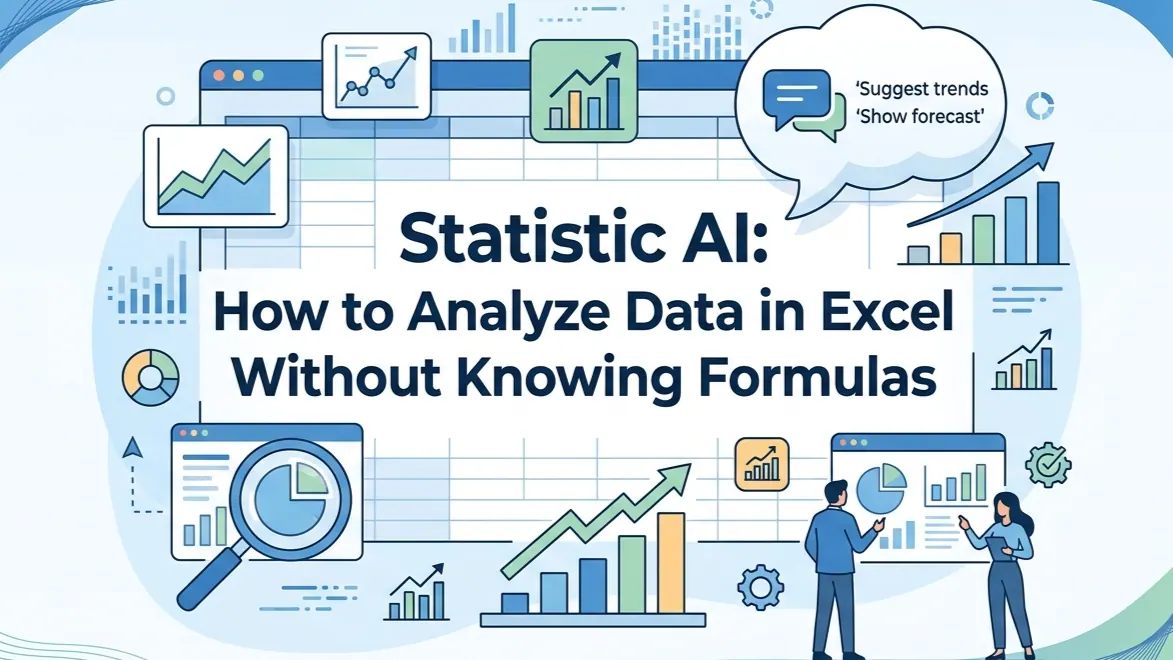
Enter Statistic AI. This technology bridges the gap between raw data and human decision-making. Instead of focusing on the mechanics of a formula, RowSpeak allows you to focus on the meaning of the result.
Phase 1: Descriptive Statistics (The "What Happened")
Before you can predict the future, you have to understand the present. Descriptive statistics summarize your current data, but manual methods often miss the "why."
The Traditional Way: You highlight a column, check the status bar for the average, and then manually create a histogram. If you miss an outlier, your entire average is ruined.
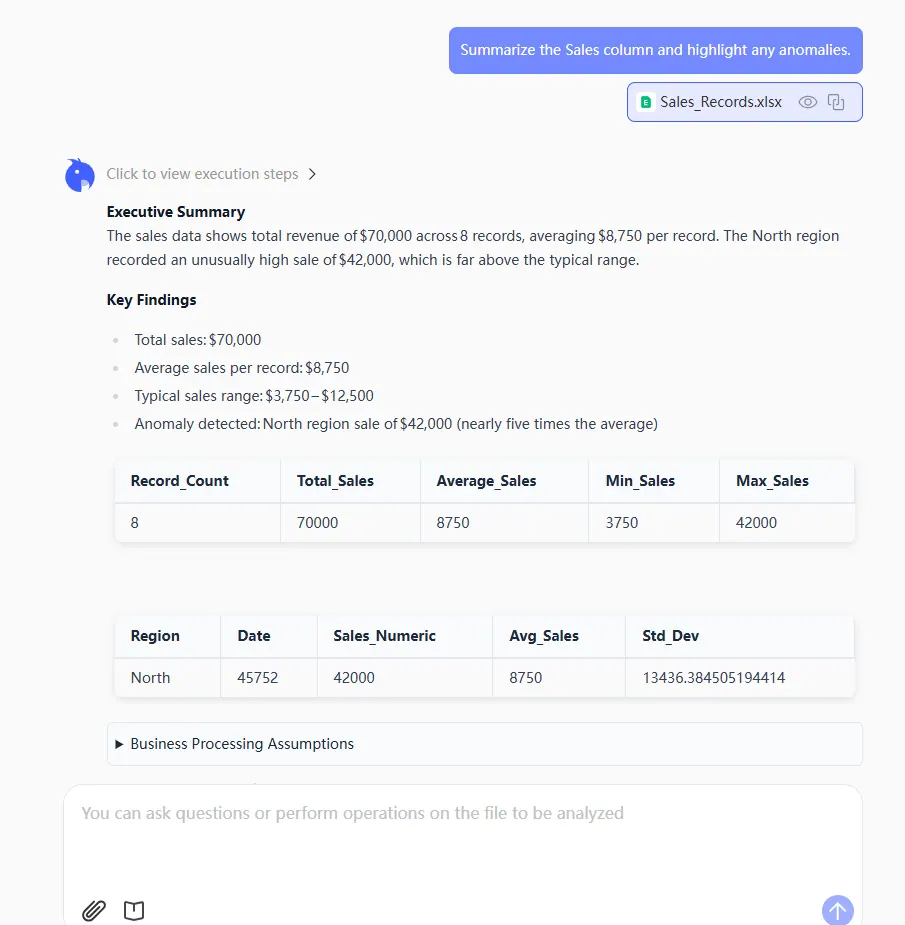
The RowSpeak Solution: Simply type a natural language command to get a comprehensive summary and anomaly report.
Prompt:
Summarize the Sales column and highlight any anomalies.
Phase 2: Correlation & Causality (The "Why it Happened")
One of the most powerful uses of Statistic AI is finding hidden links between different datasets—something that usually requires complex scatter plots and $R^{2}$ calculations.
The Traditional Way: You would use the Analysis Toolpak in Excel, run a correlation matrix, and try to interpret a technical coefficient between $-1$ and $1$.
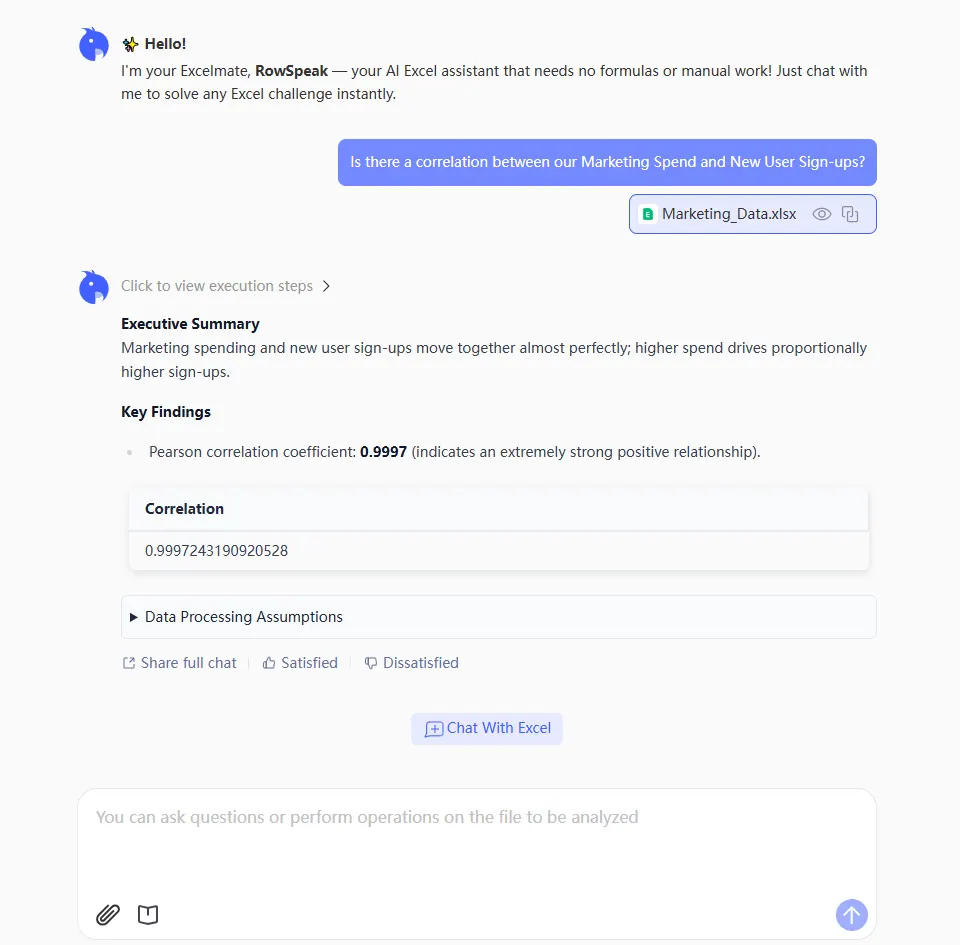
The RowSpeak Solution: Skip the math and ask the direct business question to reveal hidden relationships.
Prompt:
Is there a correlation between our Marketing Spend and New User Sign-ups?
Phase 3: Predictive Analytics (The "What’s Next")
This is where Statistic AI becomes a competitive advantage. Using historical data to forecast future trends used to be reserved for data scientists.
The Traditional Way: Predicting the future usually requires manually extending trendlines or building regression models that break when new data is added.
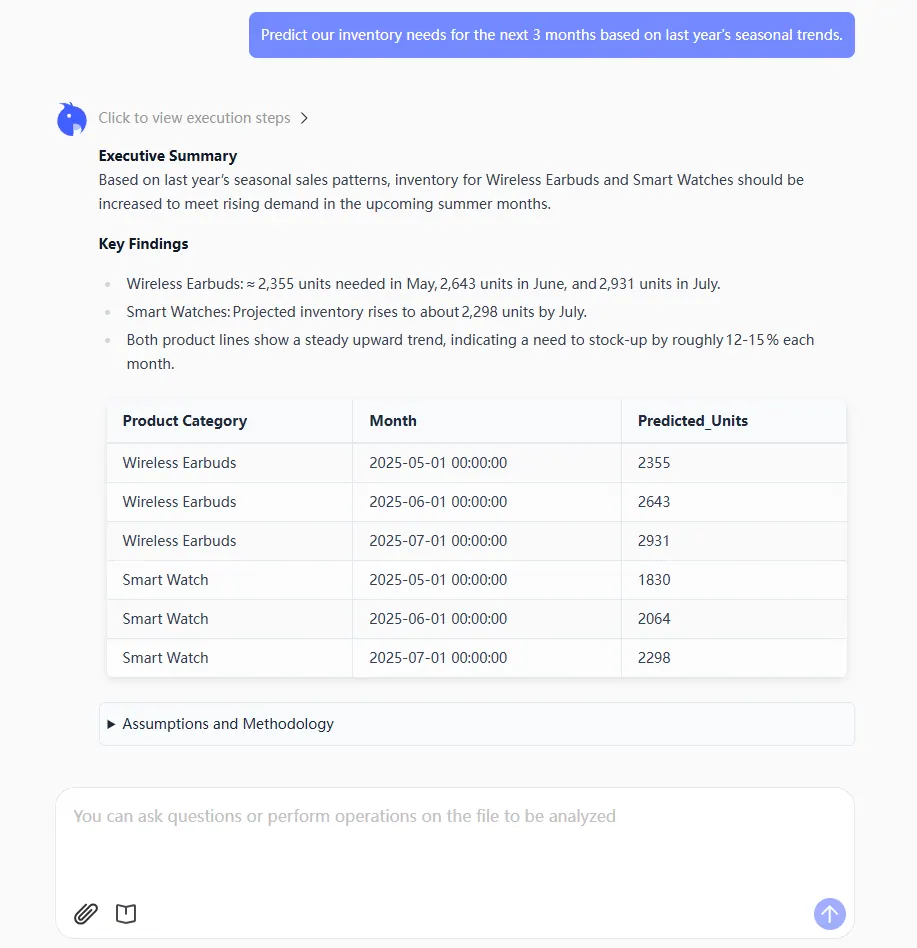
The RowSpeak Solution: RowSpeak understands "Trend Logic," allowing you to generate forecasts without knowing the underlying regression math.
Prompt:
Predict our inventory needs for the next 3 months based on last year's seasonal trends.
Comparison: Manual Stats vs. RowSpeak AI
| Task | Manual Excel Method | RowSpeak (Statistic AI) |
|---|---|---|
| Trend Discovery | Manual Charting + Trendlines | "What is the growth trend?" |
| Outlier Detection | Conditional Formatting + Eyes | "Find and remove anomalies." |
| Cross-Sheet Analysis | Complex VLOOKUP + CORREL |
"Compare Sheet A with Sheet B." |
| Complexity | High (Syntax dependent) | Zero (Conversation dependent) |
FAQ: Statistic AI & RowSpeak
1. Do I need to know statistical terms to use RowSpeak? No. That’s the point of Statistic AI. You can ask "How much does my data vary?" instead of asking for the "Standard Deviation."
2. Is AI statistics as accurate as manual formulas? Actually, it’s often more accurate. Manual formulas are prone to "human error"—like selecting the wrong range or forgetting to exclude empty cells. RowSpeak’s AI cleans the data contextually before calculating.
3. Can it handle large datasets?
Yes. While Excel might lag when running complex SUMPRODUCT or array formulas on 100,000 rows, RowSpeak processes the statistics in the cloud, giving you instant results without the spinning wheel of death.
Stop Guessing, Start Commanding
Statistical analysis shouldn't feel like a math test you're about to fail. With RowSpeak, you turn your spreadsheet into a consultant that speaks your language. Whether you are cleaning messy data or predicting the next big market shift, let Statistic AI do the heavy lifting.
🚀 Ready to Unlock the Secrets of Your Data?
Stop fighting with formulas and start getting answers.
Try RowSpeak Free Now