Task Tracker with Due Dates and Auto‑Sort and Dashboard Template
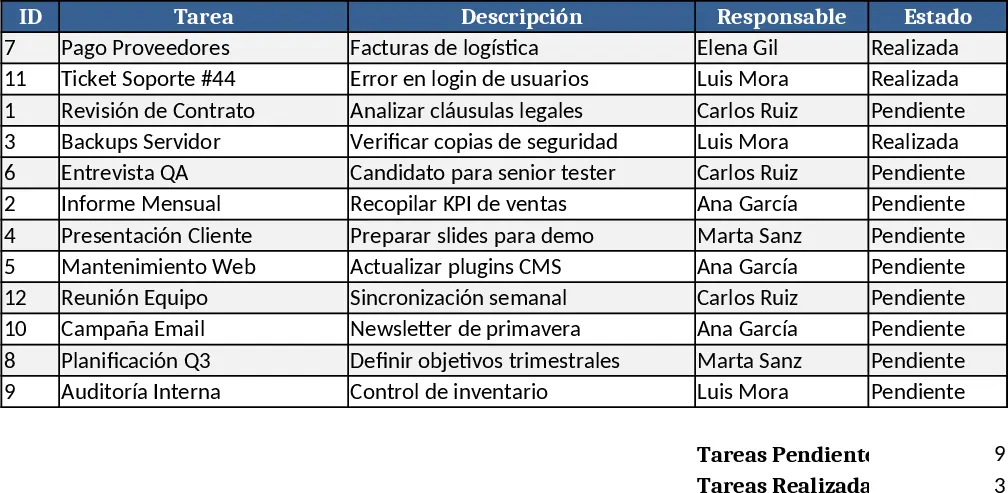
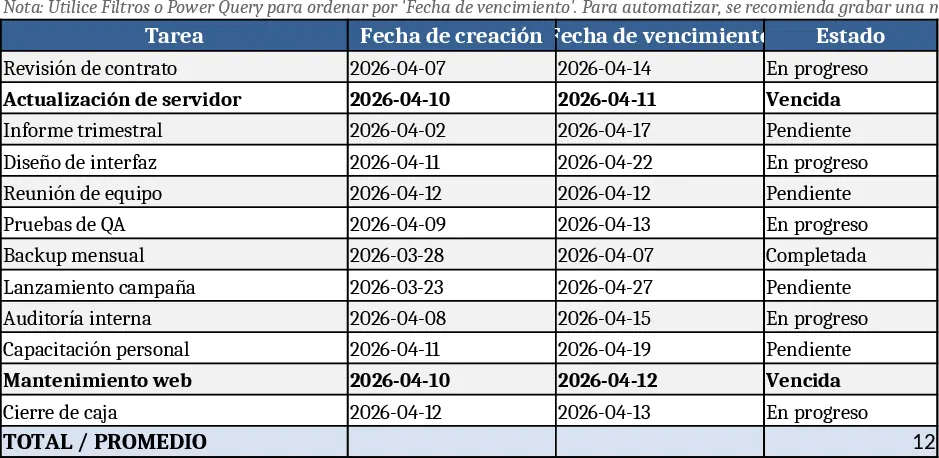
This template is built around two main sheets – a Task List where you enter each activity, owner, due date and status, and a Dashboard that pulls the latest view of upcoming tasks, days left and priority order. The Task List includes columns for Task Name, Assigned To, Due Date, Status, Days Remaining (calculated) and an auto‑filled Priority rank. A simple macro (or Power Query refresh) re‑orders the rows each time you run it, so the nearest deadlines always appear at the top. The Dashboard summarizes the top five soon‑to‑expire items, shows a countdown bar, and highlights overdue items in red, giving you a quick snapshot of what needs attention.
The template solves the common hassle of manually sorting tasks and calculating how many days are left before a deadline. By automating these steps, you eliminate errors, keep the team focused on the most urgent work, and maintain a clear visual of upcoming commitments. It’s especially useful for project managers, team leads, or anyone juggling multiple deliverables who needs a reliable, up‑to‑date task overview without spending time on repetitive spreadsheet work.
Anyone who manages a list of actions with dates – from marketing campaigns to product development sprints – can benefit. The template tracks each task’s progress, automatically flags overdue items, and provides a living priority list that updates with a single click. This makes daily stand‑ups smoother, helps allocate resources efficiently, and ensures nothing slips through the cracks.
How to use
- Open the Task List sheet and fill in each row with the task name, person responsible, due date and current status.
- Save the file, then run the "Sort by Due Date" macro (or click the Power Query Refresh button) to reorder the list automatically.
- Switch to the Dashboard sheet to see the sorted tasks, days remaining and any overdue alerts.
- Update statuses as work progresses; re‑run the macro or refresh to keep the view current.
Expected benefits: reduces manual sorting effort, provides an instant visual of upcoming deadlines, and helps keep projects on track with minimal upkeep.
Similar Templates Recommendation
Task Tracker with Due Dates and Auto‑Sort and Project Timeline Template
An automated Excel template that tracks tasks, shows days remaining, and auto‑sorts by due date using a macro or Power Query.
Client Deadline Tracker and Status Template
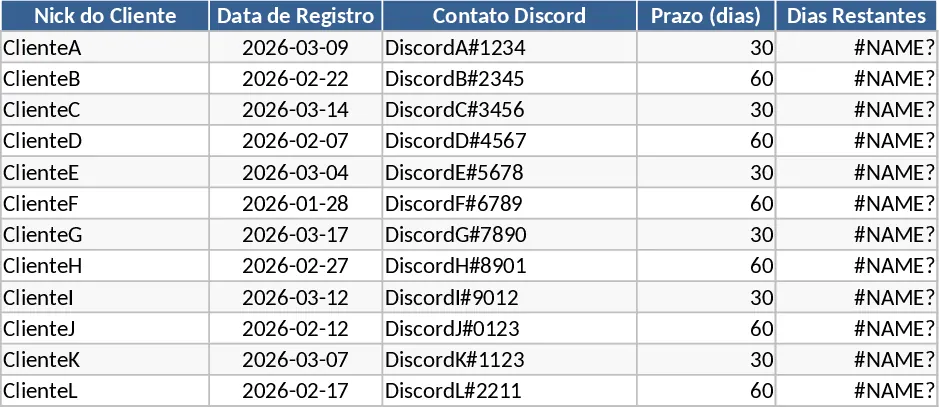
Automated client deadline tracker that logs client info, calculates remaining days, and flags status with color‑coded alerts.