Project Task Tracker with Status Dashboard and Project Timeline Template
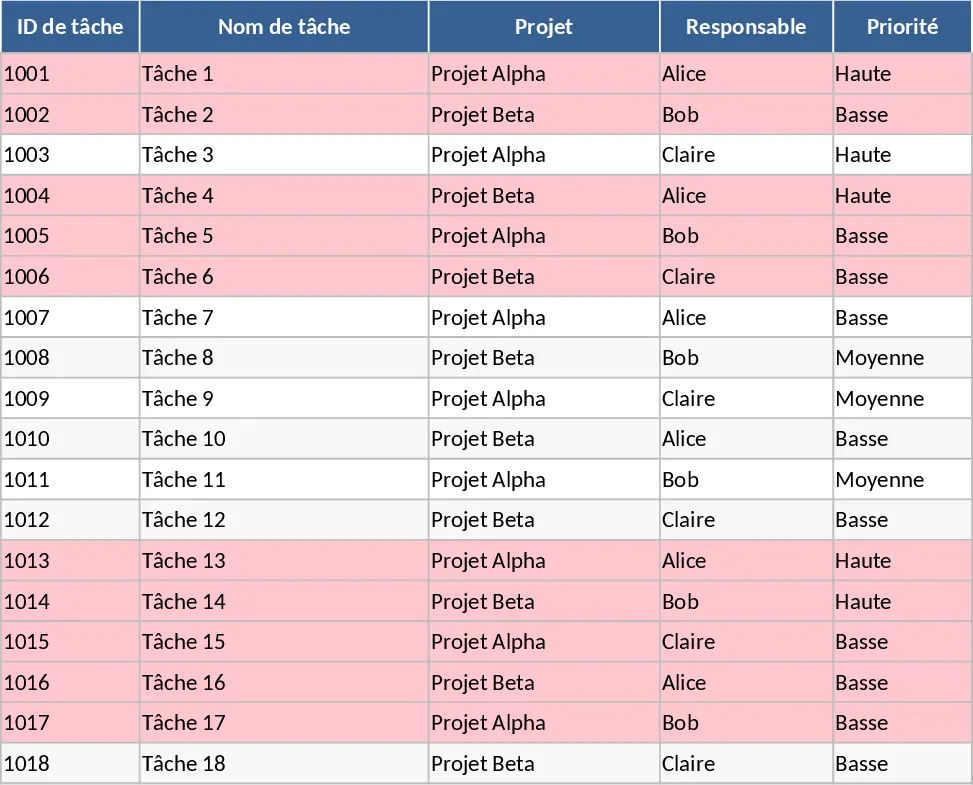
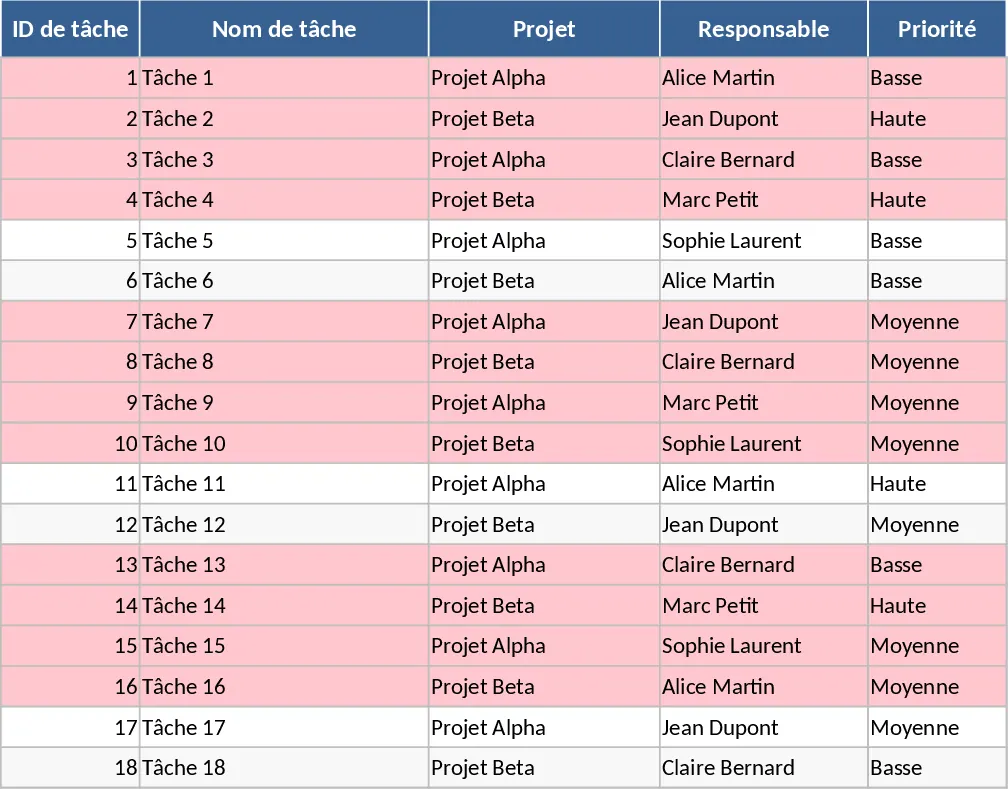
Managing complex projects requires a balance between granular task management and high-level strategic oversight. This Project Task Tracker provides exactly that, offering a robust framework to organize, monitor, and analyze your team's output. The template is divided into two functional sheets: a comprehensive Task database and a dynamic Project Overview dashboard. The Task sheet serves as your daily operational hub, where you can record task names, project categories, and assign responsibilities. It features intuitive dropdown menus for Priority and Status, ensuring that your data remains clean and easy to filter. Beyond basic tracking, the template allows you to compare estimated hours against actual time spent, providing critical insights into your team's efficiency and project budgeting.
This tool is particularly useful for project managers and department heads who handle multiple workstreams simultaneously. It solves the common problem of deadline drift by using automated conditional formatting; any task that is past its due date and not yet finished will turn red, serving as an immediate call to action. By centralizing dependencies and notes, it ensures that every team member understands the context of their work and how it impacts the broader project timeline. Whether you are managing a marketing campaign, a software development sprint, or a construction schedule, this template adapts to your specific needs.
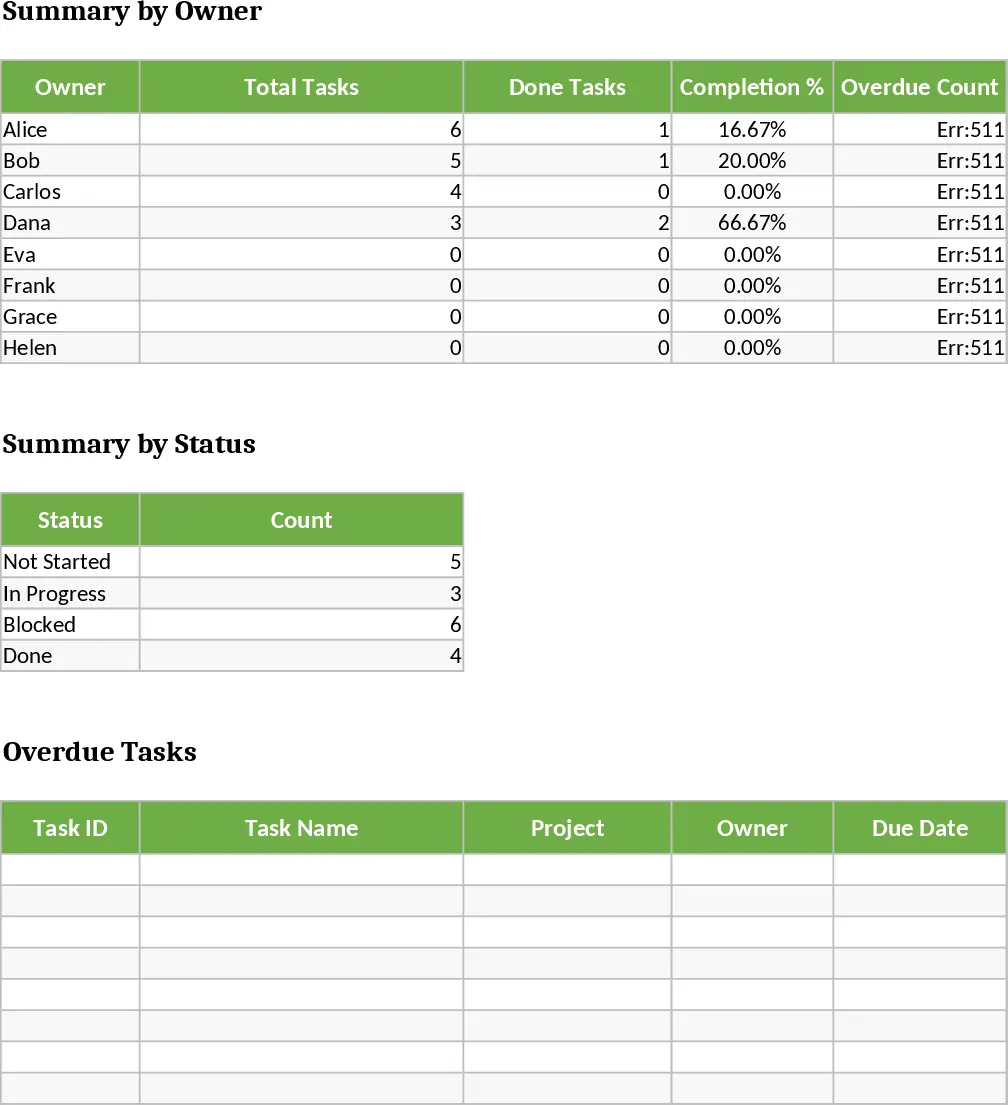
The Project Overview sheet transforms your raw data into actionable intelligence. It features a Summary by Owner section that calculates total tasks, completion percentages, and overdue counts for every team member. This allows for fair workload distribution and helps identify who might need additional support. Furthermore, the Summary by Status and the dedicated Overdue Tasks table provide a bird's-eye view of your project's health, making it easy to report progress to stakeholders without having to manually compile spreadsheets.
How to use:
- Navigate to the Tasks sheet and begin by listing your project activities, assigning them to specific owners and setting their priority levels using the dropdown menus.
- Enter the start and due dates for each task; ensure the due date is filled in to trigger the automated red highlighting for overdue items.
- As work progresses, update the Status and Actual Hours columns to reflect the current state of each task and keep your metrics accurate.
- Visit the Project Overview sheet periodically to view the automated summaries and identify which areas of the project require intervention or resource reallocation.
Expected benefits: You can expect to save hours each week on status tracking and reporting while gaining much higher visibility into potential project delays and team capacity.
Similar Templates Recommendation
Project Task Tracker with Dashboard Overview and Task Status Template
Streamline your workflow with a comprehensive project tracker that monitors task progress, team workloads, and deadlines through an automated dashboard.
Project Task Tracker with Dashboard Overview and Project Timeline Template
Manage project timelines and team workloads with this comprehensive task tracker featuring automated status summaries and overdue task alerts.
Project Task Tracker and Status Dashboard with Project Timeline Template
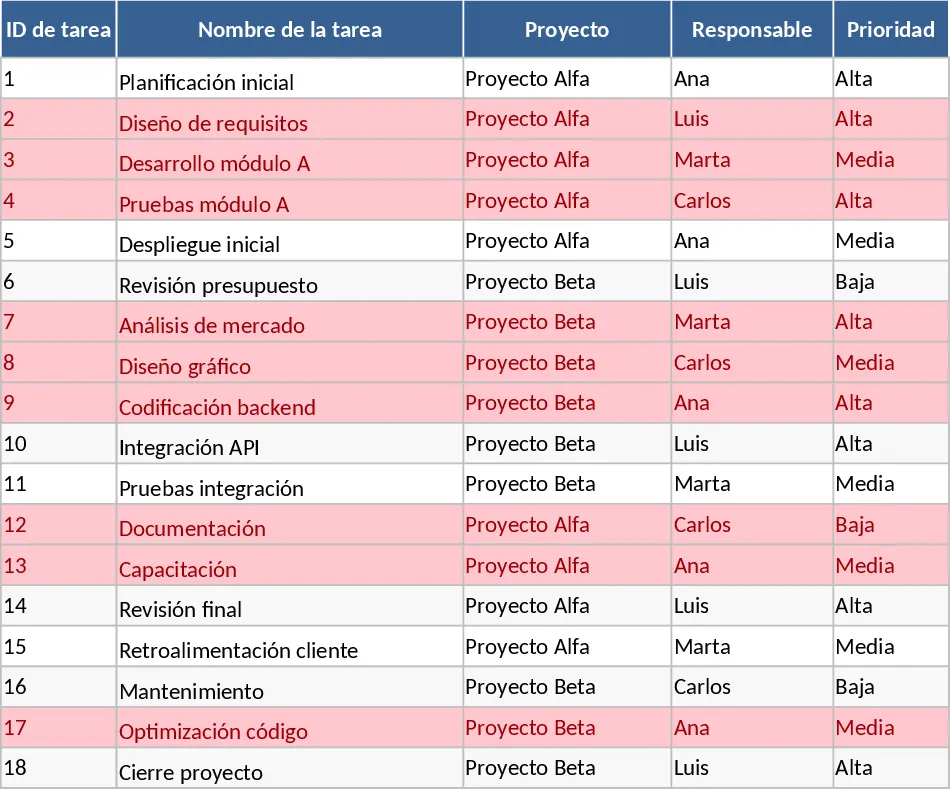
Track project tasks, assign responsibilities, and monitor deadlines with automated status summaries and visual alerts for overdue items.