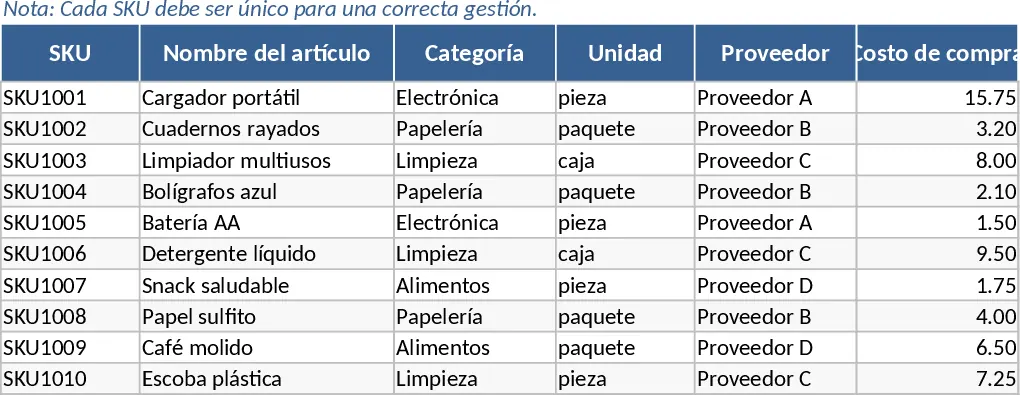
Inventory Management and Stock Tracking with Category Breakdown Template
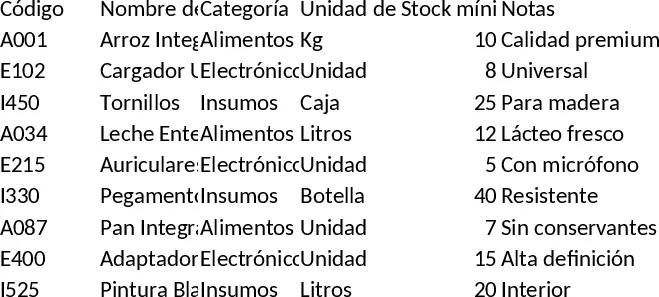
This comprehensive Inventory Management template provides a robust framework for businesses to maintain precise control over their stock levels. The system is organized into three specialized sheets designed to work in harmony: an Item Master for cataloging SKUs with purchase and sale details, a Movement Log for recording every entry and exit, and a dynamic Inventory Summary that calculates totals automatically. By centralizing your product data, you can eliminate the guesswork associated with manual tracking and ensure that your warehouse operations run smoothly without unexpected shortages or costly overstocking.
The template is particularly beneficial for small to medium-sized retailers, warehouse supervisors, and operations managers who need a reliable way to monitor stock flow across different categories. It solves the common problem of stockouts by utilizing a built-in reorder alert system. When your current stock falls below a predefined threshold set in the master list, the summary sheet automatically flags the item with a visual alert. This proactive approach allows you to initiate replenishment before it impacts your sales or production cycles, maintaining a healthy cash flow and customer satisfaction.
Beyond simple counting, this tool helps you manage the financial and logistical aspects of your inventory. The Item Master allows you to store vendor information and pricing, while the Movement Log supports various transaction types, including standard entries, sales exits, and manual adjustments for damages or returns. This level of detail ensures that your inventory records remain accurate and audit-ready at all times. The summary sheet provides a bird's-eye view of your entire operation, showing initial stock, total inflows, total outflows, and final balances for every SKU in your catalog.
How to use:
- Start by populating the Item Master sheet with your unique SKUs, product names, and specific reorder points. Ensure you set the purchase and sale prices to keep your financial data consistent.
- Record daily transactions in the Movement Log by selecting the SKU from the dropdown menu, choosing the movement type (In, Out, or Adjustment), and entering the quantity.
- Regularly check the Inventory Summary sheet to view real-time stock levels and identify items marked for reorder to keep your business running without interruption.
Expected benefits: This template significantly reduces the time spent on manual calculations and helps prevent lost sales due to stockouts, leading to more efficient capital allocation and streamlined supply chain management.
Similar Templates Recommendation
Inventory Management and Stock Tracking with Dashboard Template
Efficiently track stock levels, record item movements, and monitor reorder alerts to maintain optimal inventory balance for your business.
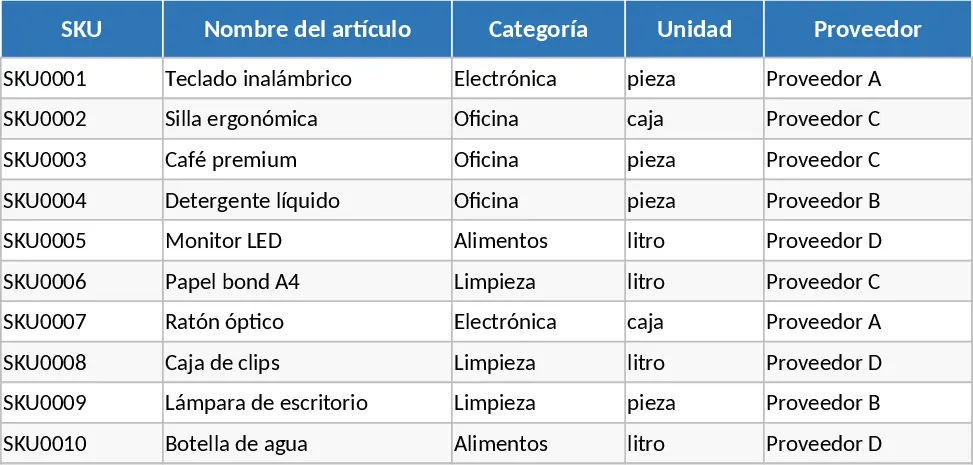
Inventory Management and Stock Tracking with Supplier Tracking Template
Track stock levels, manage SKU details, and monitor inventory movements with automated reorder alerts to prevent stockouts.
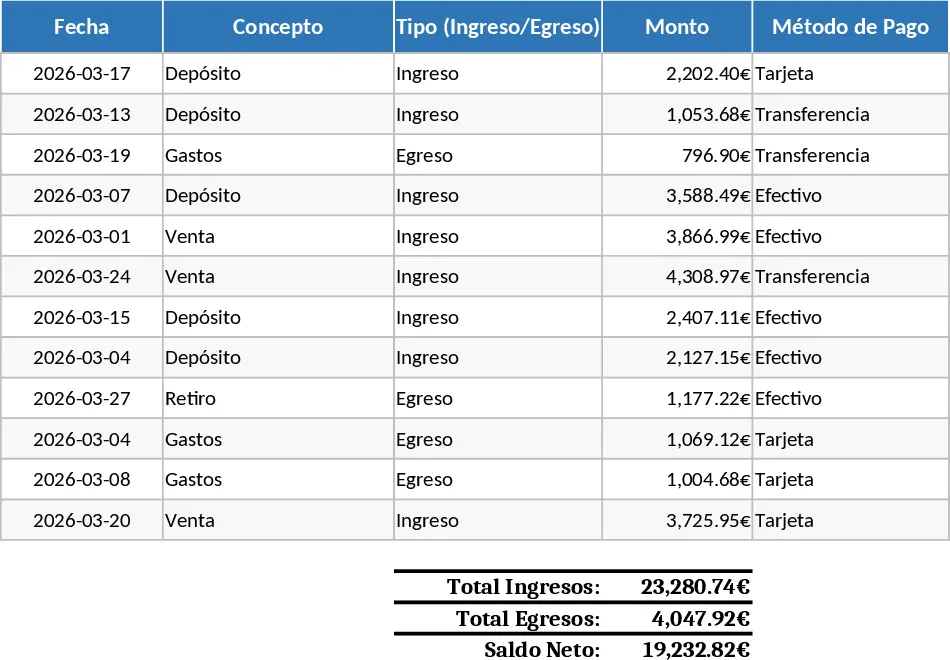
Inventory Management and Stock Tracking with Automation Template
Efficiently track stock levels, manage item movements, and receive automatic reorder alerts to maintain optimal inventory balance for your business.