Student Grade Tracker Template
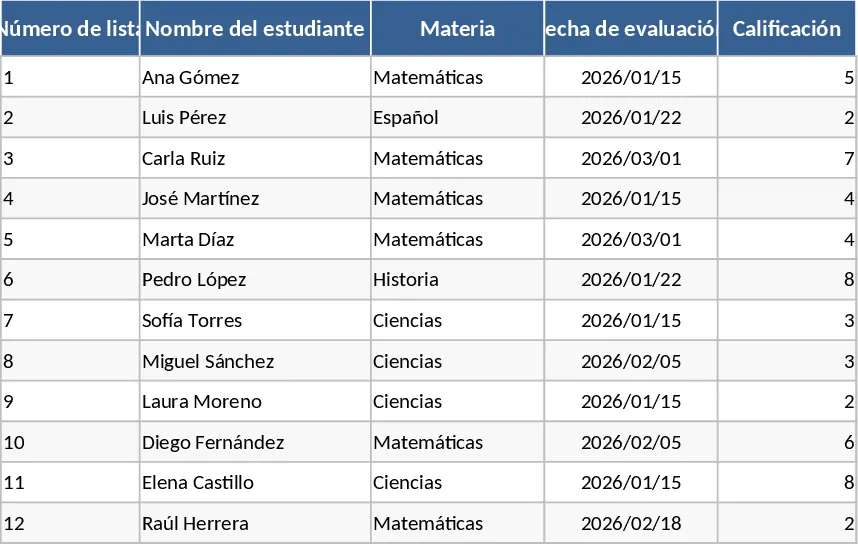
The Academic Grades template is a comprehensive digital gradebook designed to streamline the way educational performance is recorded and analyzed. At its core, the template consists of several interconnected sheets: a configuration tab for setting up subjects and grading scales, a student database, and detailed monthly or term-based grade entries. Each section is equipped with clear headers and dropdown menus for selecting grade types, making data entry both fast and consistent. The summary outputs provide a high-level overview of class averages, individual student rankings, and pass/fail ratios, giving you an immediate snapshot of academic health.
In the fast-paced environment of a school or university, keeping track of dozens of assignments across multiple students can be overwhelming. This template solves the problem of scattered spreadsheets and paper records by providing a single source of truth. It eliminates the need for complex manual math, as the built-in logic automatically calculates weighted totals based on your specific criteria—whether you prioritize final exams or consistent homework completion. This ensures that every student is evaluated fairly and transparently, which is essential for maintaining academic integrity.
This tool is an ideal companion for classroom teachers, private tutors, and even proactive students or parents. Teachers can use it during the semester to monitor which students are falling behind, allowing for timely interventions. For students, it serves as a personal GPA tracker that helps them understand exactly what scores they need on upcoming finals to reach their target grade. It is particularly effective during end-of-term reporting periods when accuracy and speed are paramount.
Beyond just numbers, the template helps you manage the narrative of a student's progress. By tracking participation, attendance, and specific project milestones, you can produce a more nuanced view of a learner's strengths and weaknesses. This level of detail is invaluable during parent-teacher meetings or when writing formal evaluations, as it provides concrete evidence of growth over time.
How to use:
- Navigate to the Setup sheet to enter the names of your students and define your grading categories and their respective weights.
- Record scores for individual assignments and exams in the main Grade Entry sheet as they occur throughout the term.
- Use the dropdown filters to view specific subjects or individual student profiles to check their current standing.
- Export or print the automatically generated summary reports to share progress with students or school administration.
Expected benefits: You can expect to save hours of administrative work each week and gain much higher confidence in the accuracy of your final grade reports.
Similar Templates Recommendation
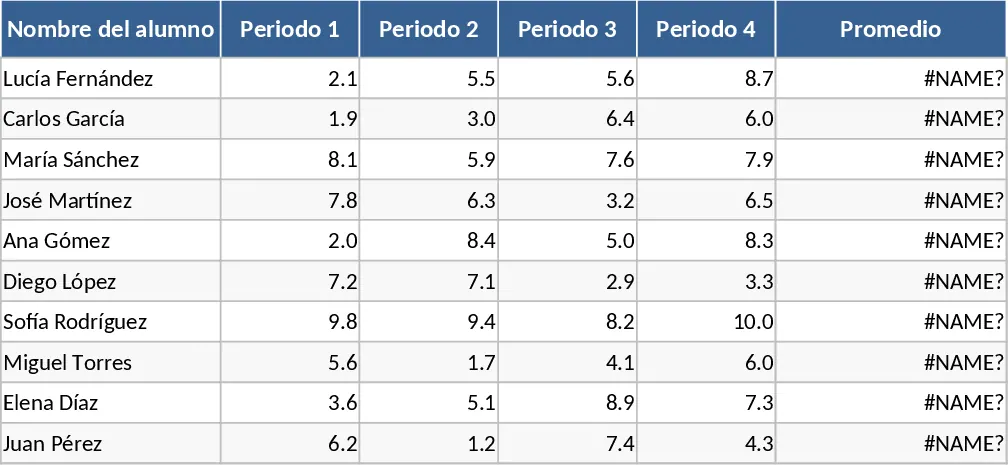
Student Grade Tracker and Pass/Fail Status Template
Track student performance across four periods with automatic average calculations and instant pass or fail status indicators.
Comprehensive School Management and Automated Report Card Template
Track student enrollment, automate grade calculations, manage attendance, and generate professional report cards with this all-in-one school system.

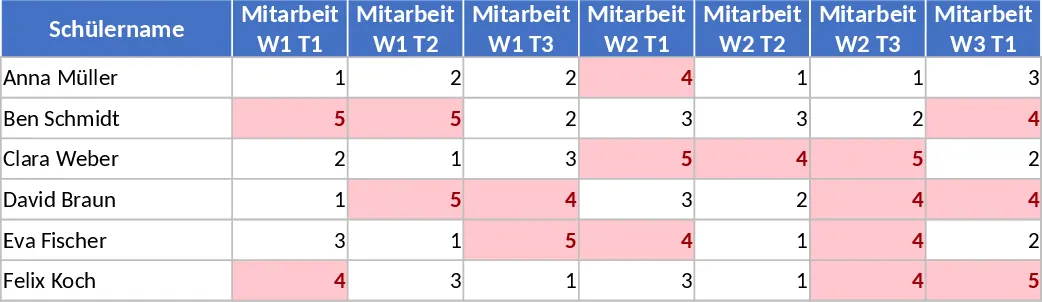
Weekly Student Participation and Weighted Grade Tracker Template
Track student performance with weighted grades for participation, homework, and exams across 11 weeks with automated color-coded alerts.