Machinery Control Panel Tracker Template
The Machinery Control Dashboard is an Excel‑based template designed to give operations teams a clear, real‑time view of every piece of equipment in their fleet. The workbook is split into three main sheets: Machine Register, Maintenance Log, and Dashboard.
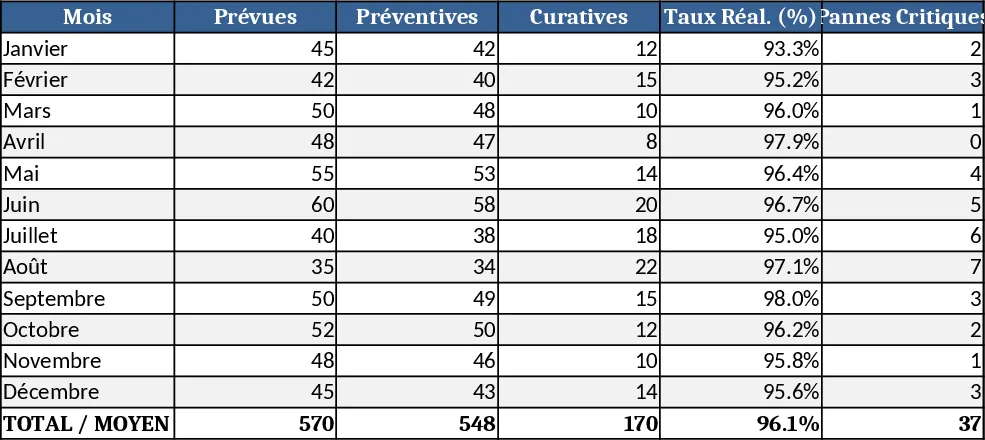
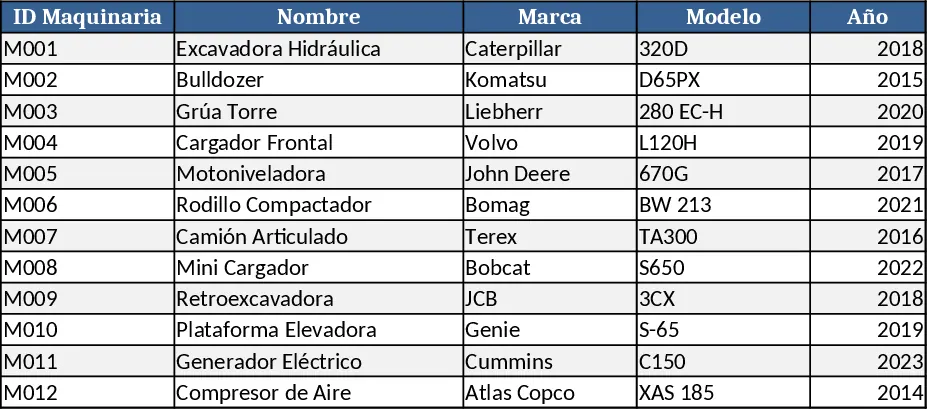
In the Machine Register you list each machine with fields such as Asset ID, Type, Location, Purchase Date, Expected Life, and a dropdown for Status (Active, In‑Repair, Retired). The Maintenance Log captures every service event, including Date, Technician, Work Type (Preventive, Corrective), Cost, and Hours Downtime. Both sheets use data validation to keep entries consistent and include conditional formatting that flags overdue maintenance or machines approaching the end of their useful life. The Dashboard sheet pulls key metrics from the other sheets and presents them with pivot‑style tables, sparklines, and a few simple charts: overall equipment effectiveness (OEE), average downtime per machine, upcoming maintenance alerts, and a cost‑by‑type breakdown.
This template solves the common headache of scattered spreadsheets, paper logs, and missed service windows. By consolidating asset details and maintenance history in one place, managers can instantly spot under‑performing equipment, schedule preventive work before breakdowns occur, and keep maintenance budgets under control. The visual summary helps prioritize resources, reduce unexpected downtime, and extend the lifespan of costly machinery.
The primary users are plant supervisors, maintenance coordinators, and operations managers who need to keep production lines humming. It works equally well for small workshops with a handful of tools or larger facilities managing dozens of machines across multiple locations. The template is also useful for finance partners who want to see equipment‑related expenses without digging through raw data.
What you can track and why it matters:
- Utilization rates – see how often each machine is actually running versus idle time, helping you allocate work more efficiently.
- Downtime incidents – log every stoppage, quantify its impact, and identify patterns that point to root causes.
- Maintenance schedules – automatically calculate next service dates based on mileage or calendar intervals, preventing costly emergency repairs.
- Cost tracking – capture labor and parts expenses per job, giving you a clear picture of total ownership cost.
How to use
- Open the workbook and fill in the Machine Register with every asset you want to monitor. Use the dropdowns to set the current status.
- Whenever maintenance is performed, add a new row to the Maintenance Log with the date, technician, type of work, cost, and downtime hours.
- Refresh the Dashboard by clicking any pivot table and choosing Refresh; the charts and summary tables will update automatically.
- Review the alerts on the Dashboard – overdue maintenance will appear in red, and machines with high downtime will be highlighted – then plan the next actions in your maintenance calendar.
Expected benefits: By centralising data and visualising key performance indicators, you’ll spend far less time hunting for information, cut the risk of missed service windows, and gain a clearer view of equipment health, ultimately smoothing production flow and lowering maintenance spend.
Similar Templates Recommendation
Vehicle KPI Dashboard and Maintenance Tracker Template
Track each vehicle’s mileage, daily maintenance, fuel usage and monthly KPIs on a dedicated sheet with built-in dashboard and summary.
Maintenance Manager Dashboard Template
A ready‑to‑use maintenance dashboard template that lets managers track equipment status, work orders, downtime, and costs in one view.