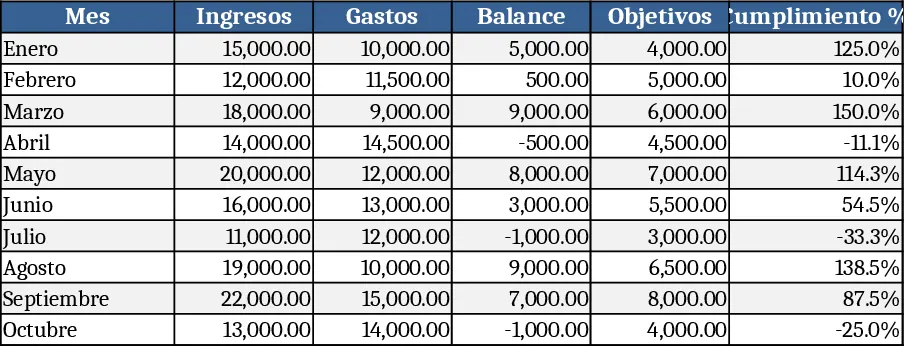
Leadership Weekly Metrics Tracker Template

This Excel template is organized into four main sheets – Data Input, Metrics Dashboard, Weekly Summary, and Settings. In the Data Input sheet you record each KPI by week, selecting the relevant department or leader from a dropdown, entering the target value, the actual result, and any comments. The Settings sheet lets you define which KPIs to track, assign weighting, and set traffic‑light thresholds (green, amber, red). All of this feeds automatically into the Metrics Dashboard, where you’ll see interactive charts, sparkline trends, and conditional formatting that highlight performance at a glance. The Weekly Summary sheet consolidates the most important numbers into a printable one‑page snapshot that can be shared in meetings.
The template solves the common pain point of gathering leadership‑level metrics from disparate sources and turning them into a coherent, weekly decision‑making tool. Instead of manually building charts or copying data between systems, you have a single place to enter numbers and instantly see how they stack up against targets and historical trends. This speeds up the preparation of executive briefings, helps spot emerging issues early, and provides a data‑driven narrative for strategic discussions.
It is ideal for senior leaders, department heads, and business analysts who need a quick, reliable view of key performance indicators on a weekly cadence. Whether you’re running a fast‑moving startup, a mid‑size operation, or a large enterprise, the template adapts to any number of KPIs and can be customized for specific business units. By visualizing performance in real time, leaders can make more informed choices about resource allocation, risk mitigation, and goal adjustment.
How to use
- Open the workbook and go to the Settings sheet to define the KPIs you want to monitor, set targets and traffic‑light thresholds.
- Each week, navigate to the Data Input sheet, select the appropriate week and department from the dropdowns, and fill in the actual values and comments.
- Switch to the Metrics Dashboard to see updated charts and conditional formatting that reflect the new data.
- Export the Weekly Summary sheet (or print it) to share with your leadership team during meetings.
Expected benefits: reduces the time spent compiling weekly reports, eliminates manual chart creation, and gives leaders a clear visual cue of performance trends, helping them act faster and more confidently.
Similar Templates Recommendation
Project Dashboard Template
A ready‑to‑use analytics dashboard template that lets you import data, view key performance indicators, and track trends with interactive charts and summary tables.
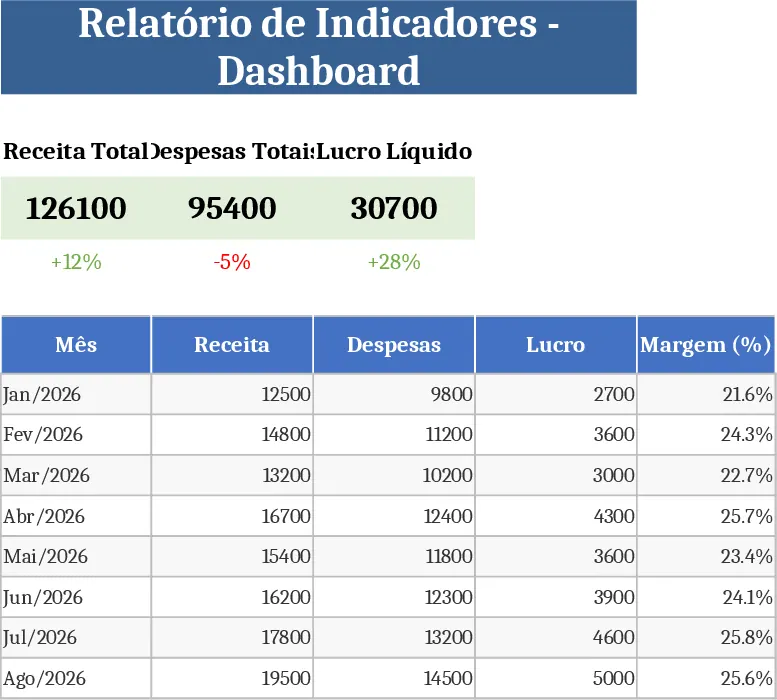
Weekly KPI Tracker Template
Monitor your team's weekly performance metrics and visualize progress against targets with this comprehensive KPI tracking dashboard.
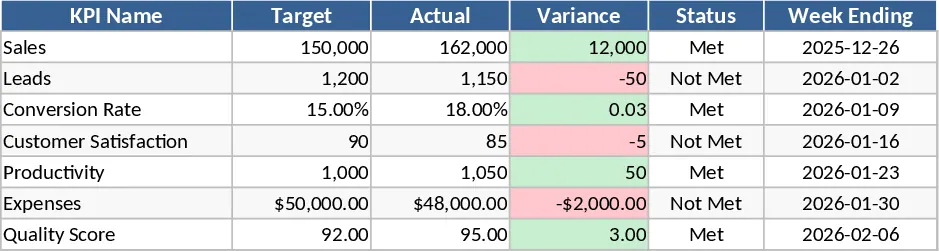
Business Dashboard Template
A customizable analytics dashboard template that lets you consolidate key metrics, visualize trends, and monitor performance at a glance.