

Secondary School 12-Subject Grading & Rank Report Card Template
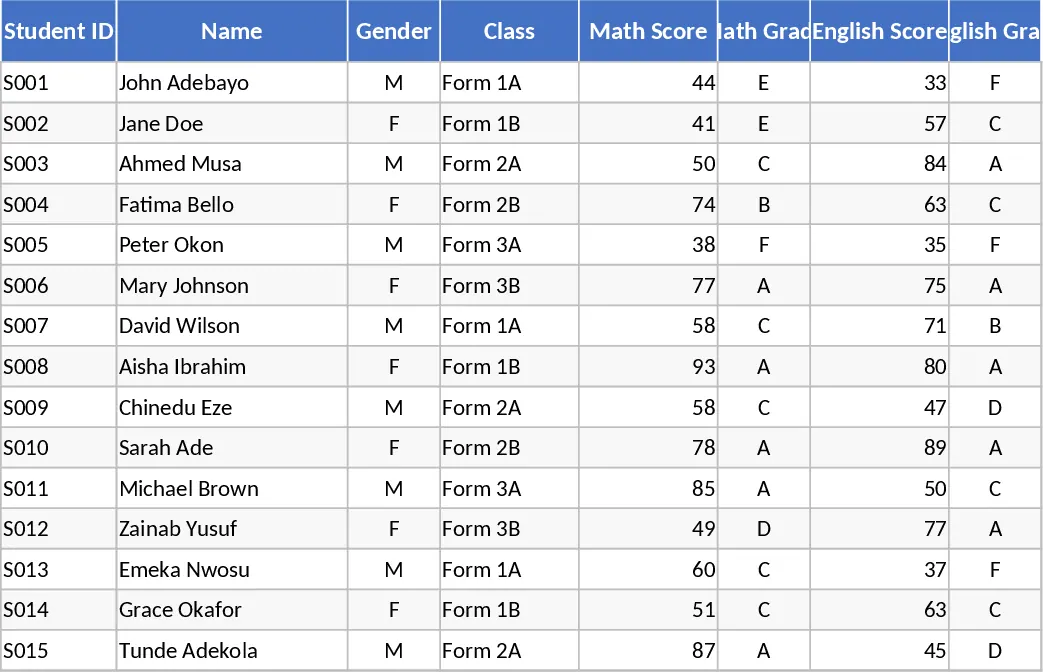
This template is built for secondary‑school teachers who need a fast, reliable way to record marks, calculate grades and rankings, and produce polished report cards. It consists of three main sheets: Student List where you enter each pupil’s ID, name and class; Grades & Rankings where you input scores for the 12 subjects, and the workbook automatically converts scores to A‑F grades, computes each student’s class position and their rank in each subject; and Report Card which pulls the calculated data into a printable layout that can be exported as PDF or printed directly. Drop‑down menus let you adjust grade thresholds, and the ranking columns update instantly as you edit scores.
The template eliminates the tedious manual calculations that usually eat up teachers’ evenings. By automating grade conversion and ranking, it ensures consistency across the whole cohort and reduces the risk of errors. The ready‑to‑print report cards give a professional look, saving you the time of designing layouts from scratch. It also provides a quick snapshot of class performance, helping you spot subjects where students struggle and plan targeted interventions.
Designed for secondary‑school teachers, grade coordinators and school administrators, the workbook fits any scenario where a class of students needs to be assessed across multiple subjects. Whether you’re preparing end‑of‑term results, mid‑year reviews, or generating individual progress reports for parents, this template streamlines the entire workflow.
How to use
- Open the Student List sheet and fill in each learner’s ID, name and class.
- Switch to the Grades & Rankings sheet and enter the raw scores for the 12 subjects; the built‑in formulas will instantly assign A‑F grades and calculate both class‑wide and subject‑specific positions.
- If your school uses different grade boundaries, adjust the thresholds in the Settings dropdown and the grades will recalculate automatically.
- Go to the Report Card sheet, select a student from the drop‑down, and click Print or Export as PDF to produce a ready‑to‑distribute report.
Expected benefits: you’ll cut grading time dramatically and produce polished report cards with just a few clicks.
Similar Templates Recommendation
Secondary School Results and Ranking Template
Track up to 200 secondary students' marks, auto‑calculate grades, averages, divisions and rankings in a clear, formatted sheet.

Couple Budget and Cash Flow Tracker Template
Track monthly income, expenses, and cash flow for a working couple, visualize budgets and savings goals in one spreadsheet.

Date Range and Internal Log Template
Create an Excel file with two columns for dates and internal notes, with colored rows for different date ranges.
