Inventory Management with Category Breakdown Template
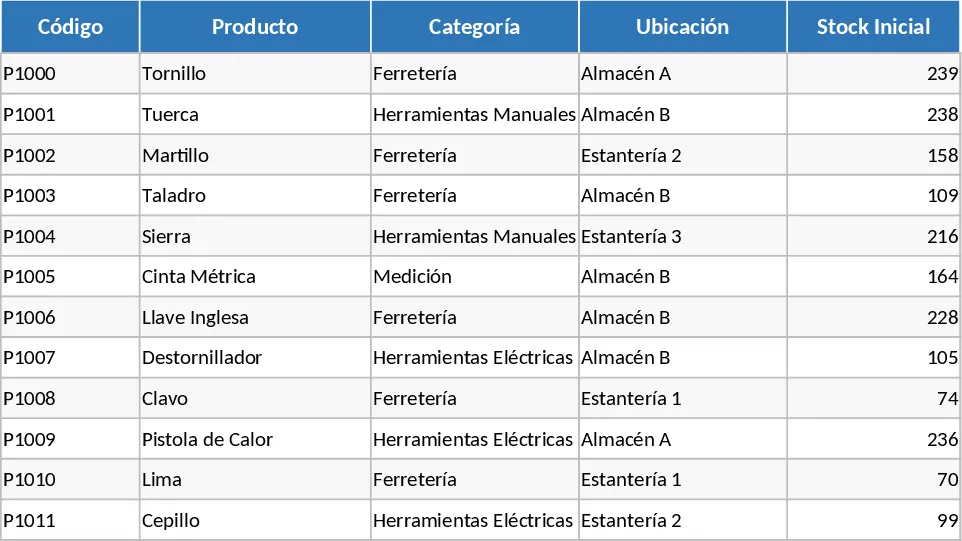
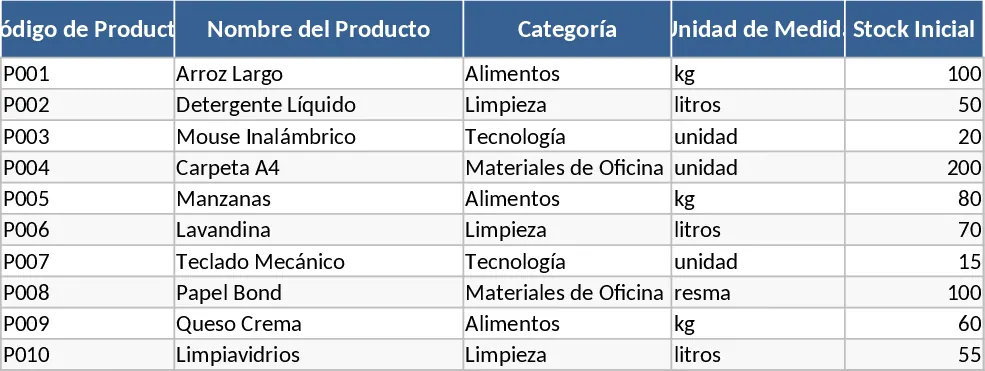
This professional inventory management template is designed to be the backbone of your stock control operations. It is structured into several intuitive sheets that work together to provide a holistic view of your business assets. The core of the template is the Product Master sheet, where you can input detailed information such as SKU codes, product names, categories, unit measurements, and initial stock levels. Accompanying this is the Transaction Log, a streamlined area for recording every single movement—whether it is a new shipment arriving from a supplier or a customer order leaving the warehouse. The template utilizes smart dropdown menus to ensure data entry is fast and error-free, while the Summary Dashboard automatically aggregates all data to show you real-time availability, total inventory value, and items that have fallen below their safety stock thresholds.
One of the biggest challenges for growing businesses is maintaining the delicate balance between having enough stock to meet demand and avoiding the high costs of overstocking. This template solves that problem by providing clear visibility into your stock turnover. It eliminates the need for messy paper logs or disjointed spreadsheets that are prone to calculation errors. By using this tool, you can identify which products are your top performers and which ones are taking up valuable shelf space without generating revenue. It simplifies the daily workflow for warehouse staff and business owners alike, providing a single source of truth that can be accessed and updated easily. This centralized approach ensures that everyone on the team is looking at the same numbers, reducing communication gaps and operational friction.
This tool is an ideal solution for small to medium-sized enterprises (SMEs), e-commerce sellers, and retail shop managers who require a robust yet flexible system. It is particularly useful in scenarios where inventory moves quickly, such as in a busy retail environment or a manufacturing setup where raw materials must be tracked before they become finished goods. Whether you are preparing for a seasonal peak or performing a routine monthly audit, this template provides the historical data and current status reports needed to keep operations running smoothly. It helps you transition from reactive firefighting when items run out to proactive planning and strategic purchasing, allowing you to focus more on growing your business rather than just managing it.
Beyond just counting boxes, this template helps you track the financial health of your inventory. By including unit costs and selling prices, you can monitor your total asset value and potential profit margins. Tracking reorder points is perhaps the most critical feature; the template uses conditional formatting to highlight items that need attention, ensuring you never miss a restock deadline. This level of detail is essential for maintaining high customer satisfaction levels, as it prevents the dreaded out of stock message during the checkout process. It also serves as a historical record that can be used to analyze seasonal trends and forecast future needs with greater accuracy, making it an indispensable tool for long-term planning.
How to use:
- Begin by navigating to the Product List sheet to define your categories and enter your current product catalog, including the minimum safety stock level for each item.
- Every time you receive a new shipment or make a sale, enter the details into the respective Inward or Outward transaction sheets, selecting the product from the dropdown menu to ensure accuracy.
- Regularly check the Inventory Summary sheet to view your current stock levels and see which items are flagged for reordering based on the safety stock rules you set.
- Use the filter and sort functions on the dashboard to analyze your inventory by category or value to help with financial reporting and warehouse organization.
Expected benefits: This template helps reduce manual data entry errors and saves hours of administrative work each week by automating stock calculations and low-stock alerts.
Similar Templates Recommendation
Inventory Management with Stock Tracking Template
Track stock levels, monitor product movements, and manage reorder points to ensure your business never runs out of essential items.
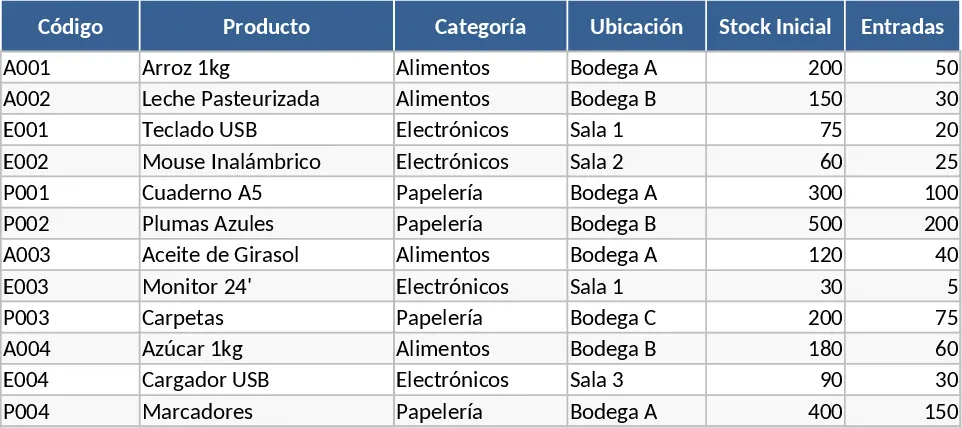
Complete Inventory Control and Database Template
Track stock levels, manage product movements, and maintain a complete supplier database to optimize your warehouse and inventory operations.
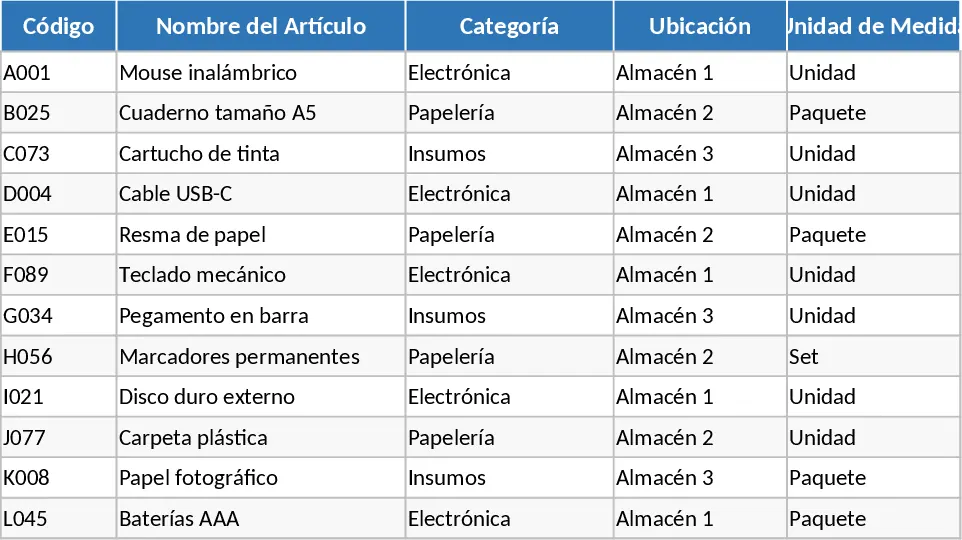
Inventory Inflow and Outflow Management Template
Track stock levels, record daily inflows and outflows with dates, and manage your product catalog in one organized spreadsheet.