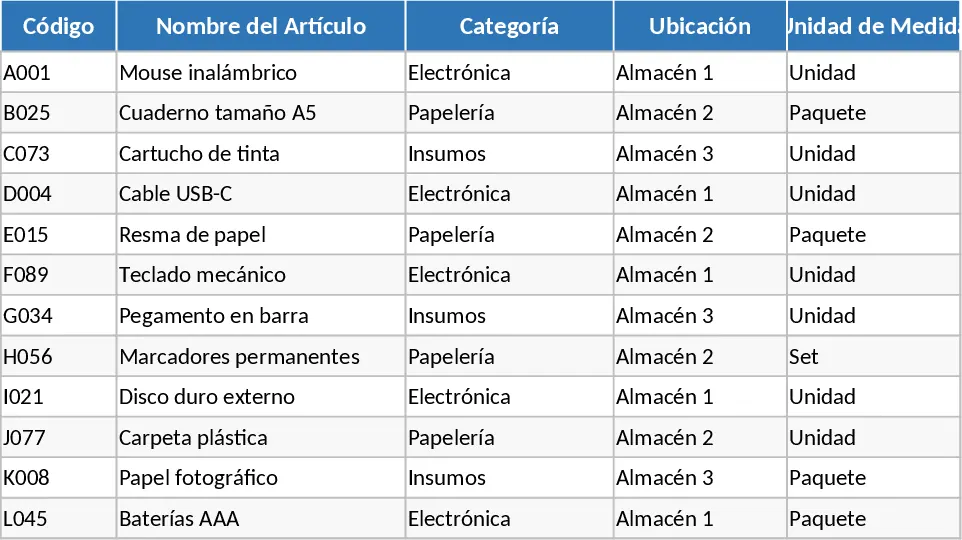
Inventory Management with Stock Tracking Template
This comprehensive inventory management template provides a centralized and highly organized system to monitor your stock levels, track product movements, and maintain a professional warehouse environment. The template is built around a multi-sheet structure designed for maximum clarity and ease of use. It features a dedicated Product Master sheet where you can define SKU details, item descriptions, categories, unit costs, and supplier contact information. A critical component of this sheet is the automated status indicator system; by setting specific minimum stock thresholds for every item, the template uses built-in logic to highlight exactly which products are running low. This ensures that you are always aware of your stock health without having to manually calculate balances every day.
The primary utility of this template lies in its ability to solve the common headaches associated with manual inventory tracking, such as data silos, human error, and unexpected stockouts. For many small to medium-sized businesses, keeping an accurate count of physical goods is a constant challenge that can lead to lost revenue or over-expenditure. This tool solves those problems by providing a clear, chronological log for all stock-in and stock-out activities. Whether you are receiving a new shipment from a vendor or fulfilling a customer order, every transaction is captured in a way that automatically updates your total quantities. This real-time visibility is essential for maintaining a lean supply chain, as it allows you to identify high-turnover products that drive your profit and spot slow-moving inventory that might be tying up your valuable capital.
This template is an ideal solution for small business owners, warehouse managers, retail shop supervisors, and e-commerce entrepreneurs who need a reliable way to manage their physical assets without the high cost of specialized software. It is perfectly suited for scenarios ranging from a local boutique managing clothing sizes to a small manufacturing unit tracking raw materials and components. In a daily operational workflow, the template serves as the single source of truth for your entire team. Sales staff can quickly verify if an item is in stock before promising it to a customer, while procurement officers can use the data to justify new purchase orders and negotiate better terms with suppliers based on accurate volume data.
Beyond simple counting, the template helps you track sophisticated metrics that are vital for business growth. You can monitor the total value of your inventory at cost, which is a key figure for balance sheets and financial reporting. It also helps in tracking shrinkage or lost goods by providing a clear audit trail of where items should be versus where they are. The summary dashboard offers a visual overview of your inventory distribution across different categories, helping you understand which parts of your business require more storage space or more aggressive marketing. By capturing unit costs and selling prices, the template can also assist in basic margin analysis, ensuring that your inventory strategy aligns with your overall financial goals.
How to use this template:
- Start by navigating to the Product Master sheet and entering your current inventory list, including unique SKUs, descriptions, and the initial quantities you have on hand.
- Define your reorder point for each item; this is the minimum number of units you want to have before the template alerts you to buy more.
- Use the Transaction Log sheets to record every movement of goods, entering the date, the item SKU, and whether the stock is moving in for a purchase or out for a sale.
- Regularly consult the Dashboard or Summary sheet to see a high-level view of your stock value and a filtered list of all items that have fallen below their reorder points.
Expected benefits: This template significantly reduces the time spent on manual data reconciliation and minimizes the risk of costly stockouts. By providing a structured framework for your operations, it helps you maintain better control over your assets and improves order fulfillment speed.
Similar Templates Recommendation
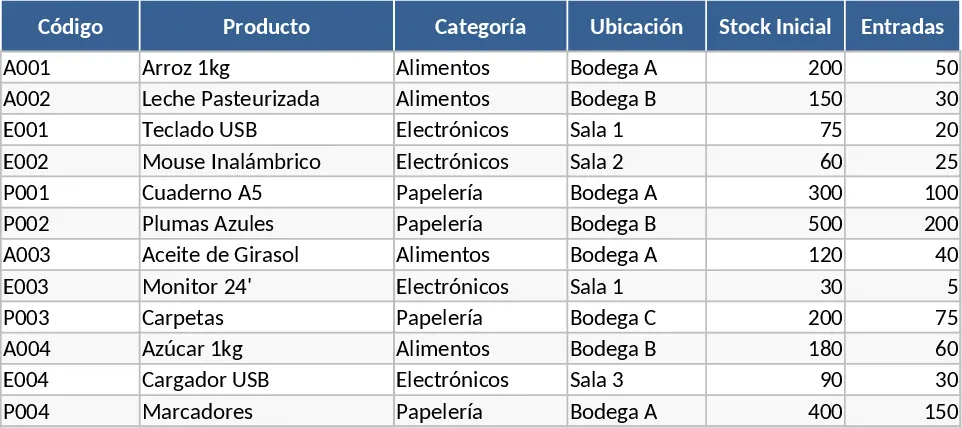
Inventory Inflow and Outflow Management Template
Track stock levels, record daily inflows and outflows with dates, and manage your product catalog in one organized spreadsheet.
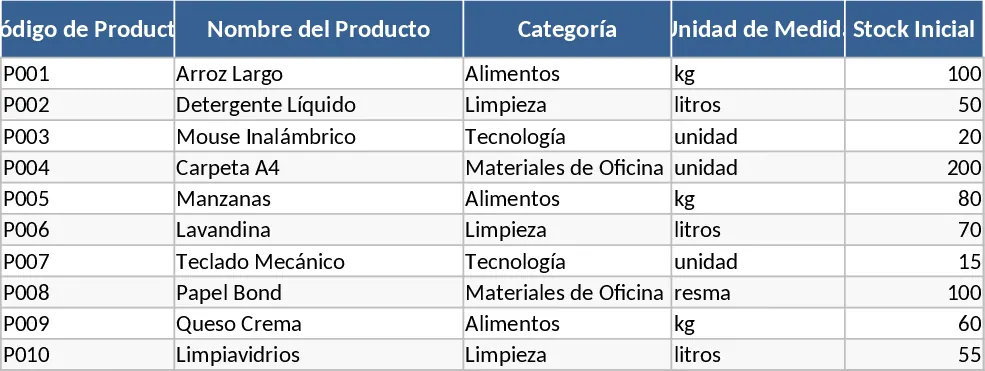
Inventory Management with Category Breakdown Template
Track stock levels, monitor product movements, and manage reorder points to ensure your business always has the right amount of inventory on hand.
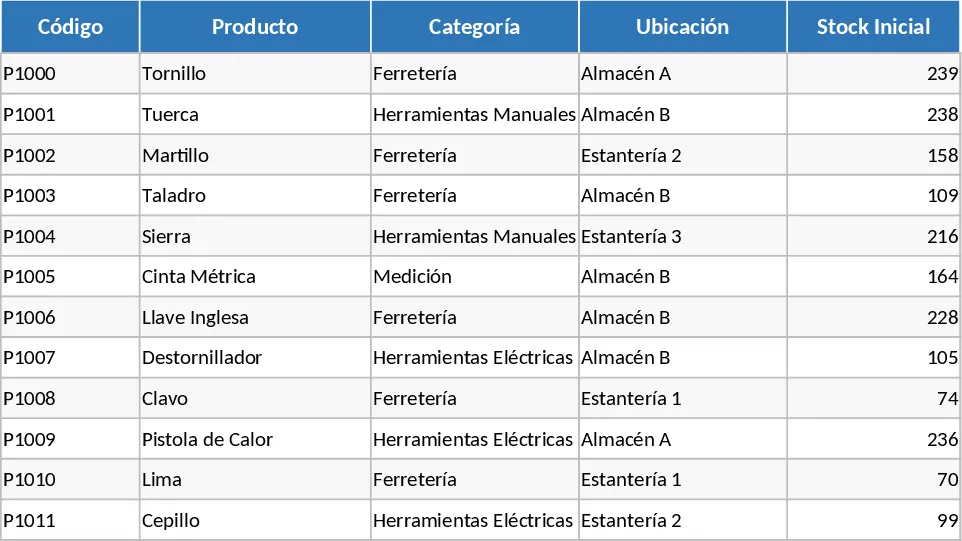
Complete Inventory Control and Database Template
Track stock levels, manage product movements, and maintain a complete supplier database to optimize your warehouse and inventory operations.