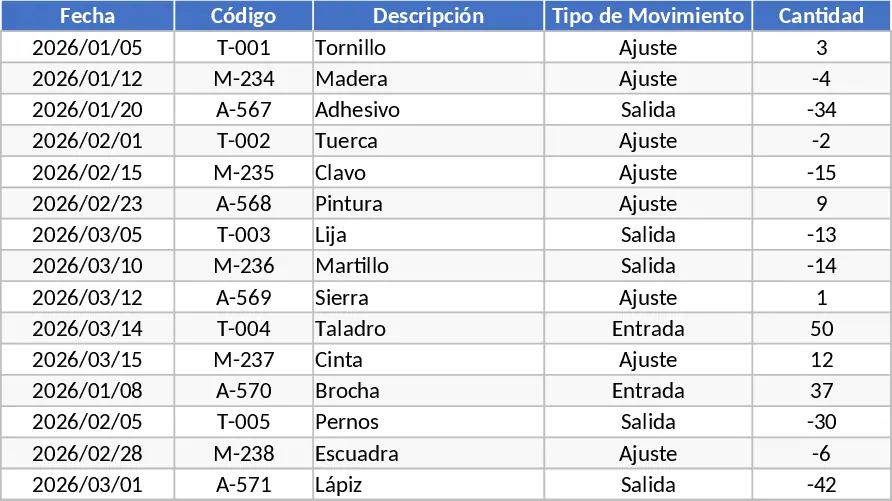
Inventory Inflow and Outflow Management Template
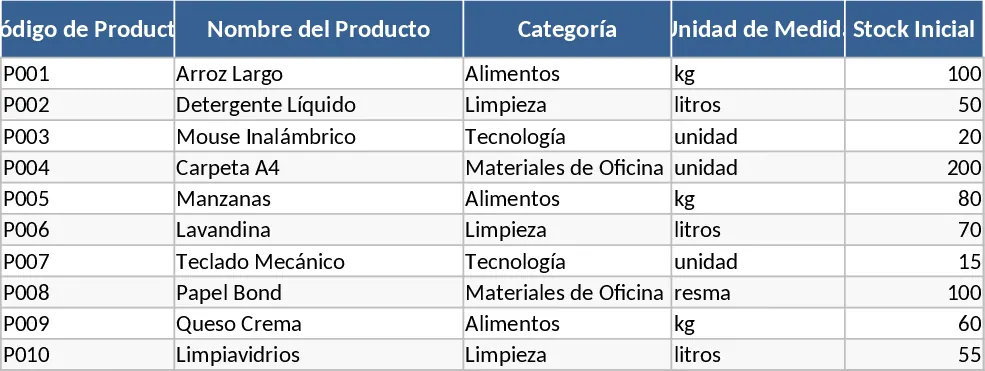
Managing physical stock can quickly become overwhelming without a structured system. This Inventory Control Template provides a robust framework to handle the complexities of stock management, from the moment a new product is introduced to the final sale or dispatch. It is built to handle the daily rhythm of business operations, allowing you to document every movement with precision. The core of the template is its ability to link individual transactions—both inflows and outflows—to a central database, giving you a high-level view of your operational health while maintaining the granular detail necessary for troubleshooting and auditing.
The template is organized into three primary functional areas. First, the Product Master List serves as your source of truth; here, you can add new products as your business grows, defining their attributes and starting stock levels. Second, the Movement Logs are designed for quick data entry, featuring fields for dates, quantities, and transaction types. This ensures that every item entering or leaving your facility is accounted for. Finally, the Inventory Summary automatically calculates the current balance for every item, highlighting what is available for sale and what is running low. This structure solves the common problem of fragmented data and manual calculation errors that often lead to stockouts or over-purchasing. By centralizing your data, you eliminate the guesswork involved in ordering and fulfillment, ensuring you never run out of high-demand items or overstock slow-moving goods.
This tool is particularly beneficial for retail shop owners, e-commerce entrepreneurs, and small-scale manufacturers who need to keep a close eye on their assets. In a daily workflow, it replaces messy notebooks or basic lists with a dynamic system that grows with your business. By having a clear record of when products were received and when they were sold, you can identify seasonal trends, monitor supplier performance, and ensure that your capital is not tied up in stagnant inventory. It provides the clarity needed to make informed purchasing decisions and maintain high levels of customer satisfaction through reliable product availability. Whether you are managing raw materials for production or finished goods for sale, this template provides the visibility needed to optimize your supply chain and improve cash flow.
How to use:
- Navigate to the Product Setup sheet to enter your initial inventory list, including product names, categories, and any unique identifiers or SKUs.
- Use the Inflow and Outflow logs to record daily activities; simply select the product from the dropdown menu, enter the quantity moved, and set the transaction date.
- Review the Summary Dashboard regularly to see real-time stock levels and use the automated alerts to identify which items need immediate reordering.
Expected benefits: By using this template, you can expect significantly reduced time spent on manual stock takes and a much lower risk of human error in your inventory records, leading to more accurate financial reporting and smoother daily operations.
Similar Templates Recommendation
Inventory Management with Stock Tracking Template
Track stock levels, monitor product movements, and manage reorder points to ensure your business never runs out of essential items.
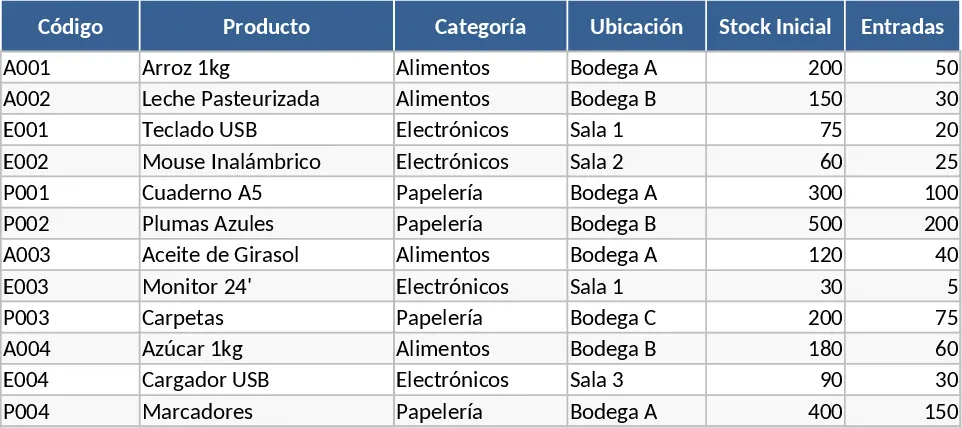
Inventory Management with Category Breakdown Template
Track stock levels, monitor product movements, and manage reorder points to ensure your business always has the right amount of inventory on hand.
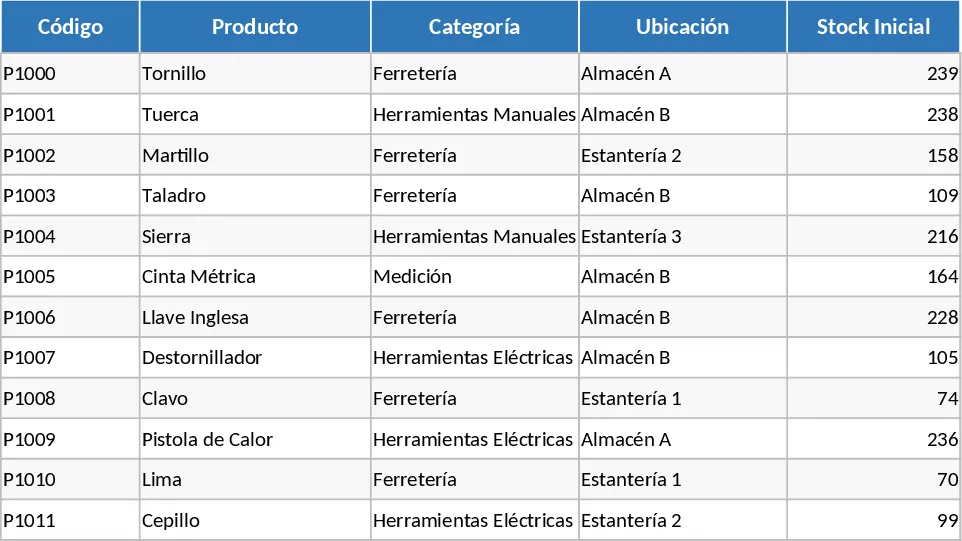
Automated Inventory Management Template
Streamline your warehouse management with this automated inventory tracker that syncs stock movements and updates levels in real-time.